

Should You Accept Or Reject Cookies From A Website?

When you visit a website, it's fairly common for a pop-up to appear on your screen informing you that the website uses cookies, and asking if you want to accept or reject them. Which is the right choice? Well, the answer can depend on the site and what you use it for, but the safer choice is usually clicking reject, for several reasons we'll expand on shortly. Generally speaking, you always want to accept essential cookies so that the website functions the way you want it to. You want to reject non-essential cookies, as they're often the ones tied to data tracking and targeted advertisements.
Cookies is a term used to describe information from a website sent to your browser to store. Cookies are designed to make the website function as it should. This includes essential features, website security, or remembering what you have in your shopping cart. They often customize the website based around your preferences by remembering your choices and settings, or based on data about you. Even the police are using cookies to catch criminals.
The idea of being tracked and getting your data sold to advertising companies isn't often a welcome reality. If you want to avoid this, but still have websites function properly, you need to know about how to customize your browser's cookie settings.
The types of website cookies to know about
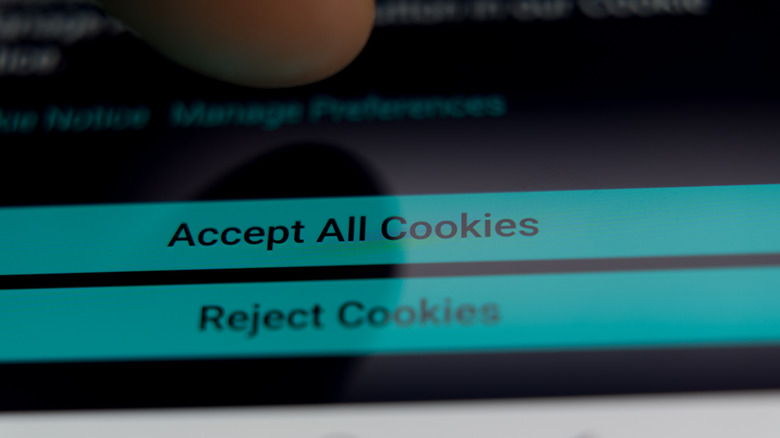
As mentioned above, websites sometimes ask if you want to allow essential or non-essential cookies once you visit. Essential ones make the website function properly. This could include if you want a safe search filter enabled, if you like videos to auto-play, or if text boxes auto-complete for you based on your search history and saved information.
Non-essential ones still might help the website perform better, and whether you want them enabled or not depends if they're first-party cookies or third-party cookies. First-party is used directly by the website for functionality, whereas third-party cookies are primarily used to track your browsing activity and compile data for analytics and advertisement purposes. This could be the reason why you seem to suddenly get targeted ads for items you mentioned during a conversation or did a Google search to learn more information about.
There are more specific types of cookies beyond those general labels. Advertising cookies provide targeted advertisements, social media cookies let you share content to specific channels, and analytics cookies track your browsing activity. Unsurprisingly, you typically want to avoid these types of cookies, as they're usually third-party ones. Functional cookies personalize your browser in broader ways, such as remembering what country you live in and what language(s) you want text displayed in.
How to choose what cookies you want

While you want websites to function as intended, you also want to keep certain things private, and there are ways outside of cookies to keep your private data off the internet. If you choose to accept all cookies when entering a website, then both essential and non-essential will apply to you. If you choose to reject all, the website will only apply essential cookies. Sometimes websites prompt you in the pop-up to manage cookie settings, and allow you to turn certain cookies on or off. If it doesn't, however, there's typically still a way to access these settings, depending on the website.
Sometimes at the bottom of a website, where various internal and external links are, there's one labeled Cookies or Cookie Settings. That will let you further customize what cookies you want this website to use. Sometimes the browser you're using will also allow you to manage overall cookie settings. For example, Google Chrome, Firefox, and Microsoft Edge allow you to manage cookies for individual websites through their Settings menus. Using Incognito or Private modes are also a good way to try and avoid non-essential cookies.
Ultimately, the choice of what cookies you want to allow per website is up to you, and will have an impact on the features you get from the site. However, if you want to avoid your activity being tracked and your data being sold to third parties, it's best to stick to accepting only essential ones.