

The 3 Cheapest Ways To Turn Your Tablet Into A Laptop Replacement

We may receive a commission on purchases made from links.
While laptops are still great for taking your work on the go, they're no longer the only option, or even the best one. These days, you can use a tablet instead and turn it into a solid laptop replacement. Over the years, tablets have become larger, clearer, and more powerful, and recent updates like Android's desktop mode and new iPadOS 26 features that turn it into a touchscreen MacBook make it clear that developers are leaning into this functionality.
Depending on the accessories you pick and whether you already have a tablet, this conversion will likely be far cheaper than purchasing a new laptop. Plus, you'll have all the crucial capabilities of a laptop along with the flexibility of a tablet that is even lighter and more portable for your convenience. If you're looking to change the way you use your device without breaking the bank, here are some settings and accessories that will help you turn your tablet into a laptop.
Enable desktop features you probably didn't know about

Recent updates make it easier to use your tablet like a laptop, but some of these features need to be enabled in your device's settings. If you're on iPad, go to Multitasking & Gestures in Settings to turn on Stage Manager. This feature gives you more control over the display by allowing you to group apps and move windows freely, which is great for multitasking and feels more like using a laptop or desktop.
As for Android tablets, those vary more from brand to brand. If you have a Google Pixel tablet, for example, a March 2026 Android update adds desktop mode. Samsung Galaxy tablets can use DeX mode, and Xiaomi Pad has Workstation Mode, both of which offer laptop-like displays with improved options for multitasking.
Just going into the settings won't turn your tablet into a functional laptop replacement on its own. Still, it's the most important piece of the puzzle on the software side, and it's 100% free. Knowing what your tablet can (or cannot) do can also help you decide if you need an upgrade, as older models may not have access to these kinds of features.
Pick the right keyboard and mouse

There are plenty of keyboards out there that will instantly make your tablet feel and function more like a laptop or desktop computer. Apple's Magic Keyboard is considered the best for iPad, but they start at $249, only $100 less than the cheapest iPad model. For a fraction of that price, you can get the Harvopu keyboard case on Amazon, which sells for between $25 and $35 depending on the color. For a platform-neutral option, consider eoso's TouchPad Keyboard case, which currently sells for $36.99 and fits any tablet between nine and 11 inches.
These two accessories stand out for their trackpads, a feature not many keyboards in this price range include that helps emulate the laptop experience. Depending on personal preference, you may be able to forgo a mouse and use either a trackpad or the touchscreen. If you do want a mouse, most any USB or Bluetooth model will do, but some cheap but reliable options include the Logitech B100 ($7.99) and the Logitech M196 ($14.99), both of which have over 4.5 stars (out of five) on Amazon and lots of positive reviews.
Increase utility with other accessories
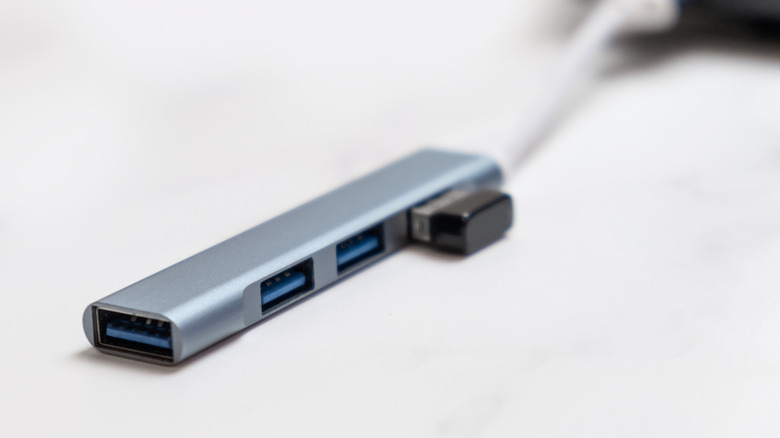
Adjusting system and display settings and adding a keyboard will make your tablet look and feel more like a laptop, but there are other things you'll need if you want it to be a true replacement. First, a USB hub will open up more options for storage and accessories, especially on an iPad, which notoriously only has its charging port. These devices start around $10 on Amazon, with the BENFEI USB C Hub 5-in-1 being a cheap and popular option.
You'll also need to increase your tablet's storage capacity and battery life if you want it to be as efficient as a laptop. Starting with storage, cloud solutions are the easiest and cheapest option, at least in terms of upfront costs. Price and features vary depending on which service you use, but iCloud+ starts at $0.99 a month for 50 gigabytes, and Microsoft 365 and Google One's Basic plans give you 100 gigabytes for $1.99 per month. If you'd rather avoid the cloud or a subscription, there are external storage options. An external SSD is ideal, but the reliable ones are pricy, so a USB flash drive will often suffice.
Finally, if you want to take your computer on the go and don't want to be wired to the wall, get a power bank to give your battery life a boost. As with other tablet accessories, they vary greatly in price, but there are decent ones available for around $20, like the INIU Portable Charger. With the right accessories and settings, you can turn almost any modern tablet into a working laptop substitute without spending a fortune.