

One UI Vs. Pixel UI: Which Android Phone Setup Is Best For You

One of the benefits of the Android smartphone ecosystem is that manufacturers bring small variations to the operating system and its features to entice people to buy a phone from their lineup. No two Android phones are the same, especially not ones from Google and Samsung. Samsung devices feature a heavily customized version of Android called One UI. It's a customized skin built on top of the underlying Android software. It includes features such as One UI Home, Galaxy AI, and advanced theming (with Good Lock integration). It's Samsung's visual signature on its smartphone lineup, evident across all the devices it makes.
Google does something similar. While many might note that Google's Pixel phones offer a near-stock Android experience, there's still some variation through the Pixel UI. Google's Pixel UI includes the Pixel Launcher, which is the native experience for how your phone looks. It includes the placement of UI elements on your home screen all the way down to the font. Many of Google's updates are applied directly to it, helping streamline a purer Android experience compared to other UI skins.
Who is One UI for?
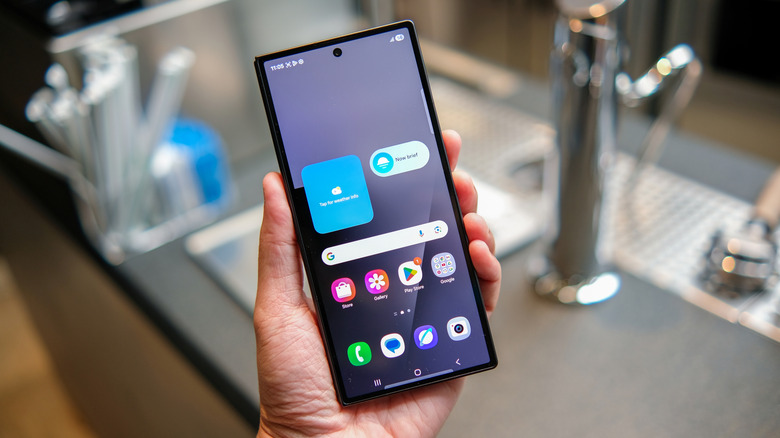
I have extensive experience with both Google's and Samsung's custom Android skins. While I tend to lean toward One UI, I still appreciate Google's minimalist approach in Pixel UI. One UI, on the other hand, caters more to users who love tinkering with their home screen. Some users install third-party launchers so they can add custom icon packs more easily. Others like to change themes or the layout of their home screen. But I am not one of those people — I am more than satisfied with what One UI Home provides, and haven't installed a third-party launcher outside of testing.
The main reason is the Good Lock feature. If I want to create larger folders, apply new color themes to the keyboard or lock screen, or create advanced gestures, the app has a set of modules that you can install. These modules are designed to play nicely with Samsung's One UI. Good Lock also periodically upgrades to stay compatible with new One UI updates, so I usually don't have to wait too long until I can access the module again. It makes the whole experience a little more consistent compared to what I might gain from a third-party launcher. When using launchers, you often have to wait longer for bugs to be fixed, or the third-party launcher could get killed.
One UI isn't for everyone, though. For example, the Galaxy AI suite that's baked in sometimes feels like bloat. Samsung doesn't always get it right when innovating, such as introducing separate panels for quick settings or notifications, or changing default icons toward a more pill-shaped design. Such changes feel less like Android and more like iOS. Overall, One UI is a bit of an acquired taste; you either like it or you don't.
Who is Pixel UI for?
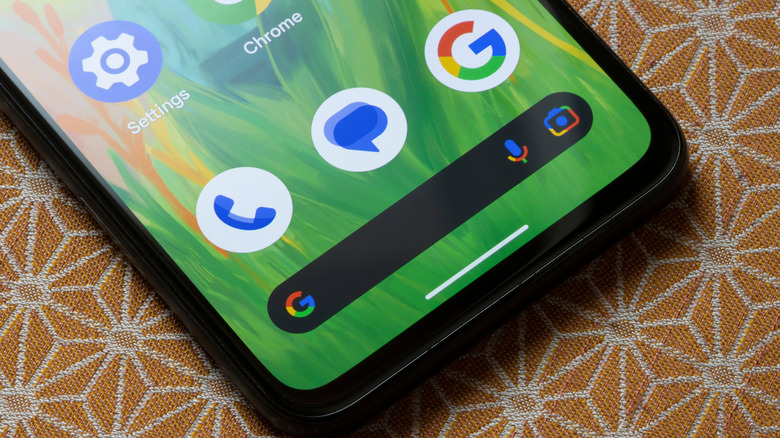
Pixel UI is much more minimalist than One UI, but the entire experience feels clean, responsive, and primarily hands-off when it comes to customization. It's great for those who want to tweak how their phone looks without getting into the weeds of it. For example, theming on Pixel devices is driven by Material You, which has existed since Android 12. Material You Expressive is Android 16's big redesign of the feature.
Material You takes the headache out of matching your wallpaper colors to the rest of your layout. The software uses on-device algorithms to extract colors from your wallpaper and complement them across your phone. So if you have a summer-themed wallpaper with warm color tones, Material You will ensure those warm tones are applied to app icons, the settings page, and other areas.
But Material You isn't the only highlight of Pixel UI. Swiping through the app drawer, opening the settings app, and even just moving around your home screen all feel extremely fluid. It's a UI driven by its efficiency. To me, it is night and day scrolling through my Samsung Galaxy S25+ and Google Pixel 8. I also never felt my Galaxy S25+'s animation transitions underperformed until I played around with the Pixel 8. The animations don't lag on my Pixel 8, unlike when I am moving through my app drawer on my Galaxy S25+. There are also a few more useful AI features in Pixel UI, like At a Glance, Call Screen, and Magic Editor.
The downsides of Pixel UI are that it still feels bare-bones to many, lacking some in-depth customization options. You're also more deeply integrated into Google and its services, whereas One UI integrates Samsung's offerings and Google's, even if it is Samsung-favored. Pixel Launcher can also be too restrictive, limiting what you can add to it.