

Can You Replace Your PC With A Raspberry Pi?
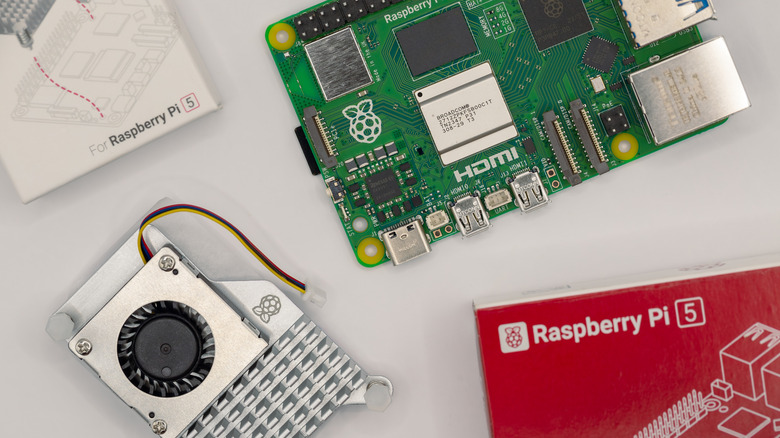
The Raspberry Pi was never intended to take over as your primary PC. With goals based in education, tinkering, and research, replacing your entire setup with the dinky single-board computer isn't something that you should realistically consider. However, it's a perfect device that can act as your more beefier hardware's sidekick, and that's still the case for most people, even though you can finally get a Raspberry Pi laptop now. Outside of the company's stated goals, even the most recent Raspberry Pi 5 is still a long way away from being someone's permanent daily driver.
On the productivity front, the Raspberry Pi is more than capable of providing you with word processing, email, and the use of web-based productivity apps. These aren't too stressful on the system, as they've pretty much been a staple of computing since the '70s. The most recent release, the Raspberry Pi 5, is also 2.5 times faster than its predecessor, meaning it'll perform most basic tasks easily.
When it comes down to it, the Pi can struggle when using more intensive areas of computing. Chrome and Firefox already suck up a good portion of resources, and until 2024, sites like YouTube struggled to play back video at 1080p on the devices. Where the Raspberry Pi really shines is in its maker roots — with General Purpose Input Output pins (GPIO), the Pi 5 has PCIe support and various ports for additional hardware. Here, the Pi family of single-board computers (SBCs) becomes an incredible tool that can be molded into different projects as you see fit.
Recent price hikes are affecting the Raspberry Pi

With the current economic situation around electronics, you might want to hold off on purchasing a Raspberry Pi unless it's absolutely necessary. The SBC market has been completely flipped upside down with the ongoing RAM shortage spurred on by AI data centers. With companies spending billions on RAM, storage, and even processors, Raspberry Pi raised the prices of its roster once again in April 2026. When the Pi 5 launched, it was already a significant jump in price, but it matched the performance increases. After three price increases in four months, it's now more of a luxury item than an impulse buy.
Originally, the Raspberry Pi was meant to be a low-cost computer that would see big gains in performance as processes improved. Between the first Pi and the model 4B, this remained mostly true, with only slight price increases as expected. Now, with RAM scarce, even in the lower-grade, previous-generation LPDDR4 DRAM tier, it's simply not a great time to invest in the hardware if it's only going to be used as a secondary PC.
The Raspberry Pi 4 and 5 have been impacted by this. Price increases range from the 4 GB model seeing an additional $25 added to the 8 GB variant shooting up by $50 and the 16 GB Pi 5 model having a whopping $100 slapped on. For comparison, the $305 16 GB Raspberry Pi 5 is only $94 cheaper than a significantly more powerful Beelink Mini PC. In Geekbench 5 benchmarks, the Beelink's Intel Core i3-1220P chip hits 2,386 points on the single-core test, while the Pi 5 clocks in at 899 points. As of this writing, it makes more sense to invest in a mini PC before those prices begin to shoot up.
Can the Raspberry Pi 4 replace a PC?
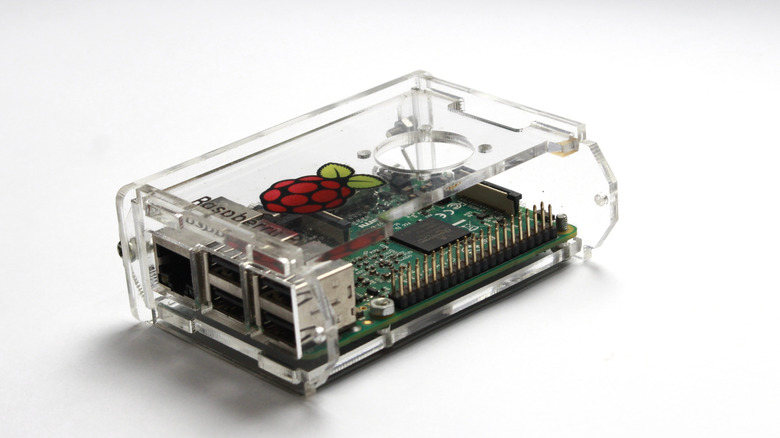
Despite the fact that the Raspberry Pi 4 supports 4K displays and has alternative operating systems available, the older-generation SBC cannot wholly replace a PC. The device, overall, is simply not powerful enough to do anything more than basic productivity tasks, so it's better suited for tinkering and self-hosting. We've recommended against replacing your entire primary setup with a Raspberry Pi 5, so the Pi 4 is a definitive "No."
This older hardware is honestly best suited for the huge host of Raspberry Pi projects that are out there on the web. It's also great if you need a host for something along the lines of Home Assistant, which lets the Pi 4 pilot smart sensors around your house. A Pi 4 can also deliver video or audio if you self-host, with applications like Jellyfin or Navidrome able to provide that on a local network — as long as the files aren't too heavy on the system.
Other projects to integrate the Raspberry Pi 4 into could include a KVM (keyboard, video, and mouse) setup to control multiple computers from a single mouse and keyboard. Rather than having to unplug or rely on third-party software, there are open-source projects that'll allow you to save a bit of cash rather than buying off the shelf. Other practical projects include running it as a remote for your 3D printer so you don't have to physically be around it to check on progress or start a new print.