

Before You Buy A New Laptop, Check For These Ports First

It's hardly the sexiest quality of any piece of hardware, and in the era of sleek aesthetics and hyperportability, port selection is often a forgotten afterthought. That said, disregard ports at your own peril. That sleek, glossy clamshell may dazzle you at first, but after the first week or two with a new laptop, I promise you'll care far less about how pretty the color of the chassis is than how easy it is to plug it in to your favorite accessories (and charge it, and load up additional storage, and hook it up to a TV, etc.). Even the best laptops available in 2026 can benefit mightily from a generous allotment of ports.
I speak from experience when I say it's wildly annoying to buy an ultraportable specifically because I wanted something with a svelte silhouette that could disappear into a backpack or courier bag, but then had to buy a bulky dock to get the connectivity I needed. In an era where USB-C is king, it's easy to forget that a lot of accessories and peripherals require older/different ports to attach to modern hardware. Many will still need at least one USB-A port for backward compatibility, and optimally a handful; HDMI is also still vital for connecting to many displays, especially if you ever use your laptop as a media/streaming center attached to a TV. Let's dive into which ports I consider absolute necessities, which are optional, and which you may actually want to avoid.
The must-have ports for everyday use
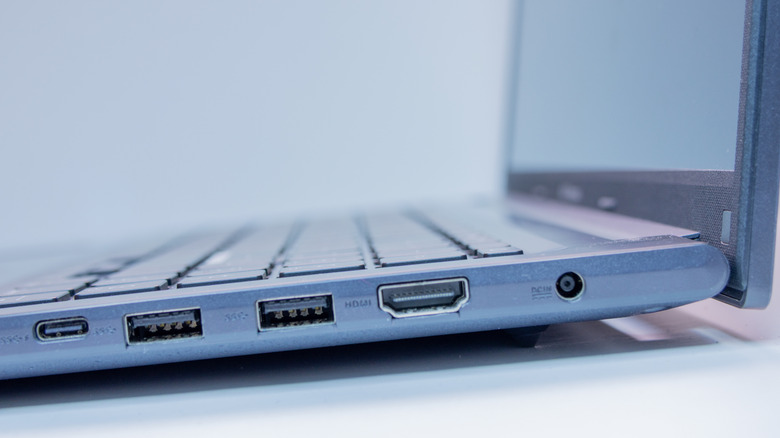
The necessities boil down to a handful of common use cases: flexible charging options, connecting peripherals, and outputting to external displays. Personally, I'm not a huge fan of carrying around a massive charging brick if I can help it, and luckily, a lot of modern machines give you the option to charge (albeit more slowly) through a simple USB-C cable. USB-C ports are an industry standard on new laptops, but you'll want to take note of their number before you lay out your hard-earned cash.
An unfortunate number of machines still skimp on USB-C, only including three or fewer. In some rare instances, you'll only find a single, lonely USB-C. As someone who frequently charges through USB and also attaches monitors, microphones, external storage, mice, mechanical keyboards, and more, three USB-Cs is the bare minimum. I also strongly recommend looking for a machine with at least two USB-A ports. Older peripherals, including things like printers, often connect via USB-A, so unless you're living in a hypermodern environment where older devices have been totally phased out, USB-A remains an unfortunate requirement.
As someone who frequently uses my laptop as a media streaming platform, I'd also never buy a machine without an HDMI port. I frequently hook my laptop up to my TV to watch movies or live sports events, so at least one HDMI output is non-negotiable. In a perfect world, I'd also like a DisplayPort output, mostly for monitor connections, though those are significantly rarer than HDMI.
The bonus ports I love (and the ones that are a waste of real estate)
There are also some bonus ports I look for, one of which is a headphone jack. Anytime I'm working in public, I've got earbuds in or headphones on. While they're usually wireless, on the (sadly frequent) occasions when I forget to charge up before I leave the house, having a jack to hardwire a pair of cans to my machine is a huge boon.
I also love a microSD or full-size SD slot for adding some quick, fast storage. Beyond that, a Thunderbolt 4/USB4 port is always a welcome luxury. Beyond the extra bandwidth, it opens up the possibility of connecting an 8K display, or even daisy chaining external GPUs. USB4 will increasingly shift from a nice bonus to a practical necessity as the rest of the hardware world starts to catch up with connection protocols.
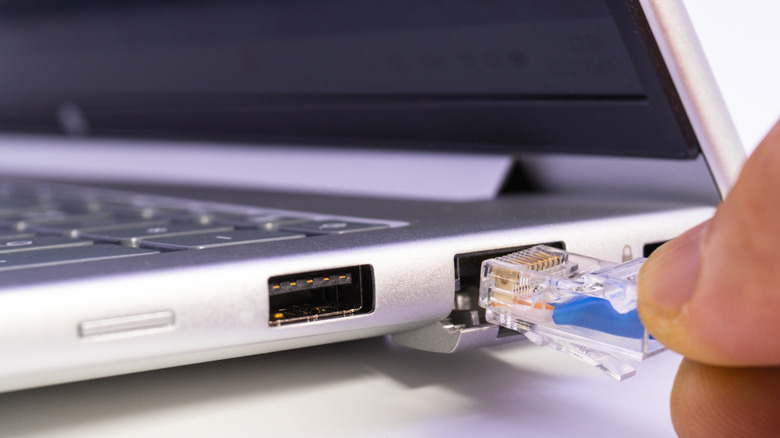
On the other hand, things like a dedicated Ethernet port or legacy display ports (like mini DisplayPort or even VGA) are a waste of valuable space. I'm not typically transferring such huge amounts of data on my laptop that I need to wire it up to Ethernet, and none of the displays I use require those old-school ports. I'd only endorse shopping for a niche connection like this if you have a specific piece of hardware you can't live without, or, in the case of an Ethernet port, if you mostly use your laptop in one specific spot at home and it's an overpowered desktop replacement.