

Aqara Thermostat Hub W200 Review: The Best Thermostat For HomeKit
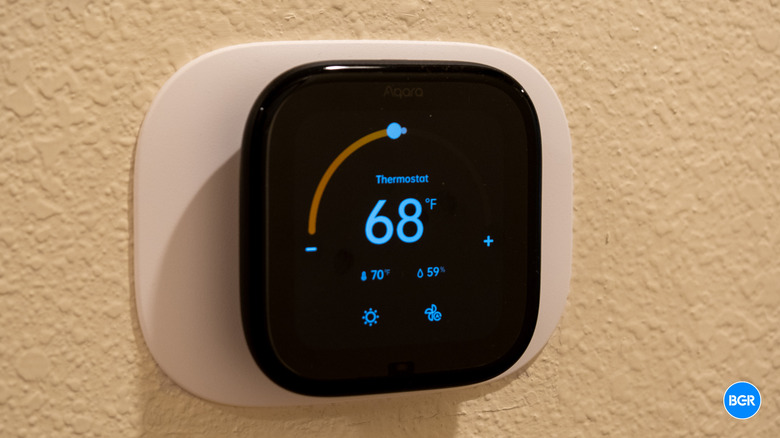
Aqara has been building some of the better smart devices for Apple Home users over the past few years, and now it's here with its first thermostat — the $159.99 Aqara Thermostat Hub W200. The W200, however, goes far beyond just being a thermostat. It also doubles as a Matter 1.4 controller hub, a Zigbee hub, a Thread border router, and even an mmWave presence sensor. It's designed to be a do-it-all smart home device that can help tie everything in your home together.
It's also the first thermostat in the world to natively support Apple's Adaptive Temperature and Clean Energy Guidance features, which rolled out with iOS 26. If you're an Apple Home user who has been eyeing Ecobee or Nest and are having trouble deciding, the W200 is aimed squarely at you.
So, the question isn't really whether the W200 is ambitious. It obviously is. The question is whether Aqara's first attempt at a thermostat actually delivers on all that ambition, or whether it's the kind of product that looks great on a spec sheet and frustrating on a wall.
Design
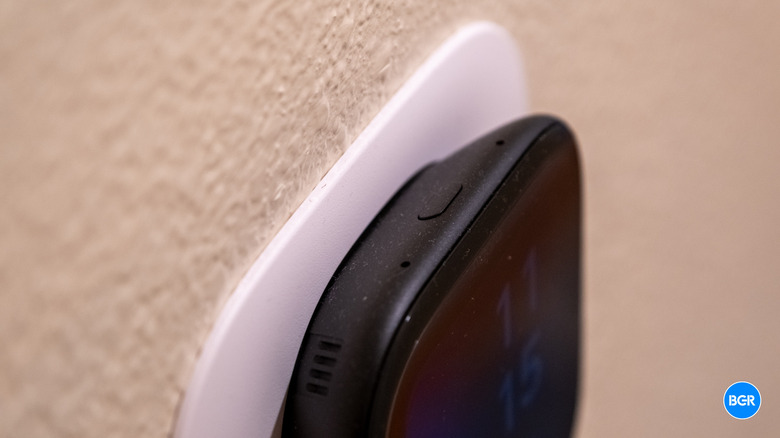
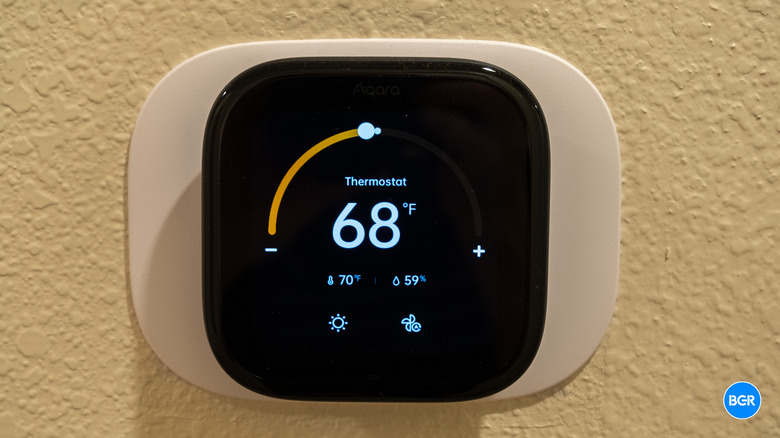
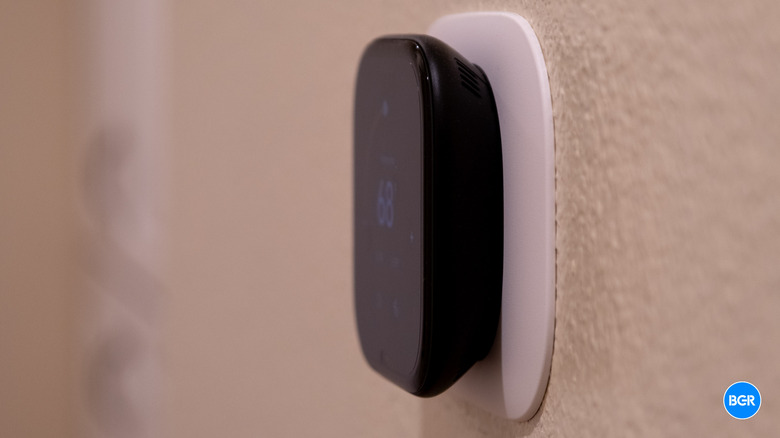
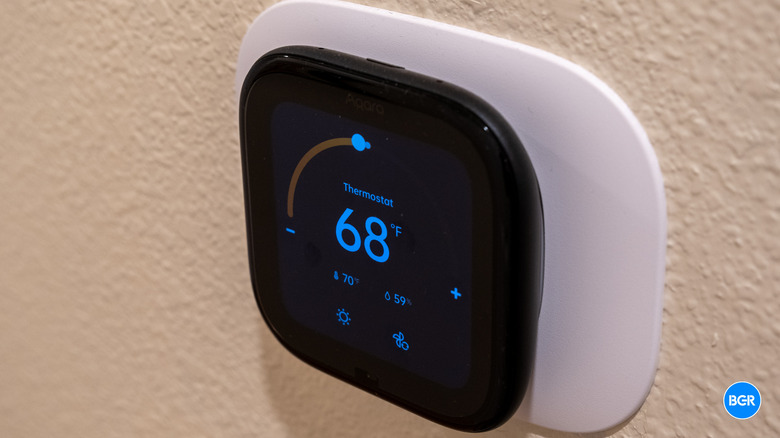
The W200 is a rounded square measuring 3.94 x 3.94 x 0.89 inches. The front is dominated by a 4-inch full-color touchscreen with a 480 x 480 resolution. It's surrounded by large bezels that can't help but look outdated in 2026, especially against the likes of the Nest Learning Thermostat. The glass is smoothly curved with waterfall edges that flow into the body, and it only comes in black. There's no white option at launch, which is a little surprising given how many homes have lighter wall colors.
The thermostat looks quite good, though it's not as premium-looking as recent Nest thermostat models. There are certainly uglier thermostats out there, though, and I was glad that the Aqara thermostat rose above that bar. I would have liked more metal in the build, though, like the Nest.
The display itself is bright enough to read in daylight and dims appropriately at night so it won't blind you. Auto-brightness handles this automatically, and the screen wakes on approach thanks to the built-in mmWave sensor — you don't have to tap or wave, you just walk up.
That said, there are a couple of annoyances. The screensaver options are pretty but limited — you can show the time or the weather, but you can't show both the time and weather at once, which is kind of silly. And while it's easy enough to adjust the temperature, the screen isn't quite as responsive as I would have liked — sometimes it failed to register a touch on my first attempt. It's nowhere near as intuitive or as simple as controlling the Nest, which simply requires you turn the ring around the outer edge.
None of this is a dealbreaker, and you will get used to the overall look and functionality of the device in time. Most people probably don't care all that much about the screensaver on their thermostat anyway.
Installation is pretty painless. Aqara includes a trim plate in the box, and the mounting holes line up with standard thermostat patterns, so swapping out an existing unit takes somewhere between five and ten minutes, especially if you've replaced a thermostat before. You will need a C-wire — but if you don't have one, Aqara sells an adapter separately.
Features
The headline feature, and the reason a lot of people will be looking at the W200 in the first place, is native support for Apple's Adaptive Temperature. Instead of building out a traditional 7-day schedule, Adaptive Temperature leans on your iPhone and Apple Watch location data to figure out when you're home, away, or asleep, and adjusts the thermostat accordingly. If you turn on Predict Arrival, it'll start pre-heating or pre-cooling the house before you usually get back from work. Extended Away mode widens the setpoint range when you leave town for a few days.
In practice, this works well, and if your schedule isn't particularly volatile, it's arguably a better approach than manual scheduling. It just quietly keeps the house comfortable without you thinking about it. The trade-off is that Apple Home's scheduling system has some gaps. You can't, for example, set night mode to kick in later on weekends than on weekdays. That means you'll probably end up back in the app to fill in the blanks or control the thermostat manually as needed.
Clean Energy Guidance is the other iOS 26 feature, and it's more regional. It makes small, automatic adjustments when the grid is cleaner or when dynamic pricing is favorable. Rate optimization currently works with PG&E if you connect your utility account, so if you're in California like I am, this is useful — but again, keep in mind that the adjustments will be small. Elsewhere, it's more of a carbon-aware nudge than a bill-saving tool, for now.
Compatibility-wise, the W200 supports most 24 VAC systems, including furnaces, ACs, heat pumps up to 2H/2C with 2-stage auxiliary, boilers, and PTACs. It should work with a large portion of HVAC systems. What it doesn't work with is high-voltage systems (110V, 120V, 240V) or proprietary communicating setups. A C-wire is required, which, again, means you'll need the $29.99 adapter if your system doesn't have one.
The integrated mmWave radar is a smart addition. It uses tech that Aqara has built for other devices, like its dedicated presence sensor. It detects extremely precise movements, not just obvious motion, with a range of about three meters and a 120-degree field of view. That means it knows you're there even if you're sitting still on the couch, because you'll at least be moving a little.
Beyond waking the display, you can use that presence data for automations across the rest of your smart home, like turning on lights when you walk by, for example. It's not as sophisticated as Aqara's dedicated FP2 sensor, which can distinguish zones within a room, but it's a nice bonus for a thermostat — and I hope we get more features and sensors in smart home devices like switches and thermostats. It just makes sense.
The core thermostat features work well. Heat, Cool, Auto, and Away modes all behave exactly as you'd expect. There are also some nice advanced touches, like a minimum compressor runtime setting to prevent short-cycling.
There are two notable omissions, though. First, there's no way to set hardware temperature lock boundaries — meaning you can't restrict how high or low someone can crank the setpoint. Second, the W200 only supports one external temperature sensor at a time. No multi-room averaging or the ability to select different sensors for different times of day.
App
The Aqara Home app handles everything the device's screen doesn't, including full schedule management, complex if/then automations that can mix Aqara hardware with third-party Matter devices, and detailed logging.
The app supports multiple user profiles with different permission levels, and it offers two-factor authentication. Automation logging gives you a decent history of what triggered what, though runtime statistics are presented as a fairly simple bar graph. Ecobee still has the edge here if you're the kind of person who likes to keep track of HVAC data.
That said, you don't actually have to use the Aqara app if you don't want to. The W200 can be set up and run exclusively through Apple Home if you prefer. Being able to ignore a first-party app is handy for those who want to avoid installing many smart home apps for different devices. The catch is that Apple Home's scheduling limitations will probably push you back to the Aqara app eventually, if only to set up weekday-versus-weekend schedules that HomeKit can't handle on its own.
Smart home support
One of the main selling points of the W200 is the fact that it's a full Matter 1.4 controller hub, which means it can run your smart home without needing another ecosystem in the middle. It's also a Zigbee hub, a Thread border router, and a Thread mesh extender. And it talks to Apple Home, Google Home, Alexa, SmartThings, and Home Assistant directly through local Matter connections — no cloud round-trips required for basic control. Practically, this means your thermostat keeps working during internet outages, and response times are faster because commands aren't first sent to a server.
Connectivity-wise, you get dual-band Wi-Fi plus Bluetooth for setup. The W200 also integrates with some of Aqara's other devices, like its doorbells. Unfortunately, the integration is somewhat limited. When someone rings the doorbell, an image of the person at the door pops up, but you can't actually see a live feed or use the thermostat to talk to the person outside the door. That seems like a missed opportunity.
Conclusions
The W200 is one of the most interconnected smart thermostats you can buy right now. The combination of native Apple Adaptive Temperature support, full Matter hub capabilities, Thread border routing, and built-in mmWave presence detection is unique at this price. For Apple users especially, it's the most compelling thermostat on the market feature-wise.
That said, it's not perfect. The software isn't as well designed as it could be, and the design doesn't match the premium look of the likes of Nest. That said, if you don't mind those things and use Apple Home, the Aqara Thermostat Hub W200 is the way to go.
The competition
The Ecobee Smart Thermostat Premium still has advantages worth considering. These include multi-sensor temperature averaging, more detailed runtime analytics, and an air quality sensor, which are all features the W200 lacks. But Ecobee is a closed ecosystem, so there's no Matter support and its first-party sensors become useless if you switch thermostats.
The most well-known smart thermostat is the Google Nest Learning Thermostat, which is better designed and easier to use. It's also more expensive, but it does support Matter, so you can use it with Apple Home if you want to. That said, if you do, it won't support features like Apple's Adaptive Temperature and Clean Energy Guidance.
Should I buy the Aqara Thermostat Hub W200?
Yes, if you want the thermostat with the most robust smart home integration — especially for Apple Home.