

This Underrated Google Pixel Voicemail Feature Just Got Even Better
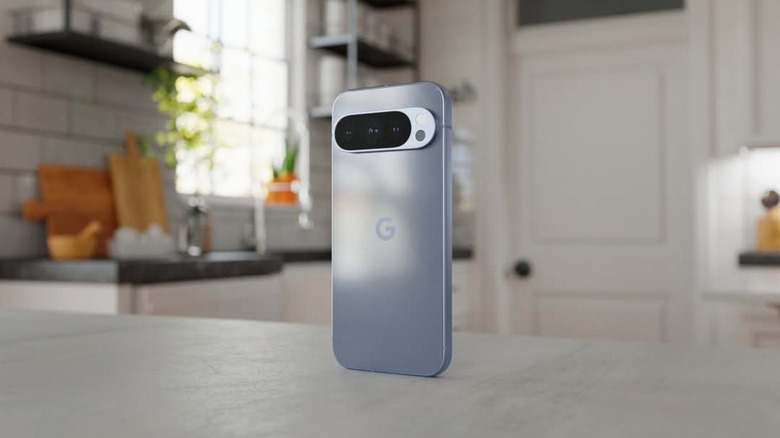
Carriers have offered voicemail support for years, a feature many people may take for granted. But Google decided to rethink voicemail last year and make it even more useful. The company launched a feature called Take a Message with the Pixel 10 series in 2025, bringing AI into the mix to improve the calling experience for Pixel users by allowing them to screen calls in real time. Take a Message behaved more like a traditional answering machine connected to a landline, with a key difference. The AI would also generate transcripts of the voice message. Fast-forward to June 2026, and Google has upgraded the Take a Message tool with another feature reminiscent of traditional answering machines, as well as carrier voicemail services. Users can now record custom messages for Take a Message instead of using Google's default greeting.
According to 9to5Google, the custom Take a Message greetings feature first appeared in the beta version of the Phone by Google app in April 2026. The feature is rolling out to supported devices. You'll need a Pixel 6 or later running Android 16 or later to use the feature. Take a Message isn't supported worldwide. As of this writing, users in the U.S., Australia, Canada, Ireland, and the U.K. can use it.
To start using the new custom greetings, you'll have to look in the Home tab for a new prompt titled "A personal touch on your missed calls" which lets you test the greeting feature. Alternatively, you'll find the new feature in the Settings of Take a Message. You can set multiple recordings of up to one minute long, then select the one you want to use for incoming calls that go to voicemail.
How Take a Message works
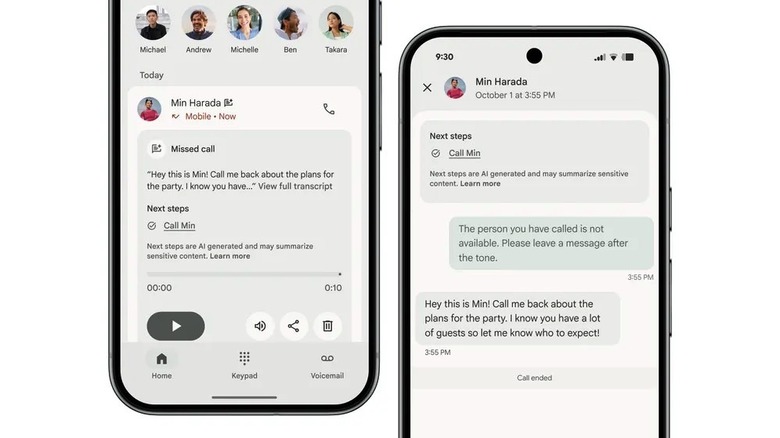
The new custom greeting doesn't change how the Pixel voicemail feature works. Take a Message isn't just a convenient way to ensure you don't miss important calls from family, friends, and co-workers. It's a smart feature that will reduce distractions by preventing you from dealing with spam calls and unknown numbers. Take a Message works on the phone, instead of the cloud or the carrier's servers, and uses AI to answer the call, play the default or custom greeting to the caller, and then record a message and generate a transcript of the call. The user can pick up the phone after reviewing the transcript in real time and deciding the call needs immediate attention. Take a Message can also offer AI-powered suggestions for following up on calls that went to voicemail.
Take a Message is a feature that builds on other features Google developed to improve the user's calling experience. For example, Take a Message uses the spam detection features (Call Screen) that Google developed for Pixel phones. Call Notes, launched with the Pixel 9 series in 2024, is a feature that lets users record calls and transcribe them. The AI can also generate summaries for the call.
Transcripts generated with Take a Message are saved directly on the phone, just like the call recordings. The data isn't sent to Google servers, and it's not saved in your Google account. Users can browse transcripts and recordings, and delete the ones that aren't needed.
What about carrier voicemail?
The Take a Message feature has been designed to work directly on the phone and provide smarter features than traditional answering machines or carrier voicemail services. But Take a Message doesn't eliminate the need for using carrier voicemail. The feature works only when the Pixel phone is on and connected to a network. If the handset is turned off, out of coverage, or roaming, Take a Message will not work. Instead, the usual carrier voicemail service can help you store voicemail messages from missed calls, assuming you have it configured for your phone number. Importantly, declining a call when using a Bluetooth headset, such as Google's Pixel Buds, will send that call to carrier voicemail instead of Take a Message. Pixel users who own Pixel Watch 2 models or later can use the smartwatch to enable the Take a Message feature for incoming calls.
Traditional carrier voicemail may not offer the same on-device AI features as Take a Message, but it will let you record a custom greeting for callers. If you need to ensure that you don't miss important calls, you may want to use both Take a Message and voicemail to cover more missed-call scenarios, assuming both services are available in your country.