

This Free App Lets You Test Your USB Cables (And Find Hidden Info On Them)
We may receive a commission on purchases made from links.
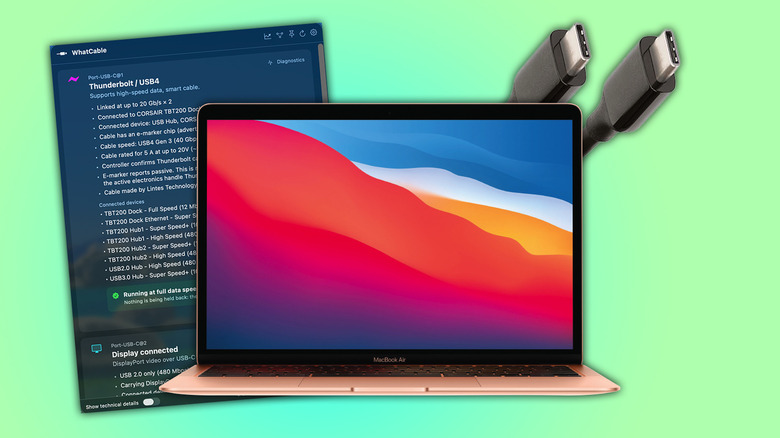
There's a new macOS menu bar app that's genuinely more helpful than a quick calendar or window manager. Launched in May 2026, WhatCable is a completely open-source, free menu bar app that allows you to run a scan on USB cables to determine what exactly they can do. It'll give you a full rundown of the specs, the type of chips it contains, and what it's rated at.
USB-C has become the rightfully dominant cable, with the European Union even managing to force Apple's hand in ditching the Lightning Cable on iPhones to ensure ubiquity and unilateral cable support for its citizens. The simplicity, however, has reared a problem that has been bubbling since USB-C was introduced: What's the difference between all these cables? USB4 and USB 3.2 Gen 2x2 share the same housing, but so do the super-cheap cables that litter online storefronts. Some USB-C cables are designed simply to charge, not even to carry any data.
WhatCable aims to eliminate that confusion, so you can make sure you're using the best cables for data transfers or charging purposes. On the app's GitHub page, the developer, Darryl Morley, lists in detail what the app can do, from charging and data-speed diagnostics down to trust signals to determine if it's an "unusual" cable. WhatCable also has its own notifications for when things are connected or disconnected, and it can be run from the macOS Dock rather than the menu bar.
WhatCable alternatives on Linux and Windows
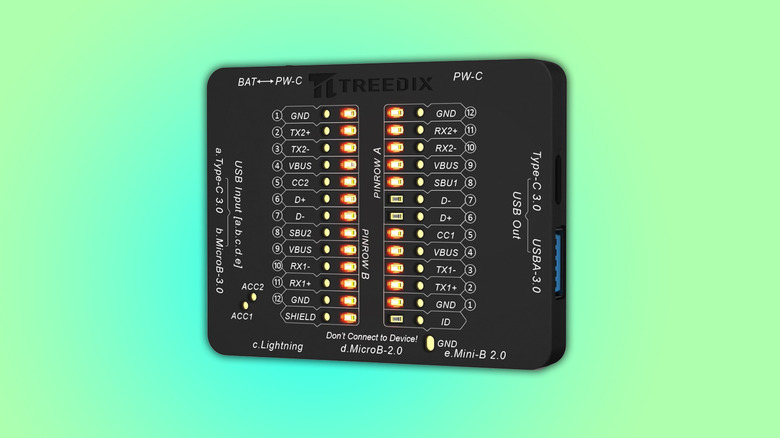
This is great for those of us with a macOS device, but what about those on Linux and Windows? Well, on Windows, it appears there's no immediate software analog. Here, you'll have to rely on hardware alternatives such as the Treedix USB Tester from Amazon. This device will give you the complete rundown of the cable. It comes in three versions, ranging from $15.99, $18.99 or $49.99, depending on how fancy you want it.
The Treedix uses LEDs on the board to indicate what kind of cable it has detected. Handily, there's a visual guide online, and it appears pretty simple to follow. Until someone ports the WhatCable app over from macOS to Windows, there are no current software options.
On Linux, thankfully, due to the nature of open source, some clever developers have managed to port WhatCable over. Forking it over GitHub, there are terminal versions, dedicated KDE Plasma widgets, and a Gnome-based version (which will be compatible with those not running the Gnome desktop environment). The KDE version works over the terminal and with the graphical user interface, so you can get all the information you need, however you like.