

All Apple Intelligence Features Coming In iOS 27
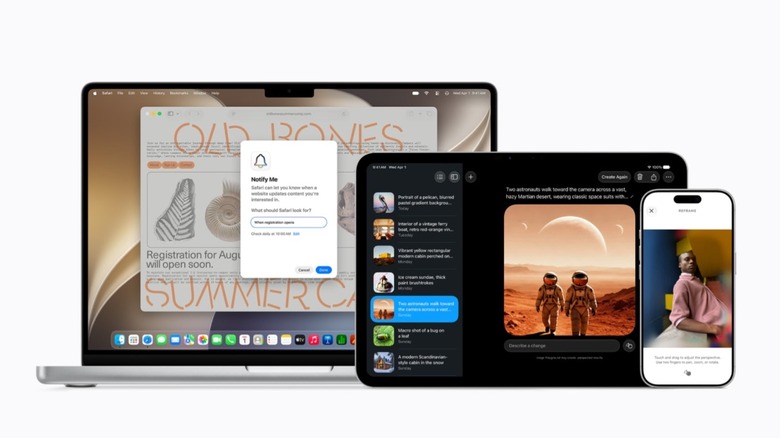
It took Apple long enough, but everything it previewed in 2024 during the WWDC keynote is about to come true. Right out of beta 1, developers have been able to explore the new Apple Intelligence and Siri AI features introduced in early June by the company. Among the powered-up technologies, iOS 27 users have several stock apps with Apple intelligence support, and old, but known features, such as Visual Intelligence, Writing Tools, and Image Playground have all been revamped.
While Apple worked hard to bring these features to iPhone, iPad, Mac, Apple Watch, and Apple Vision Pro users, it was its partnership with Google and custom Gemini models that are finally powering up the company's AI efforts. Apple says most of those features work locally on the iPhone, iPad, and Mac, but even those that require a connection to a cloud have a layer of protection thanks to the Private Cloud Compute, which ensures user information remains anonymous and no profile is created to track them.
Customers with an iPhone 15 Pro, iPad with M1 or A17 Pro, and Macs with M1 or A18 Pro chips or newer will be able to enjoy in full the all-new Apple Intelligence features. That said, it's important to note that some of the functions are still limited to English, and even once iOS 27 is out, most of these functions will remain in beta.
Siri AI

Following its design revamp with iOS 18, Apple is once again redesigning Siri. This time, the personal assistant is actually delivering what the company has always envisioned for it. Besides a new UI that appears from the Dynamic Island, this new Siri can understand context and tap into your personal information. For example, you can ask the personal assistant to help you find "that link" that "a friend" sent you a couple of weeks ago about a new book coming out.
Besides that, Siri can now take action inside apps and get world knowledge as well. A perfect example of combined knowledge is to get Siri to find photos of when you went to Taylor Swift's The Eras Tour, then ask the personal assistant which were the surprise songs, and play them all in a new playlist. The new Siri also brings a feature the personal assistant has never had before: A dedicated app.
With the new Siri app, users can start, continue, or see a conversation. This way, the personal assistant is similar to more well-known AI chatbots like ChatGPT, Claude, and Gemini, but without a profile of your information being created for you to target you with ads. What's more interesting is that on iPad and Mac, Siri AI is part of the Spotlight, which helps users get answers to questions about the computer, but also from the internet.
Photos app gets powerful AI tools

Apple redesigns the Photos app with every other software update. This time, however, the company kept the same look, but added three main editing tools that will greatly improve how users interact with their photos. When you try to edit a photo in iOS 27, Apple will show a new "Tools" tab with three features: Clean Up, Expand, and Reframe.
Apple introduced Clean Up with iOS 18, but at the time said the feature was made to remove certain objects from the picture without changing its general look. For example, while Samsung AI could recreate half of your face, even if it was covered by an object, Apple's Clean Up tool wouldn't try to guess what the other part of your face looks like. With new models, the company's Clean Up tool is a lot better and can remove trickier objects from a shot.
With the Expand feature, suppose you took a photo in portrait, but now you'd love it in landscape. This functionality adds more background to the photo, making it exactly how you'd like. Last but not least, Apple created a new Reframe capability, letting you tweak the angle of the photo using Vision Pro's spatial algorithms. During the keynote, Apple described this feature as if the user were going "back in time" to adjust the shot.
Safari, Passwords, Home, and Shortcuts
A bunch of apps in iOS 27 are now deeply integrated with Apple Intelligence. Safari, for example, finally gets intelligent tabs that get organized based on their topics; there's also a "Notify Me" feature, which keeps tracking changes in a webpage so you can get information when a product you wanted is back in stock, and the browser also got a feature that lets you create an extension using AI. You tell Apple Intelligence what you need from that page, and the extension can be created simply as that.
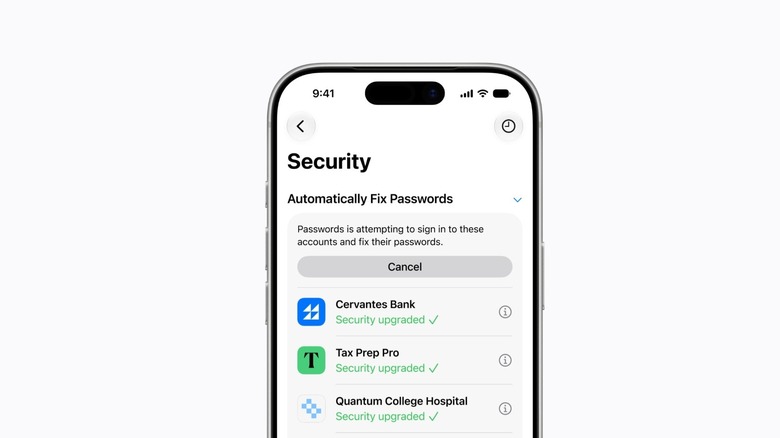
For the Passwords app, it can finally do something about all of those compromised passwords you never updated. Now, AI can log into your account, switch the password, and then update the code in the app. For those using the Home app to manage security cameras, it now enables 4K footage recording, intelligently saves clips that might be interesting for you, and brings real-time updates regarding someone moving around your place. Still, the app has become smart enough not to overspam you with several notifications of the same thing.
Apple is finally making the biggest switch to the Shortcuts app, making it accessible to everybody. Previously, users would have to go through a few steps to create a custom shortcut. While the app has always been powerful, not everybody understood how to navigate it. Now, users just need to tell the app what they need, and Apple Intelligence will create the shortcut for them.
Super-powered Visual Intelligence
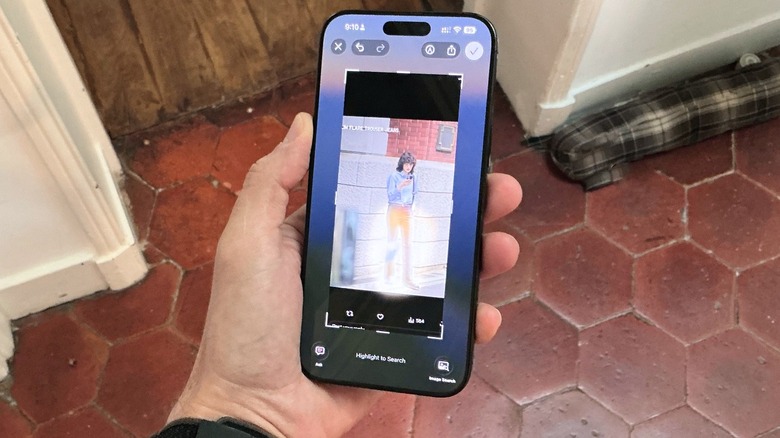
Visual Intelligence has been one of the main Apple Intelligence features introduced with iOS 18. This function evolved through the past few years with abilities similar to Google's Circle to Search, allowing users to translate a screenshot of information in the real world, add an event to the calendar, and much more. With iOS 27, Visual Intelligence expands across other Apple devices like the iPad, Mac, and Vision Pro; iPhone users can now take advantage of it with the all-new Siri, which can take action for users.
For example, if you're looking at a festival lineup, Visual Intelligence can create several calendar events for you, and Siri can help you select just the ones you actually want to attend. Another cool possibility Apple highlighted during the WWDC 2026 keynote is the ability to easily split a bill. Basically, once the check comes, users just need to point Visual Intelligence, and Siri will show all the items on the menu. Mark which ones you had, and then use Apple Pay Cash to transfer the amount to a friend, or just tell the waiter how much you owe. That said, Visual intelligence finally gets a lot more useful thanks to Siri, which understands contexts and can read the world around you.
All-new Writing Tools and Image Playground features
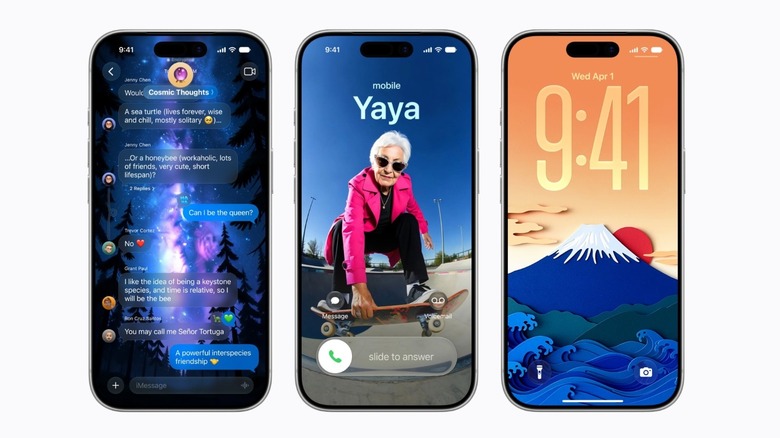
Apple is also ramping up OG Apple Intelligence features thanks to its partnership with Google. Now, Writing Tools and Image Playground functions are a lot better with updated algorithms. Writing Tools now exist everywhere in the system, and users can activate it with Siri to help them write anything from scratch. Among the examples, Apple says users can fine tune something they wrote, ask the personal assistant to make specific changes in certain paragraphs, and more.
Possibly the best part of Writing Tools in iOS 27 is that Apple says that Siri can match your tone in certain apps. So, if you need help to send a happy birthday to a friend, Siri will match the tone of your previous messages. If you're writing an email to your boss, the message will be a lot more formal, use bullets (if that's something you always do with them), and other specific writing styles that you might have.
For Image Playground, Apple now allows the app to create realistic images, so users can take advantage of the Photos app, improved Genmoji creation, and even take advantage of other styles that weren't available previously without ChatGPT's help. iOS 27, like the other software updates, are expected to be released later this fall, with a public beta coming this July.