

Google Calendar Has Finally Fixed Its Most Frustrating Problem
Although there are several reputable Google Calendar alternatives, the search giant's calendar offering remains pretty popular among folks who already use the company's other services, like Gmail, and want a closely aligned tool to manage their schedule. While the service, which can be a great productivity app for many, has a ton to like, one of its notable limitations has long frustrated folks who like to keep their entire lives organized. Google Calendar used to offer only 11 colors for event coloring, and this meant users with a ton of events in their calendar were forced to reuse colors, making it harder to identify event categories or event types with a quick visual glance. Fortunately, that's now changing, as Google is expanding the default color palette in Calendar to 24 colors while also adding a full RGB color picker for access to up to 200 custom colors.
Google says this update fulfills a long-standing request from businesses as well as personal users of Calendar. The feature update is already rolling out, and it'll first reach Google Workspace accounts on the "Rapid Release" channel, followed by accounts on "Scheduled Release." It'll eventually come to all Google Workspace customers, individual subscribers, and personal Google accounts. However, as the color update is part of an extended rollout, it may take weeks to reach all users, and the actual rollout for accounts on "Scheduled Release" channels will start on June 29, 2026.
Mobile users remain limited to 24 colors
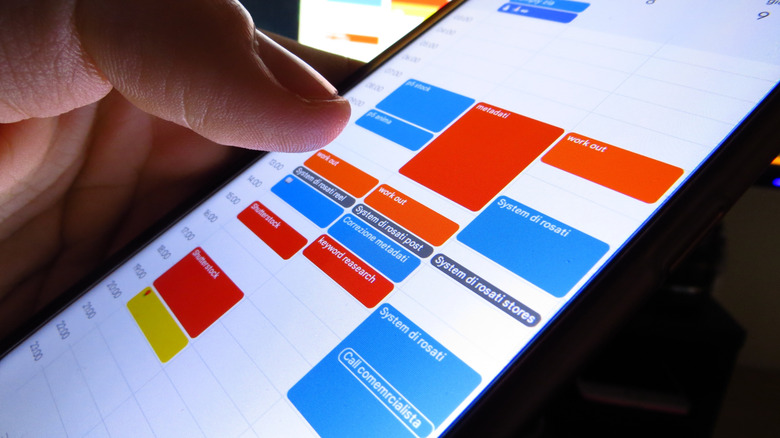
Although the expanded selection of colors for Google Calendar events includes a full RGB color picker on the web version and access via the Calendar API, mobile app users will only get 24 default colors. While folks would have certainly preferred getting a full RGB color picker on mobile, as a lot of Google Calendar interactions happen on mobile devices, the increase from 11 to 24 is at least some consolation. Plus, Google has noted that the expanded color palette won't have any admin control for Google Workspace users and will be enabled by default. This means your account administrator can't stop you from using all the new colors you'll soon have access to.
Once you get access to the upgraded color options, using them is fairly straightforward. You can simply choose one of the 24 default colors while adding or editing an event, or click on the edit option (if you are using the web version) to pick another from the RGB color picker. Remember, your event colors are only visible to you, even if you share your calendar. However, if you have given others access to edit your calendar, they can see the event colors.
Google has been making quite a few quality-of-life improvements to Calendar in 2026. The company had earlier made it easier to find and set different time zones for events and tweaked the web version to scale better on large, high-resolution monitors.