

5 Things You Should Avoid Doing On Your Steam Deck
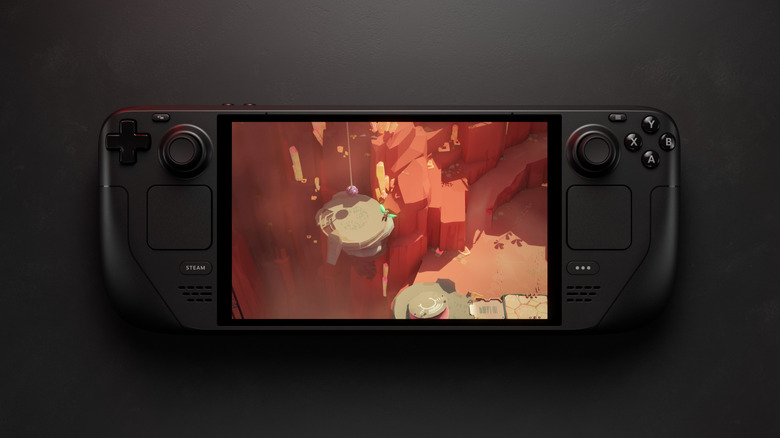
I've been covering the Steam Deck since it was announced in 2021. From putting together three in-depth guides about microSD cards, to reviewing a variety of accessories, and even ripping my Steam Deck apart to replace some internal bits. Over the years, I've gathered five main points from my time with Valve's hardware for you to avoid.
The Steam Deck is a nifty machine, released in 2022; it's not a console. Instead, Valve, which owns the Steam store, launched the handheld as a means to act like a sidekick or bring parts of its audience into the PC fold proper. Since its launch, the company has sold over an estimated five million units and recently released the Steam Machine, a similar concept in the form of a specifically built PC.
After nearly five years of the Steam Deck, one of the most impressive things about it is just how simplistic it can be, or as ludicrously modded as you see fit. These are just some of the things to completely avoid with your Steam Deck. One of those, before we even begin, is to not buy one for nearly $1,000.
Don't upgrade the screen
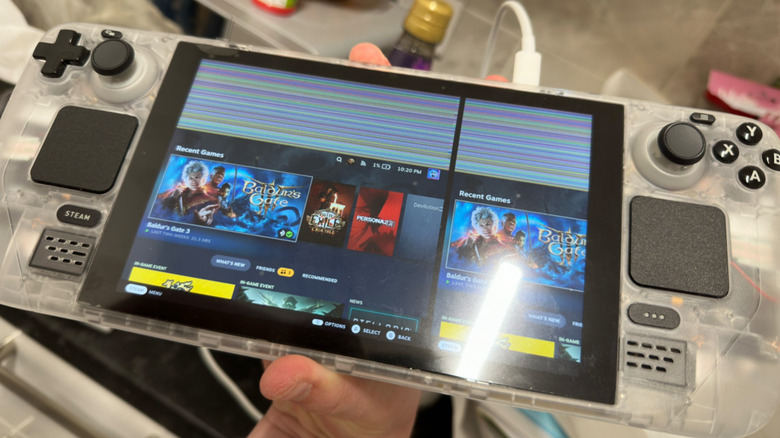
One of the worst projects I've ever been a part of was installing the DeckHD screen. No matter what these panel makers advertise it as, it's never a "drop-in" solution. You'll have to dismantle your Steam Deck entirely, and absolutely run into a stripped screw. With an OLED panel now available for LCD owners, it simply isn't worth the hassle. Once put back together, nothing ever felt quite right.
One angle these panels will advertise on is offering a higher quality screen. By default, the Steam Deck is limited to 800p, or 1280x800, and with good reason. DeckSight and DeckHD might offer 1080p or 1200p, respectively, but the system was never designed to go that far in every game. 800p works with the internal hardware nearly perfectly, allowing games from the PS4/Xbox One generation and below to operate at a steady 30-60fps, and up to 90fps on OLED. Bumping that up will, from experience, leave you with some performance issues unless you rely on upscaling.
Keep things simple and leave almost all the internals alone. The only recommendations I'd make for replacing things are the SSD if you're still on the 256GB or 64GB models. I also upgraded my joysticks to GuliKit Hall Effect ones, as I started to notice a bit of drag. These mods don't require a full teardown, and just need some tender fingers and a screwdriver.
Don't forget your SD card if you're opening it up

Speaking of cracking open your Steam Deck, don't forget to take your microSD card out of it if you do. As the back of the case rises, it cuts straight across the SD card slot, which juts the microSD out a little bit inside. This will snap in half as you raise the back off, and you'll break your SD card.
Why is this one of the bigger warnings to bring up? It happens constantly, even to this day. Seriously, go look at the Steam Deck Reddit forum, and you'll see a litany of devices that have severed a microSD card. Plus, now is maybe the worst time possible to be out of an SD card.
With the ongoing price crisis, induced by tariffs and AI data centers hoovering up RAM and storage, microSD card prices have exploded. The hardware has gone from a fairly easy, if mildly overpriced, solution for upgrading Steam Deck storage to daylight robbery. These aren't even the good microSD cards, with the far faster Express models used on Switch 2 not supported. Paying nearly $100 for a 512GB microSD card is absurd, as that was the price for a 1TB card in 2024.
Don't rely on Valve's rating system

One thing users of the Steam Deck quickly get accustomed to is ignoring Valve's compatibility rating system. Originally meant to indicate whether the game would run smoothly on the Deck, and supported by Valve's Windows-to-Linux translation layer, Proton, it's never been quite right. Even at launch, games that were listed as unsupported were only said to be non-functional as they'd spit out a non-controller-enabled launcher beforehand. This is easily circumvented by using the touchpads as a mouse or the touchscreen itself.
Worse, some games listed as Verified barely function at all. "Death Stranding 2," for instance, was given the green badge for being fully functional. At launch, it was too intense on the hardware and needed a mod to clean it up. It wasn't until April that a patch dropped with some improvements to the game's overall Deck performance. This is one of the better stories, with multiple games listed as Verified, but with poor performance across the board.
When it comes to getting the right information, it's always best to check ProtonDB. It's a community-run site that hooks directly into Steam and logs everything from performance reports to Linux or Proton tweaks. For instance, "Avowed," which launched in 2025, is technically Verified, but even five months ago, a ProtonDB report claimed that the game just wasn't playable on the Deck's hardware.
Don't ignore your backlog
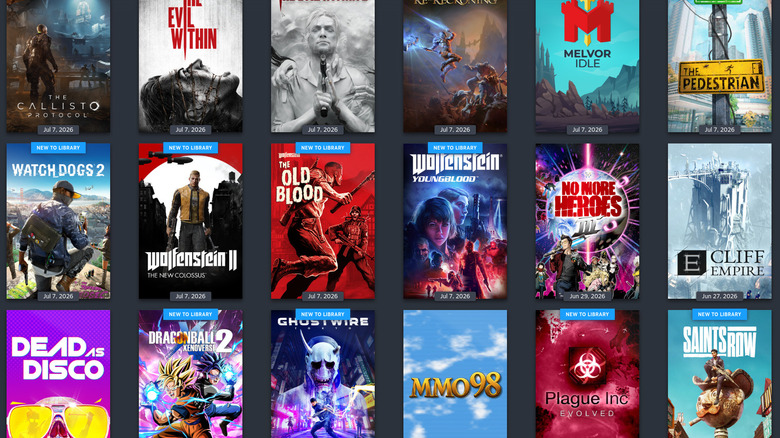
It's always nice to get a brand new game fully functional on the Steam Deck. With so many games releasing on Steam, and the industry about to head into a deluge of new releases, it's always worth noting for longtime Steam users not to ignore their backlogs.
The Steam Deck hardware isn't something I'd outright recommend buying in 2026, between rapidly aging hardware and its AI-induced price hike. However, for those of us with backlogs, it's genuinely a fantastic device to use. Almost anything pre-2019 will run rather well, and with the endless amount of games from even earlier in the last decade or two frequently discounted in sales, it's worth not just focusing on the present.
Game franchises like "Yakuza" (now dubbed "Like a Dragon") and "Resident Evil" play perfectly on the platform. Other older titles, such as "Nier," "Darksiders," or the massive amount of lower-intensity indie games that have been released over the years, are always worth dipping back into. Don't forget about your backlog, because one day, it'll offer too many choices.
Don't install Windows on it
With the Steam Deck running Linux under the SteamOS branch of a distribution called Arch, it can be frustrating not to have local access to some titles. Since 2021, I've had to elaborate to readers and viewers that the Steam Deck just isn't going to play games with strict anti-cheat, as developers claim there's a fear of hacking on the open platform. Instead, it's probably a money-driven issue, as there are only a tracked 3 to 5% of users on Steam who use Linux frequently.
"Fortnite," "Call of Duty," and "Destiny 2" are all massively popular games that have either kernel-level anti-cheats or haven't flicked the switch. It can be tempting to want to install Windows on the hardware, but take it from me: it isn't worth it. The drivers aren't the best, or even regularly updated. Performance in the wanted games is less than stellar, and using Windows on a handheld has regularly made me pine for Windows 8's Metro UI (the big touch buttons).
It's a poor experience overall, and defeats the purpose of the Steam Deck: to console-ize and simplify the PC gaming experience as much as possible. Why would you want to launch into a desktop environment on a piece of hardware that barely supports the operating system, by a company trying to muscle in on its dominance in the PC space? Seriously, the games you want to play aren't worth the headaches of dual-booting or overwriting the entire Linux install on the Steam Deck.