

What Does Your Smartphone's IMEI Number Actually Mean?
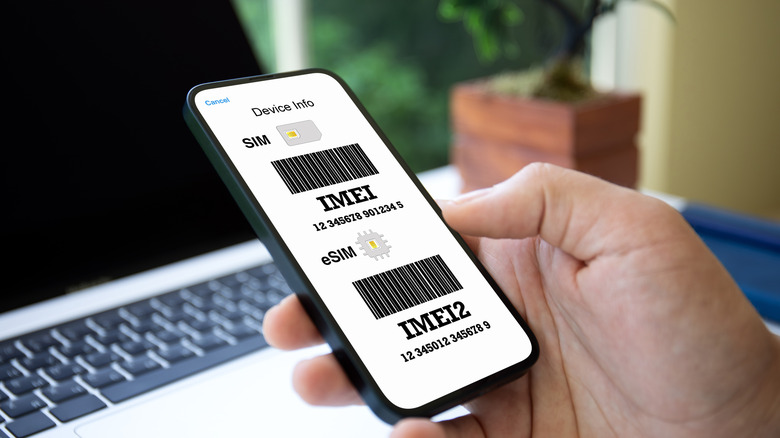
So that your smartphone can connect to cellular networks, it has been assigned a unique 15-digit identifier known as the International Mobile Equipment Identity (IMEI). Every mobile carrier uses this identification number to verify the identity of your smartphone on its network, which essentially makes it a kind of digital fingerprint. Without it, your phone would not be able to access any cellular provider's network, meaning it would be unable to make calls, send SMS messages, or use mobile internet.
Your smartphone's IMEI number has a number of other uses. For instance, if someone steals your phone, you can provide the IMEI number to your mobile carrier, and it will get blacklisted from most mobile networks so the thief will have a largely useless device. Also, it can be helpful in physically tracking down the phone. By providing your IMEI number to the authorities, they can work with mobile carriers to triangulate your stolen phone's position based on the cell towers it has connected to. It can also be used by insurance companies to check if a phone being insured exists, isn't blocked, or is part of a duplicate insurance claim.
The different parts of an IMEI number

An IMEI number is made up of three parts: the Type Allocation Code (TAC), Serial Number (SNR), and Check Digit (CD). When you see an IMEI number like 35024715 120807 4, the first eight digits are the TAC, the next six digits are the SNR, and the last digit is the CD. The TAC is used to identify the make and model of your phone. It can sometimes be written as 35 024715, which can confuse you into thinking the IMEI has four parts. However, the first two digits of the TAC are the Reporting Body Identifier (RBI), which are used to identify the reporting body that issued the TAC. The reporting body is approved by GSMA, a global organization representing mobile operators from around the world.
SNR is a unique identifier assigned to the phone. The CD is generated using the Luhn algorithm, a formula that is used by many industries to verify the correctness of ID numbers, including credit card numbers and, in this case, the IMEI.
How to find your smartphone's IMEI number

Finding a device's IMEI is easy. You can enter it on several online platforms to verify that a phone is not stolen or blacklisted, which is especially useful when buying a used phone. You should also keep your IMEI number safe, because scammers can clone it onto a stolen or blacklisted phone to trick a mobile carrier's network into believing it's a legitimate device. This can allow them to, for instance, sell the device or use it to commit different types of fraud, which can get you into trouble with the authorities.
The simplest way to find your phone's IMEI number is to dial *#06# in your phone app. If you're using a dual SIM phone, you will see an IMEI number for each SIM card (e.g., IMEI 1 and IMEI 2). Don't be confused by this, as both of them perform the same function. You can also often find the IMEI number printed on the back of your phone, on the SIM card tray, or on the phone's original box.
You can also find the IMEI in settings. If you're on an iPhone, follow the steps below:
-
Open Settings.
-
Tap General.
-
Tap About.
-
Look for the IMEI number.
On Android, the exact steps for finding the IMEI may differ depending on the manufacturer. But if you are using a Samsung phone or a Google Pixel, you can find it using the steps below:
-
Open Settings.
-
Tap About or About phone.
-
Look for the IMEI number.