

Anthropic Claude Review: The Most Comprehensive AI Toolset
Claude has changed a lot over the past couple of years. What started as a text-only chatbot has aggressively changed to add unique and helpful features ahead of other platforms, and it now spans the web, mobile apps, and an exceptionally versatile desktop app aimed squarely at professionals and power-users.
Of course, there are a number of companies pouring money into their AI models and tools in 2026. It's as competitive of a field as there is in technology. So, has Claude truly set itself apart, and should average users consider it the go-to AI tool? I've been using it extensively to find out.
Interface and software
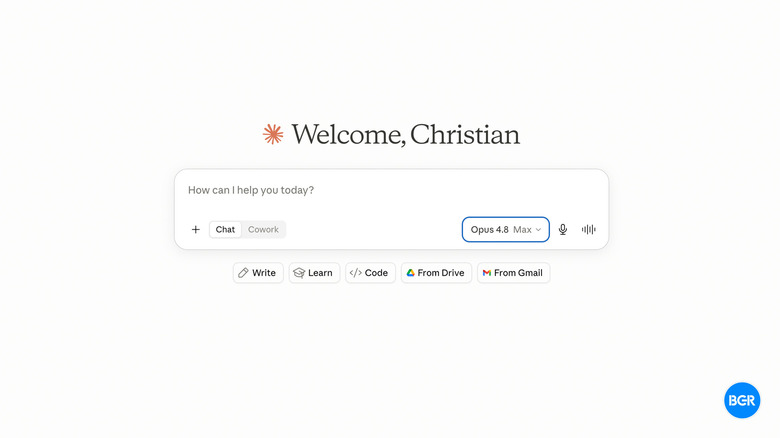
Claude is available on mobile, the web, and through desktop apps for macOS and Windows. Most people will probably stick to the mobile app and the web, but power users and professionals will want to download the desktop app.
The mobile app and web app are structured mostly like other AI apps. There's a main chat window, with a menu to revisit previous chats, and the ability to switch between Claude models, add tools, and more, in the chat. We'll get more into those tools down the line, but everything is well-designed and easy to navigate. One of the things I appreciate about Claude in general is that it has a bit more personality when it comes to design than the likes of ChatGPT.
The desktop app is where the product really comes into its own, though — and it has the most access to the most tools. It's built around three distinct modes: Chat, Cowork, and Code. Chat is the familiar conversational interface for drafting, summarizing, and general analysis. Cowork is where the agentic features live, letting Claude perform semi-autonomous tasks on your machine.
Code exposes a terminal-like environment tailored for development work. It sounds like it could be confusing, but in practice, the opposite is true — instead of typing into one undifferentiated chat box and hoping the model figures out what kind of help you want, you pick the mode that matches your intent and Claude structures its behavior accordingly. The learning curve is very low, including for the Code feature. Setup is quick too, though enabling the agentic features requires granting desktop permissions and installing a browser extension, which is a little more involved than the chat-only experience.
Memory is one of the smarter parts of the software. Claude reviews your previous chats and updates a structured memory, indexing your preferences and keeping long-term project context current without you having to manage anything. Compared to ChatGPT's memory, which still feels more manual and more opaque, Claude's approach means you rarely have to re-explain a project you've been working on for weeks. For anyone running long-term work through an AI assistant, that matters.
Features and capabilities
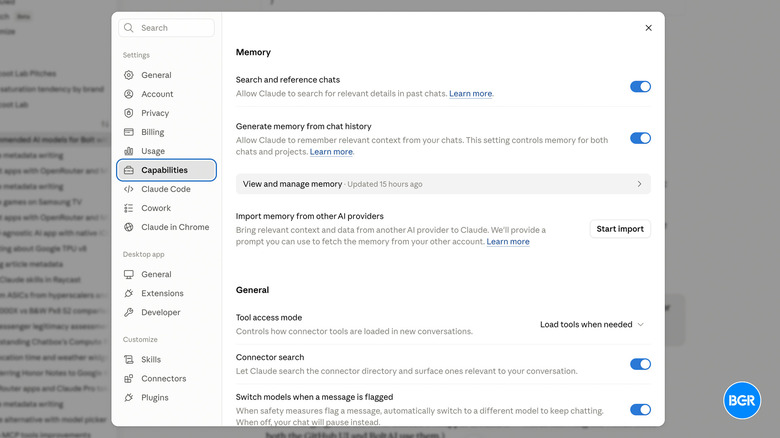
Anthropic has iterated quickly when it comes to adding features to its apps — both on mobile and on desktop. All platforms offer most of the features, though a few are reserved for the desktop app.
Perhaps the headline feature is excellent MCP (Model Context Protocol) support. The protocol was designed by Anthropic, but has seen widespread adoption. That said, there are still many user-facing AI services that don't support MCP, and it makes a big difference in usability. Native MCP connectors link Claude directly to Slack, Google Drive, Microsoft 365, Notion, Jira, and more, which means it can pull context from across a company's actual systems rather than relying on whatever you paste into a chat window. You can also add custom connectors for any services that have cloud MCP support. MCP isn't just helpful for companies or professionals either — connectors for things like Expedia and Gmail means that you can have Claude manage more of your personal life, if you want.
Claude is also excellent over large context windows. Paid plans support context windows from up to 1 million tokens, which means you can drop in an entire codebase, a full app architecture, or a stack of long PDFs, and Claude will reason over all of it in one pass. The ~400,000 token context window many other services offer is, to be fair, more than good enough — but if you are running massive projects, the extra headroom could definitely come in handy.
That capacity feeds directly into the coding workflow, which is one of Claude's strongest areas. While Claude Code has long integrated with other IDEs like VS Code, I've used it pretty extensively straight in the Claude app. I even built my new website, BandicootLab.com, with it.
Cowork is another feature that separates Claude from a standard chatbot, described by Anthropic as bringing the tech behind Code to productivity workflows. In Cowork mode, Claude executes semi-autonomous agentic tasks, including across files on your computer and any connectors you have set up. It can also work with a Chrome browser extension to handle web browsing tasks. It's not flawless, and giving an AI this much access to your machine takes some getting used to. But it works, and it works well enough that it changes what you use the tool for.
Then there are Artifacts, which let Claude natively host standalone interactive apps, dashboards, and calculators tied to your own information. Describe a tool you want, and Claude builds it and hosts it — no deployment, no configuration.
The gaps are just as notable as the strengths, especially if you're a user who is used to having access to things like image generation tools. Claude has no native image generation whatsoever. For that, ChatGPT is simply the better all-in-one toolkit. You could add image generation with a connector, but you'd likely have to pay for that. Also, it is worth noting that Claude does still have visual tools, like the ability to create SVGs, charts, and designs with the in-beta Claude Design.
Voice support is also somewhat limited compared to some competitors. The voice commands work fine, but you can't use your MCP connectors through voice, and it was much more likely to surface false information, seemingly because it prioritizes conversation speed too heavily. I don't mind waiting a few seconds for reliable information — if I'm using voice, it's because my hands are busy or I'm driving, not because I want to have a chat.
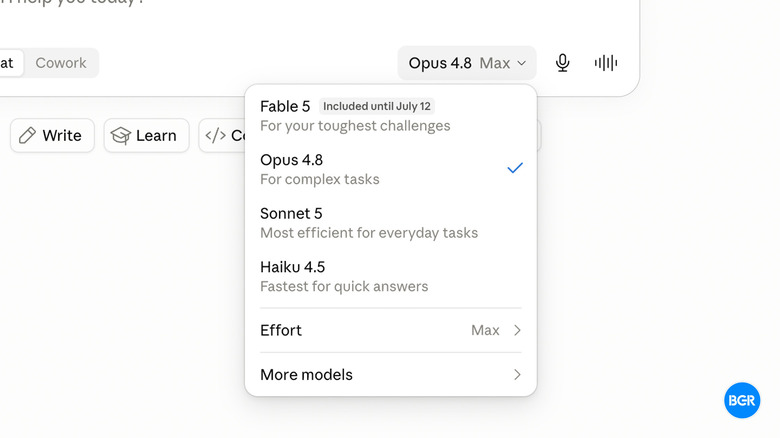
As of the time of this writing, Claude's models include Haiku 4.5, Sonnet 5, Opus 4.8, and the recently reinstated Fable 5, in order of model strength. The higher-end models are only available on paid Claude plans. These models have consistently been ranked at the top of AI benchmarks. For most usage, the flagship model is Opus 4.8 (Fable 5 will only be available via API). I've found it to be very reliable, though, to be fair, all of the consumer AI services these days have similarly reliable models (Gemini 3.1 Pro and GPT-5.5 are both excellent, too).
Pricing and usage limits
The AI industry as a whole has broadly settled on what it thinks pricing should look like. Claude has a free tier, with limited introductory access to core chat and coding features, a Pro tier at $20 per month, and then Max tiers at $100 per month for 5x the limits and a Max 20x tier at $200 per month. The $100 tier is one differentiator Claude has compared to some other AI services, which often jump straight from $20 to $200.
The usage limits are another story. Claude's dynamic ceilings are heavily restrictive thanks to the computational load of those big context windows, and in practice, you'll normally get capped around 45 messages per five hours on Pro, at least in heavy workflows that involve coding or multi-tool steps. If you're a true power user, expect to either budget your sessions or spring for Claude Max.
Conclusions
I've had subscriptions of all of the major AI services in recent times, and for my money, Claude is the most comprehensive. Its models are top-tier, sure, but beyond that, Claude offers great connectors with outside services, which I find is what sets an AI service that's actually a helpful assistant and a glorified search service apart.
That said, there are some limitations. Maybe all you care about is using AI as a conversational search tool, in which case, frankly, they're all more or less on par with each other. Furthermore, if AI image generation is a priority, then you'll be disappointed with Claude.
The competition
ChatGPT remains the top choice for most people, and for good reason. It's perhaps a more comprehensive tool for the average user who wants all the basics of AI, including great voice support and solid image generation.
But if you're looking for something that's more focused on productivity, local workflows, and MCP support, Claude remains the best option. That gap is closing, and quickly — only six months ago I would have considered everything about Claude to be better, including the actual models. With GPT-5.5, OpenAI has done a great job at catching up with the competition, but it still has some work to do when it comes to some of the power-user features.
Should I subscribe to Claude?
Yes, if your work demands parsing massive documents, executing structured coding, and using complex autonomous agentic tools.