

This Cheap Accessory Can Protect Your Nvidia GPU From Serious Damage
We may receive a commission on purchases made from links.
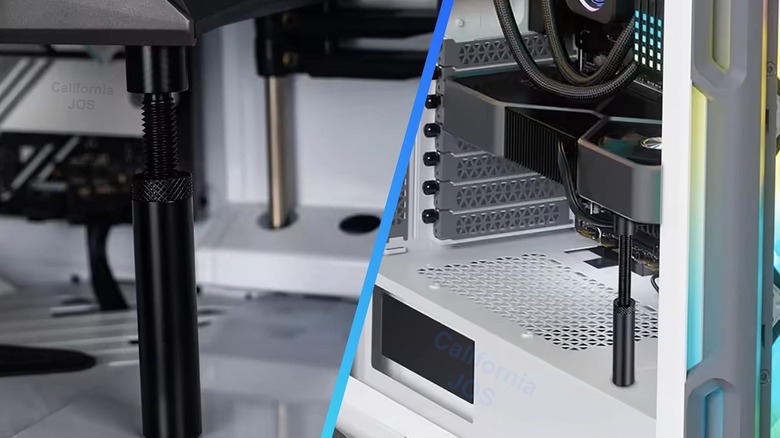
As graphics cards, or rather the processing chips inside, get more advanced, they consume more power. A higher power draw also generates more heat, so they need bigger shrouds and thermal solutions to reduce it. The demand for better cooling is why they seem to get bigger over time and grow heavier with each generation. That's concerning for a card that slots into a thin PCIe connector. While the PC case itself supports the card's rear, there's really nothing else holding it in place at the front. Enter GPU sag brackets: small, supportive braces you can install below the card to instantly provide more stability and support, as well as stop any sagging.
Some PC owners get creative and use various items, whether 3D-printed or already owned, like an action figure or model. That is a viable solution if you have something ready to use, but actual GPU sag brackets aren't expensive. You can find cheap options on Amazon for $4-$5. There are a lot of unique designs, too, such as with extra RGB and temperature readouts. Affordable or not, that doesn't answer whether a GPU anti-sag tool is necessary. Are they practical? Is it bad for a GPU to sag?
Generally, a sag bracket isn't needed, but it also depends on the weight and size of your graphics card. If that card is heavy (over two pounds or so) and quite long, you can expect some sagging, which can be detrimental if left unchecked.
What kind of issues can GPU sagging cause?
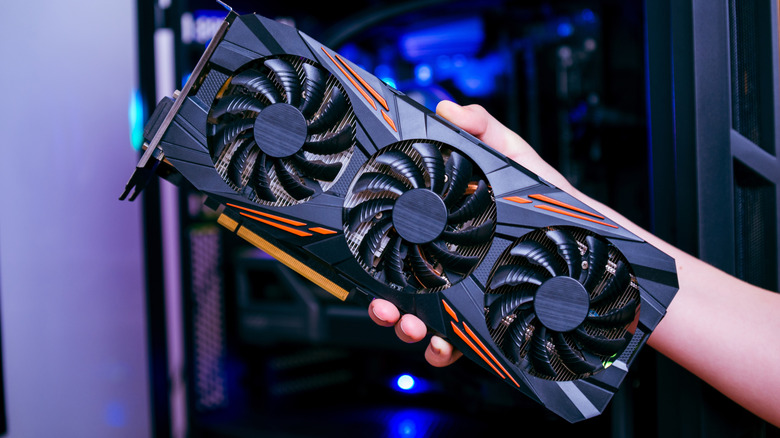
When a card sags, usually at the front, it pulls down on the connector and warps internal components, potentially affecting other areas of the computer, such as the motherboard or PCIe slot and their surrounding elements. Over time, this could potentially cause damage to the PCIe slot, cause stability problems or reduced performance with the card, or even lead to hardware failure. Even something as simple as disorienting the card and changing its balance can disrupt airflow inside the case, causing further cooling issues and higher temperatures. There are real-world instances of this happening; VideoCardz reported on retailer PC One's warnings when this occurred in a build. Eventually, your card may exhibit warning signs that it's about to fail, such as graphical artifacts, crashes, temperature fluctuations, or worse.
Installing a sag bracket or some other supporting element below the front edge of the card provides much-needed stability to remain level and balanced. That's why enthusiasts install brackets or other items, besides the fact that sometimes they just add extra flair to a custom build. A small Iron Man figure holding up the card, a 3D-printed toy or stand or colorful stand-ins can sometimes match the aesthetics of the case and components really well.
You can also mount the GPU vertically in cases that allow it, rather than horizontally. The problem is that this isn't always an option and may require extra hardware, such as a PCIe riser cable.
A sag bracket is not always needed
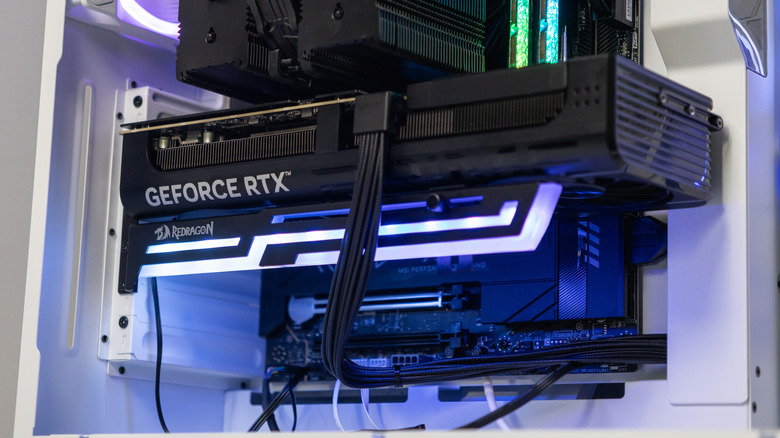
Medium-sized cards and even some heavier models are already designed to combat sagging naturally. The card makers calculate and evenly distribute the weight across the card frame to improve support. They might also incorporate reinforced connection points (e.g., PCIe), more lightweight components and fans, or reduced dimensions whenever possible; the latter is especially true for budget options.
Some PC case makers include matching brackets or stands as an extra feature, along with other add-ons. Obviously, if you have a case like that, you don't need to buy a bracket separately. Moreover, some of the heavier cards that need extra support already come with it in the box, so again, you don't always have to buy a separate option.
The best practice is to use a sag bracket for heavy cards or long, extended cards with three fans. Usually, you can find the card's weight in the product specifications or the user manual. Almost anything with over 12GB of RAM will be larger and benefits from extra support, though not always. Some 12GB cards have only two fans and are compact. In the end, it might come down to a matter of preference, though when you're dealing with something as expensive as a GPU and the surrounding PC components like a motherboard, you might want to steer towards the better-safe-than-sorry approach. With the current shortages and price hikes, it could be difficult to acquire a replacement if and when something untoward happens. If you do need one, you don't want to wait to buy a new graphics card for your computer. Those prices aren't dropping anytime soon, nor is the increased demand.