

4 Raspberry Pi Alternatives Actually Worth Trying
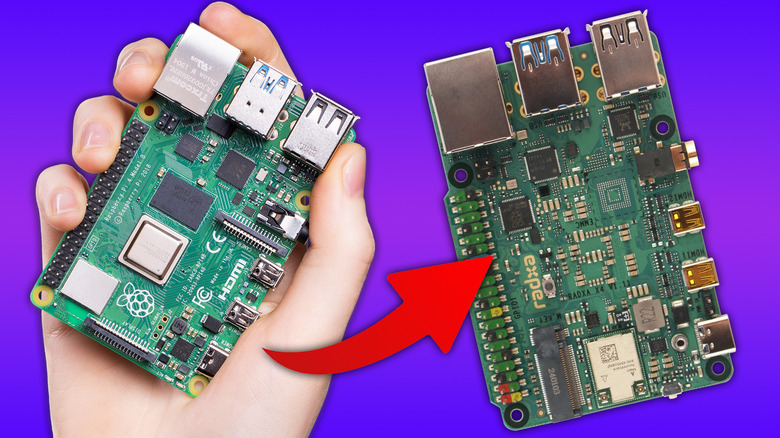
Raspberry Pi prices have increased once again. As AI data centers continue to make things expensive, the single-board computer (SBC) company has been backed into a corner. This follows years of shortages brought about by the pandemic, which the CEO of Raspberry Pi was anticipating moving past in 2024. Since then, the situation has worsened as RAM and key components vanish from factories.
Alternatives have existed for a while. The Arduino, Orange Pi, Banana Pi, and even more powerful options out of Asia have all raised questions about whether it's still worth it to purchase a Raspberry Pi. However, it's often difficult to pinpoint a perfect replacement for the Raspberry Pi ecosystem. Support can pale in comparison to the British computing company's massive amount of documentation on almost everything you can do with the SBC.
Some Raspberry Pi alternatives ditch the ARM chip it's known for and opt to go with a more traditional processor (x86). This is its own kettle of fish, but it does allow for a far greater range of software out of the box. We've compiled the best Raspberry Pi alternatives you can buy right now.
Radxa X4 is best for replacing the Raspberry Pi 5
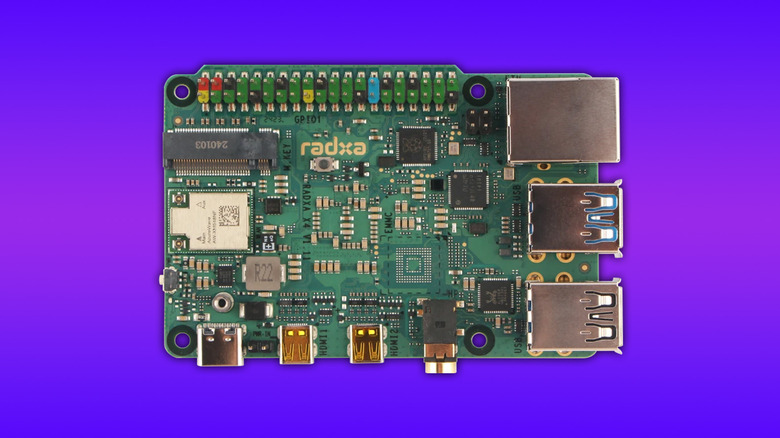
Radxa has been around for quite some time, offering the Rock series of devices. These are Raspberry Pi competitors that attempt to bring a little more to the table than the device they're held against. The Radxa X4 drops the Rock name but brings a secret weapon to the mix: a Raspberry Pi RP2040 chip. A common problem with Radxa and other boards out of Asia is that they have almost no support. Raspberry Pi supports Hardware Attached on Top (HATs), which bring more functionality through add-ons connected through the general-purpose input/output (GPIO) pins. They won't work straight out of the box; a little tinkering is required. But the RP2040 chip is effectively like having a Raspberry Pi Pico microcontroller on tap.
Rather than having to struggle and search up and down for guides or legible documentation, the co-processor adds back a layer of simplicity. The main event, the Intel N100, puts it in the same league as some mini PCs. However, Radxa has a slight cooling problem. There's a heatsink case available, but overloading the Radxa X4 can lead to thermal throttling, causing it to end up slower than similar devices. With these limits, the Radxa X4 isn't ideal for those looking to complete most beginner projects for a Raspberry Pi, unless it involves coding.
However, with the N100 chip, the Radxa X4 sports an x86 architecture. Compared with ARM, x86 brings definitive benefits. For example, Windows and non-ARM Linux distributions are all at your disposal. Outside of that, the Radxa ecosystem has been massively improved in recent years, with a ton of documentation now available that wasn't there when they entered the scene.
Intel N100/N150 mini PCs make for perfect Raspberry Pi server replacements
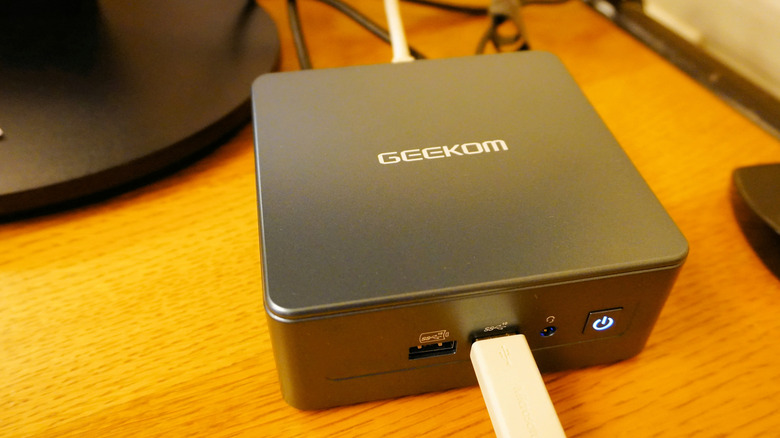
With Raspberry Pi 500+ prices now rivaling those of some beefier mini PCs at $410, and the Raspberry Pi 5 16GB not too far behind at $299.99, it's time to reconsider which small PC you want on your desk. The Intel N100 and N150 are inexpensive processors designed to be included in low-powered machines, but are still more than capable when combined with 16GB of RAM or more. These make great lightweight productivity machines too, easily handling web apps and streaming YouTube without breaking much of a sweat. It's the perfect drop-in for the Pi 500 or 500+.
Mini PCs are also what power a lot of amateur homelab setups, for self-hosting applications through Docker or other tools. Once installed with a flavor of Linux or BSD, they make for fantastic home servers. While a lot of server applications can now be run simply through Docker, regardless of PC architecture, having an Intel chip behind you will mean that you have far greater compatibility with software.
Some even come with dual Ethernet ports to provide a total of up to 2.5Gbps on your network. In comparison, while the Pi can be used as a server, out of the box it is only capable of up to 1Gbps, with additional modifications needed to access faster speeds. There's a huge selection of devices to choose from, but Geekom and Beelink are two of the top recommendations.
You can swap the Raspberry Pi Pico for an ESP32
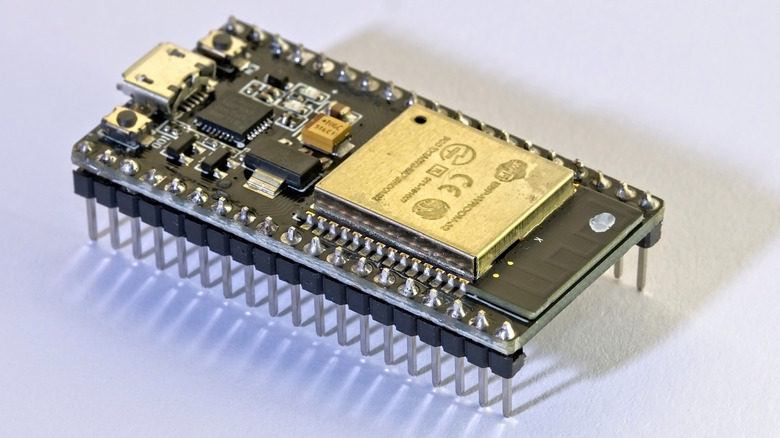
Replacing the Raspberry Pi Pico is exceptionally easy in 2026. The prices on Picos haven't risen too much, but there are a lot of alternatives. One of the more popular alternatives is the ESP32, which can sometimes offer a far wider selection of connectivity than the Pico itself. Raspberry Pi has upgraded the Pico 1 and 2 to support Wi-Fi and Bluetooth, but for a similar cost, the massive range of ESP32 devices trounces it.
You can also choose between MicroPython or CircuitPython, customized programming languages that are specifically designed to operate within the tiny confines of the microcontroller. ESP32 boards can come in a massive variety, meaning that a lot of the work needed to add connectivity functionality to the Pico can be missed, as it's often already baked in. This can range from wireless systems, like Wi-Fi or Bluetooth, to different connectors for specific hardware, like batteries, again eliminating the need to solder one on yourself.
One of the best brands for microcontrollers to use is Adafruit. Slightly more expensive, Adafruit also provides a bunch of hardware that can be used in projects. Nearly everything from LEDs and screens to sensors can be bought from the brand for relatively low costs. These integrate easily with other Adafruit hardware, emulating the Raspberry Pi ecosystem. The neat thing is that Adafruit released CircuitPython as well, which is also super easy to bring to the table for projects.
The ZimaBlade is best for home servers
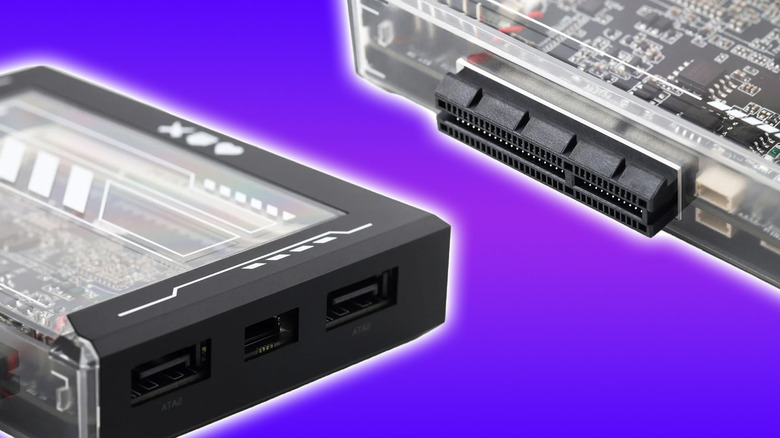
The ZimaBlade is an x86-based device, allowing it to host a huge variety of operating systems and software. It offers upgradable DDR3L RAM up to 16GB, and a quad-core processor, as well as a PCIe 2.0 4x slot. This puts it over some of the options out there, as adding peripherals like a USB hub or additional network ports is as simple as rebooting the ZimaBlade.
It's the ideal alternative to the Raspberry Pi for those who have it piloting network-attached storage (NAS) or want to add a NAS to their roster. Alongside the PCIe port, there are also SATA ports for a direct connection to storage, on top of USB-A ports to fully deck the ZimaBlade out. Out of the box, it also comes with CasaOS, which acts as a graphical user interface for managing it on the device, rather than having to remote into it. CasaOS is a little divisive, but it is great for beginners to get their feet wet in managing a device like this.
With the x86 processor, you can also easily play some retro games on it, and spit the video out over Mini DisplayPort. However, the best use for the ZimaBlade is to act as your own local server, with it easily able to play 1080p content over apps like Jellyfin or, of course, handle your storage needs. Prices on the ZimaBlade haven't gone up quite yet, but that's because the device is sold bare-bones. You'll need to either purchase or add your own DDR3L RAM to the device after it arrives.