

Belkin Charging Grip Review: Fixing Two Of The Switch 2's Biggest Problems
We may receive a commission on purchases made from links.
The Nintendo Switch 2 has been available for over a year, which is also how long Belkin, the mobile accessory maker, has been in the gaming market. BGR previously tested its charging case and some of its screen protectors for the Nintendo Switch 2. However, the company is now stepping up its game with a $99 Charging Grip with a 10,000 mAh power bank to ensure more comfort and also extra juice for a device that doesn't last especially long on a single charge.
Over the past month, I've been testing Belkin's Charging Grip while playing some of my favorite games, including "Pokémon Pokopia," "Pokémon Legends: Z-A," and "The Legend Of Zelda: Tears of the Kingdom." The Belkin accessory has unquestionably improved my experience with the hybrid console, tackling two of its most glaring deficiencies at once. The real question is whether it's worth the price.
Design of the Belkin Charging Grip
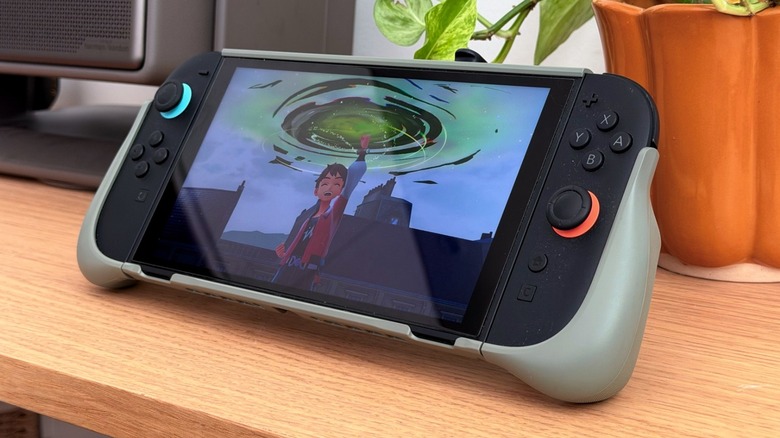
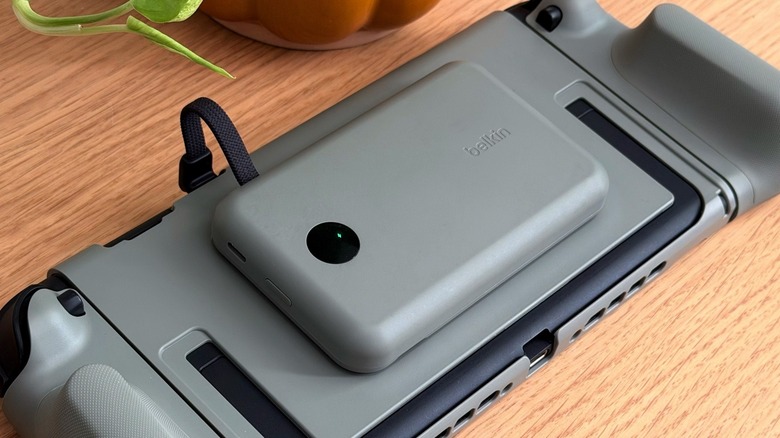
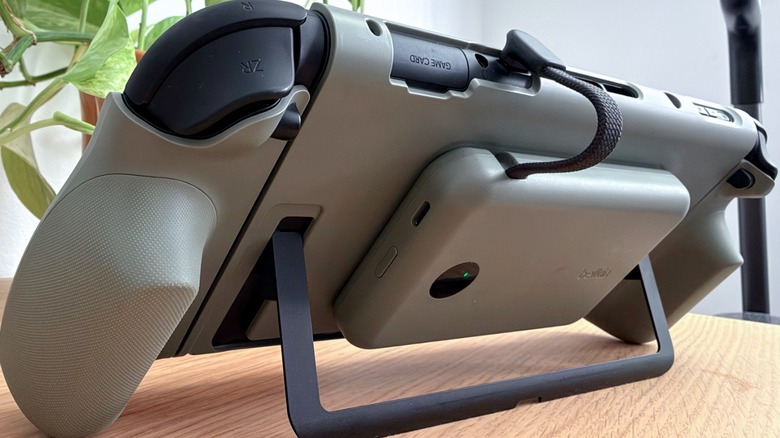
Belkin's Charging Grip for the Nintendo Switch 2 is available in Lilac, Black, and Olive. The review unit Belkin sent us is Olive, which I think gives the Nintendo Switch 2 a bolder look, especially because Nintendo has yet to offer any new colorways for the console. The grip includes a plate for the back of the Switch 2, in case users want to connect the power bank, and two additional grips for the Joy-Con controllers. Without the power bank, the grip doesn't add much weight to the console in handheld mode, and it's thin enough to fit in the dock without removing the accessories.
The Joy-Con grips are nice to hold, and the accessory leaves space for every vent on the Nintendo Switch 2 to continue cooling down the console. The 10,000 mAh power bank is very easy to attach, matches the color of the grip, and features a built-in USB-C cable, which makes it simple to connect to the USB-C port on top of the Switch 2.
It's important to note that the Belkin Charging Grip for Nintendo Switch 2 isn't built to protect your console from drops, and while the Joy-Con grips might provide a bit of added protection, don't expect the grip to save your console if you drop it on a hard surface. If you're worried about damaging your console, you might want to consider other, more rugged options.
Using the Belkin Charging Grip
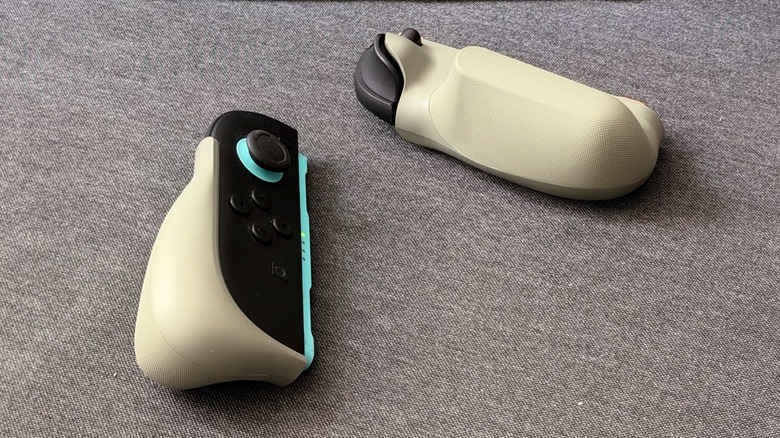
Without the power bank attached, the experience of using the Charging Grip is great for someone like me with big hands. After long "Pokémon Unite" sessions on the original Nintendo Switch and later on on the OLED model, my hands would get so numb that I'd have to shake them for a few minutes. While the Switch 2 has a larger screen and bigger Joy-Cons, it's still not the most ergonomic portable gaming device on the market. Belkin's grips make a huge difference, and holding the Switch 2 for long gaming sessions has never been more comfortable.
After attaching the power bank, though, using the Nintendo Switch 2 on the go becomes slightly more challenging, because the accessory adds a noticeable amount of additional weight to the console. It will vary from person to person, but I could see the average user becoming fatigued after just a few minutes of hoisting the Switch 2 with the power bank attached.
To address this issue, Belkin developed the accessory in a way you can still play games with the Joy-Cons detached in tabletop mode while the Switch 2 sits on a table with the stand extended. Now you get all of the benefits of using grippier Joy-Con controllers without worrying about the added weight of the power bank, which stays firmly attached to the back of the grip. It's also worth noting that it never produced enough heat to worry me.
Longer battery life, for a price
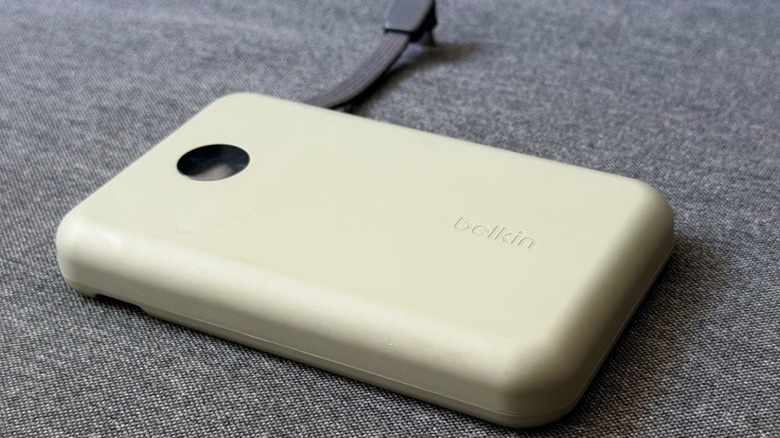
Belkin found a comfortable middle ground by including a 10,000 mAh power bank for the Nintendo Switch 2. The accessory delivers 30W charging, which means you can also charge other devices like your iPhone, iPad, or even a MacBook Air with it. The company even offers an additional USB-C port in case you need a longer cable to charge other devices or need to charge the power bank itself, as the built-in cable is output only. It also features an On/Off button and a small display that shows how much battery life is remaining.
While testing the accessory, trying to power up a completely drained Nintendo Switch 2 took much longer than expected, but once the console actually powered on, Belkin's Charging Grip was able to sustain and charge the console without issue. The Nintendo Switch 2 features a 5,220 mAh battery, which Nintendo claims can provide 2 to 6.5 hours of gameplay. Therefore, it's safe to assume that a 10,000mAh power bank offers around 1.5x additional battery life, which makes it perfect for long layovers, cross-country flights, or quiet nights at home.
Another thing I like about all of Belkin's power banks — including the one that ships with the Charging Grip — is that they comply with virtually every law and regulation, meaning I never have a problem when I take it on a plane. This is vitally important when traveling with your Switch 2.
Is Belkin's Charging Grip for Nintendo Switch 2 worth it?
Belkin sells the Charging Grip for Nintendo Switch 2 for $99.99, but you can also get the Grip without the power bank for $39.99. This would put the price of the power bank on par with the company's 10K USB-C power bank with integrated cables, a slim magnetic option, but more affordable than options with Qi2 wireless charging or MagSafe compatibility.
Considering how much the Nintendo Switch 2 battery struggles to survive lengthy AAA gaming sessions, Belkin saw an opportunity to not only make the console more comfortable to hold, but also add extra juice with a power bank. While that power bank makes the grip somewhat unwieldy, it's still going to stay attached to my Switch 2, because my primary way to play is handheld, and I'm always on the go, meaning a few extra hours of battery life can make a big difference.
Besides that, since I can use the power bank with any of my USB-C devices, it becomes one less thing I need to worry about on a trip, as I can charge my iPhone or AirPods just as easily. Truth be told, this is what I've been doing with the power bank included with Belkin's first Charging Case. While there are plenty of other premium options when it comes to Joy-Con grips, Belkin's Charging Grip provides an almost unbeatable balance between extended gaming time and comfort.
What about Belkin's Travel Bag for Nintendo Switch 2?
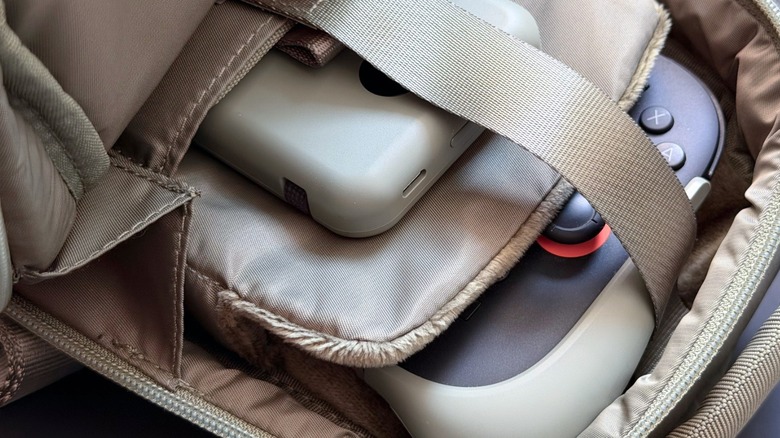
As mentioned earlier in this review, if you want to transport your Nintendo Switch 2 with the Belkin Charging Grip attached, you'll probably need something like the company's Travel Bag. While I don't think it's worth a full review, I did want to share my thoughts on the look and feel of this standalone $50 accessory. And to be honest, this travel bag is the best one I've owned since the bag I had for my original Game Boy Color and its dozens of accessories.
Not only can I store my Switch 2 securely with soft-lined cushions, it also features a secure Velcro strap to protect my console and any physical games I want to travel with. The case offers up to 10 game card slots, a side pocket for a cleaning cloth or charging cables, and a comfortable strap for cross-body carrying. This accessory comes in the same colors as the Charging Grip, and it can be a great tool for going to a gaming night with friends or a long trip.
It's clear that Belkin took the design of the Travel Bag very seriously. As someone who used the same carrying case for my original Switch for years (despite it being much less satisfying), I feel like this Travel Bag will last me until the Nintendo Switch 3 debuts.