

Plaud Note Pro Review: Never Take Meeting Notes Again
We may receive a commission on purchases made from links.
The only thing worse than attending work meetings is being the one designated to note down what exactly was said and turn them into meaningful minutes. The Plaud Note Pro ($189.99, Amazon) is a small device that aims to make the process of transcription and summarization effortless, with one click recording and AI automation.
The Plaud Note Pro has two main use cases: in-person meetings with speaker diarization and recording calls. I tested the latter briefly for the review, but my main use case has been the summarizing of in-person council and charity meetings. As an elected councilor and trustee of a number of charities, accurate and timely minutes — as well as trying to remember what I signed up to do — are a plague on my time. Anything that can speed the process up or automate it entirely is a welcome addition to my life. At $189.99 including a generous six hours of monthly transcription, is it worth it?
Hardware
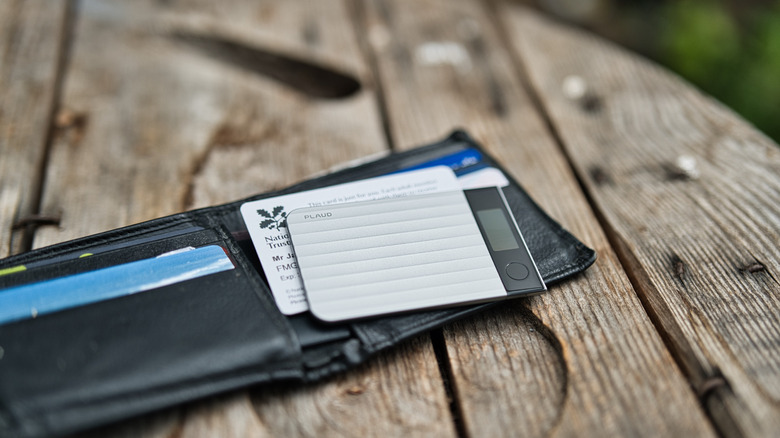
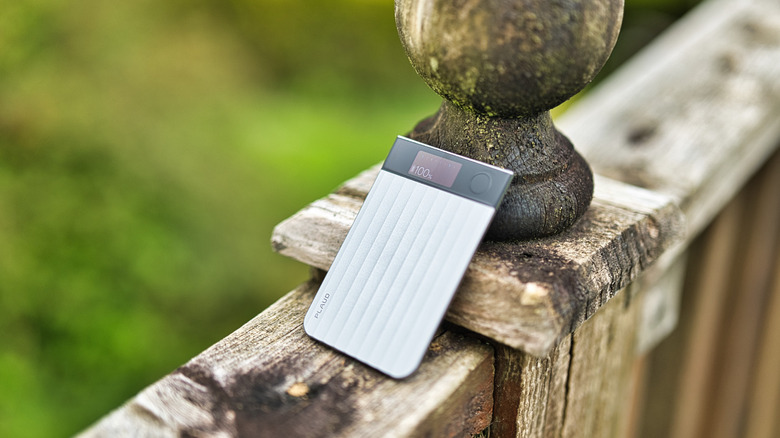
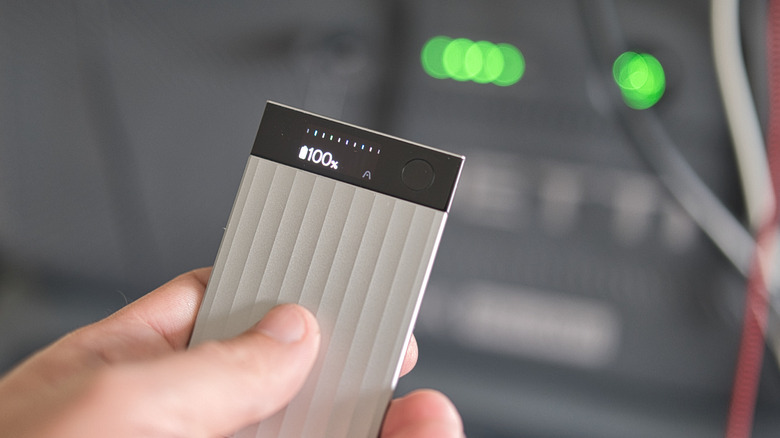
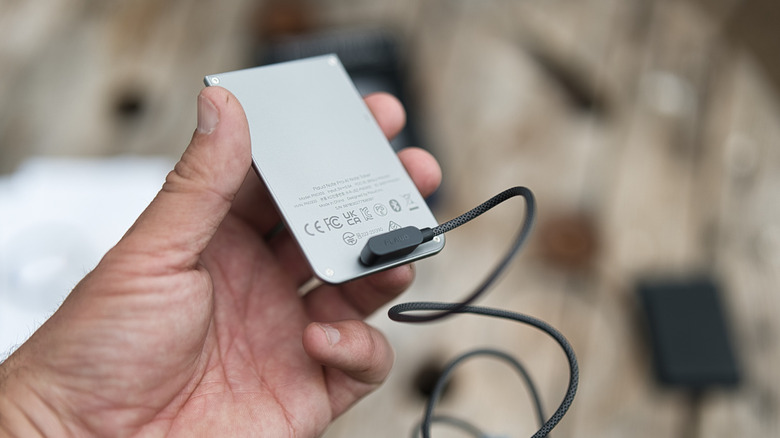
The Plaud Note Pro is a 2.99mm thin, credit-card sized voice recorder. A small, 0.95-inch AMOLED display shows recording status and battery life, while a single button provides one-click recording. Otherwise, any interaction with the device is done through the Plaud app. The small screen is a surprising treat; it's easy to see even in bright sunlight.
The most significant difference on the new Pro model is the array of four MEMS beamforming microphones; these make speaker identification and far-field vocal speaker pickup a lot easier — Plaud claims a range of up to 16.4 feet away.
A maximum of 50 hours of battery life is promised, though this is in "Endurance" voice mode without beamforming and a lower potential pickup range of just under 10 feet; most users will get 30 hours with the higher quality "Enhanced" mode, which gives optimal voice clarity and pickup distance. Three meetings later and my battery has only dropped to 75%. The standby time is incredible, too: during a month or two of use, I didn't charge once.
 James Bruce / BGR
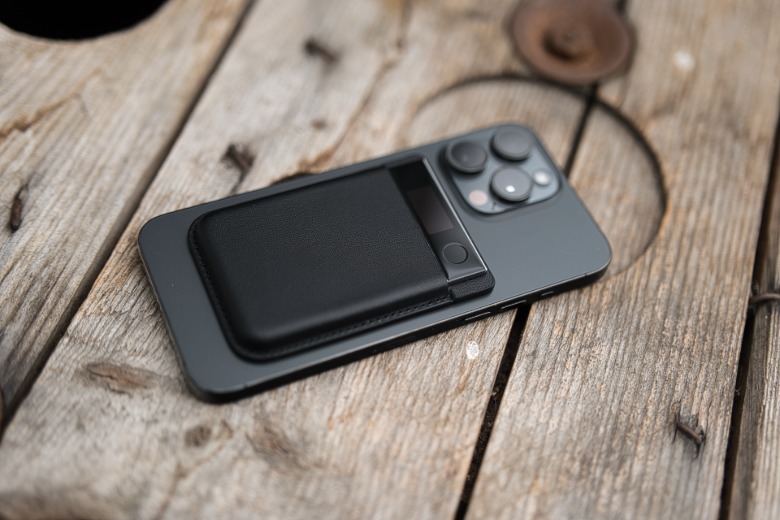
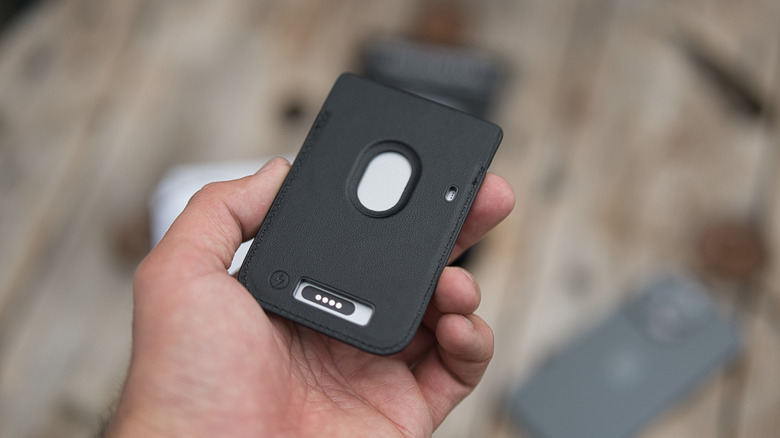
It's only slightly disappointing that the Plaud Note Pro isn't MagSafe-compatible; you need a separate case for that, though it's included in the package. If it had that built-in with the ability to charge over a MagSafe charger as well, that would have been perfection. As it is, you can only charge over USB, though the 30 hour battery life should mean you're not charging often. Either way, it does a good job of picking up both speakers in phone recording mode, though this doesn't feel like the primary use case. You'll need to manually switch modes in the app.
Subscriptions and multidimensional summaries
Powered by OpenAI, the Plaud Note Pro uses Whisper for transcription, along with ChatGPT for summaries. It can handle up to 112 languages, though I tested mainly in English.
Let's say the dirty words now: premium subscription. The Plaud Note Pro includes 300 minutes (six hours) of free transcription each month; that's surprisingly generous, I'd say. If you need more, you'll need to upgrade to the Pro (1,200 minutes for $17.99 per month, $99.99 when paid annually) or the Unlimited plan (up to 24 hours per day for $29.99 per month or $239.99 per year). Six hours is more than enough for my monthly meetings, and unlike many free plans, no features are reserved for paying subscribers only. The only difference is how many minutes of transcription you get.
What I found really useful were the multidimensional summaries. Rather than a basic summary of who said what, you can generate different templates of information, such as key decisions that were made or a list of action items and who they were assigned to. Or you can create an entirely new format. There's a library of user-created templates, and I found one to make a personality assessment of each of the participants, which felt somewhat creepy (but only because it was accurate). Of course, all of this relies on good transcription, and it's here that the Plaud Note Pro excels.
In-person recording
The most extreme real-world use testing came from full council meetings with fourteen people, and occasionally with additional members of the public. That's about as chaotic a situation as I could think of for the AI-powered recorder, with councilors frequently interjecting and speaking over each other, some of whom lack public speaking skills and have voices that are barely audible. We're all seated at different tables, and the furthest from one speaker to another is around 13 feet.
I'm pleased to say that with the Plaud Note Pro placed in a central location during the meeting, it performed like a champ. My old workflow had been to record on my iPhone (the longest meetings are usually around two hours), upload that to Fireflies.ai, then feed the transcript into ChatGPT Plus to summarize with a little nudge to fix any obvious errors or incorrectly identified speakers.
It's clear that the four microphones are doing a lot of heavy lifting here to enable more accurate transcriptions. I compared to some of my previous recordings, and the difference was night and day; I could easily identify the speakers rather than guessing at someone who mumbled something from across the room. Words had clarity, so the AI was doing less guessing. That's the real selling point here.
 James Bruce / BGR
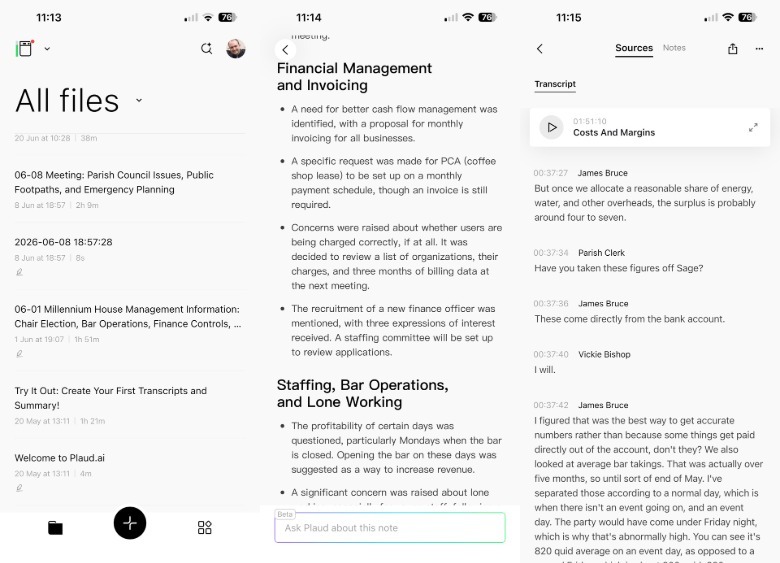
Once you've labeled speakers once, Plaud remembers their voice patterns for next time, so each recording becomes more accurate and requires less effort on the user's end. The custom vocabulary feature helps with recognition of local place names, so if you find it's regularly getting something wrong, you can enable that as well.
There's another powerful aspect to the software side of Plaud that would be easy to overlook. Once a recording is finished, you don't need to tell it to transcribe, then summarize, then email involved parties with a list of action items. You can create an automation to do it all at once, and with the latest firmware, you don't even need to open the app anymore — just have your phone close enough to detect the device.
Automations require a keyword to sound within a customizable time period; such as "personnel meeting" within the first five minutes. Once identified, the trigger will run and your reports will generate. In practice, our meetings are full of a lot of inconsequential nonsense that shouldn't be logged, so I still wanted an oversight step before a transcript was automatically emailed out.
Do you need the Plaud Note Pro?
If you regularly have in-person meetings, and you need a record of those meetings — whether that's a searchable transcription that you can play back later, a brief summary, or a list of action items — the Plaud Note Pro is a fantastic bit of hardware. That said, I found that once distilled down, the reports it produces aren't necessarily better than what you can get with a smartphone and combination of apps or services.
It's the ease of use and quality of recording that's dramatically different. Rather than having a recording on my voice notes app, a transcription in some web service, and some notes in my personal ChatGPT account, it's all in one place in the Plaud app. The draft minutes are ready within a half hour of the meeting being over, and I don't have to spend another hour wrangling them. If I need to clarify something or check what was said, I can swap back to the sources tab and search for the exact recorded words, with instant playback. It's a surreal way of settling arguments, that's for sure, and its ability to separate multiple speakers, and recognize them again at a later date, is impressive.
Apart from being able to use a smartphone to get mostly the same results, the Plaud Note Pro is eerily similar to the Mobvoi TicNote which we reviewed last year, from form factor to features and subscription costs. On a hardware level, the TicNote has three MEMS microphones, while the Plaud Note Pro has four. For busy in-person meetings, that could make all the difference; for just recording from your phone, it won't; and the TicNote has a physical slide for switching between in-person and phone recording. The list price of the TicNote is $30 cheaper, but it feels like an attempt to clone a successful product; Mobvoi also sells treadmills, for instance.
For online meetings, the Plaud Note Pro offers no benefit, and most services such as Zoom already offer their own AI meeting summaries. If you have a Pixel phone, it's packed with AI features like summarization of recordings. But if the use cases I've described sound similar to activities you participate in on a regular basis and you haven't already found a solution, there's no question that the Plaud Note Pro handily accomplishes what it sets out to do.