

5 Physical Keyboards Perfect For Traveling

We may receive a commission on purchases made from links.
When you're on the road, whether for business or leisure, compact travel gadgets are definitely the way to go. A compact keyboard, for example, is vital if you're keen to travel light but still want a comfortable typing experience. Tapping out short messages on a smartphone with your thumbs is fine, but if you need to bash out something longer, then a larger, physical keyboard will make things a whole lot easier. And of course, such a keyboard will work perfectly well with tablets, too.
As you'd expect, physical keyboards designed with travel in mind come in various shapes and sizes, with some able to fold up for perfect portability. You'll find an array of features, too, some that'll matter more to you than others. In the list below, we've pulled together a few of the more interesting options, from the trifold ProtoArc XK01 foldable keyboard with a numpad or trackpad to the MoErgo Go60 sporting an alternative split design with two separate trackpads. Read on to find the best match for your next trip!
ProtoArc XK01
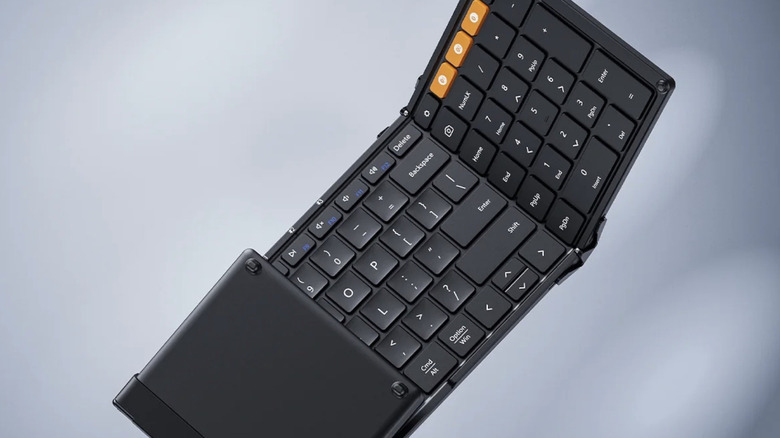
If saving space in your luggage is a top priority, then the $40 ProtoArc XK01 full-size keyboard could be just the ticket. This nifty little device folds three ways, creating a footprint of just 8.4 inches across and 4.7 inches wide when folded, while weighing only 10.5 oz. Unlike most travel keyboards, the 105-key ProtoArc XK01 includes a numpad, making it ideal for folks who work in, say, finance, or those who simply prefer having easier access to the number keys. If the numpad is of little use to you, there's a variant of this travel keyboard called the ProtoArc XK01 TP ($57) that replaces it with a trackpad, eliminating the need for a mouse.
Other features of this compact travel keyboard include quiet scissor-switch keys so you won't make a racket in quiet environments, 12 multimedia shortcut keys for quick access to media playback, volume, brightness, and other frequently used functions, and triple Bluetooth 5.1 channels enabling easy switching between multiple devices. It also offers USB-C charging and comes in five colors: black, gray, silver, blue, and green. Notably, there's a Plus variant priced at $59, which offers backlit keys. Any downsides? Well, some reviewers have noted that the folding hinges do not lock into place when the keyboard is opened, making it less suitable for use on unstable surfaces like a lap or a pillow.
Keychron B11 Pro
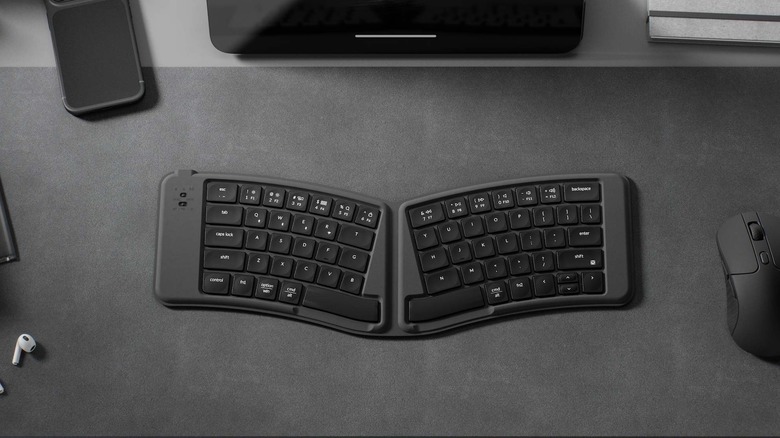
The Keychron B11 Pro sports a sleek profile and folds in half for easy packing. What really stands out with this neat little travel keyboard is its split design that angles the two key sections outward to create a more natural position for your hands and wrists. It's supposed to make extended typing more comfortable, although the fixed seam means it doesn't have the adjustability of a true ergonomic split keyboard that offers two physically separated halves.
Opened up for typing, the Keychron B11 Pro is 15.5 inches × 5.6 inches — only a little short of a full-size keyboard — and is half the width when folded. The scissor-switch keys each have a concave design for better precision. Keychron claims up to 138 hours of battery life via USB-C charging. Handily, to retain battery life, the keyboard automatically powers down whenever you fold it, and automatically powers up and reconnects to your device when you unfold it.
As it's a travel keyboard, you might be using it on all kinds of surfaces, including slippery ones, so its back cover has been designed with a polyurethane leather-like material that offers some grip for steady and confident typing. But take note — the Keychron B11 Pro has no backlighting, and also lacks a kickstand or flip-out feet to raise the keyboard's rear edge.
Apple Magic Keyboard
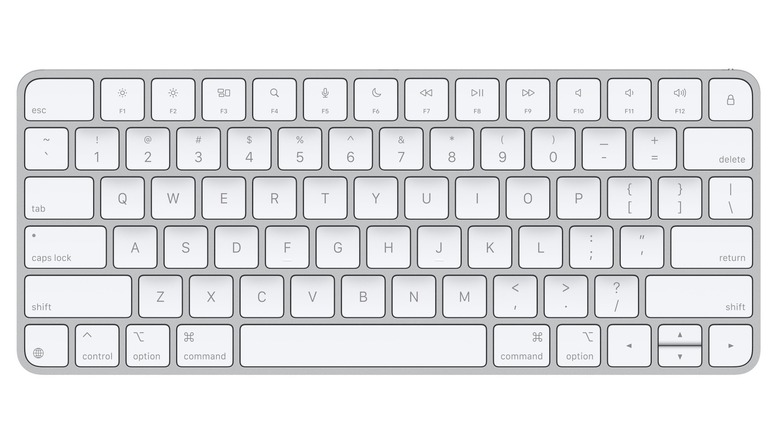
Several years ago, I thought I could save a few bucks by replacing my aging and well-worn Apple Magic Keyboard (for Mac) with a fairly cheap third-party one that looked almost identical. But sadly, and perhaps not surprisingly, it didn't work out. Apart from its many other flaws, I noticed that every time I hit the spacebar, two spaces appeared. It was a disaster. So I returned it and did what I should have done in the first place: fork out for an Apple Magic Keyboard. And of course, it functioned just fine.
Sure, there's no backlight, no number pad, it doesn't fold in half, it's not particularly cheap ... but it works well and it gets the job done. Apple's $99 keyboard is compact, too, with a width of 11 inches and a weight of just 8.5 oz. The scissor-switch keys offer a quiet, comfortable typing experience, and because it pairs via Bluetooth, you can use it with Android devices and not just Apple ones. The aluminum frame gives it a robust feel, too, so you can pop it in a bag without worrying too much about damage. Apple also makes custom versions of the Magic Keyboard for iPads that are arguably the best add-ons to boost your productivity.
Logitech Keys-2-Go 2
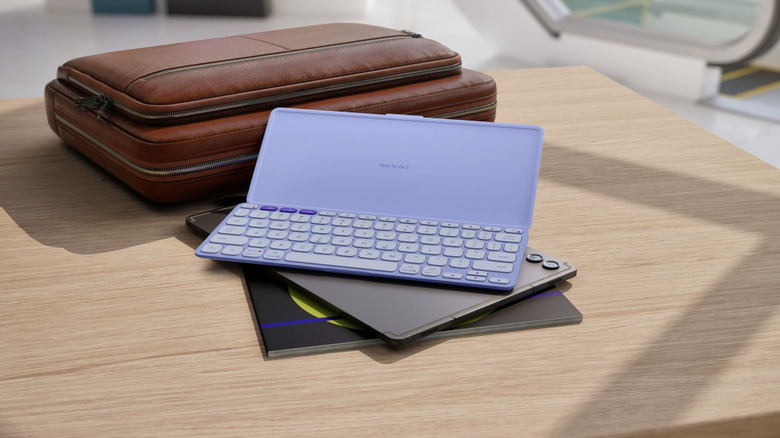
Logitech launched its first product, a computer mouse, way back in 1982, and has gone on to become a reliable maker of PC peripherals. One of its more recent releases is the Keys-To-Go 2, which Logitech describes as its "most portable keyboard ever." The stylish-looking device is just 9.8 inches across and tips the scales at 7.8 oz. This one also features scissor-switch keys, and Easy-Switch buttons for switching quickly between multiple devices. Made with recycled plastic, the Keys-To-Go 2 comes in graphite, pale gray, and lilac and ships with a built-in magnetic cover for proper protection when you're on the road.
But at $139, the Logitech Keys-To-Go 2 is one of the pricier options among our selection of travel keyboards. Also, there's no USB-C charging. Instead, it uses two CR2032 coin-cell batteries (included), which Logitech claims will last for up to 36 months. So if you carry a couple of spares on your travels, running out of power shouldn't be a problem. In fact, with battery life this long, replaceable batteries might actually be preferable to a built-in rechargeable battery, which requires periodic charging and a cable. Backlighting is also missing on this keyboard, and while the compact design is definitely a plus for travel, some people with larger hands may find the keys to be just a bit too cramped.
MoErgo Go60
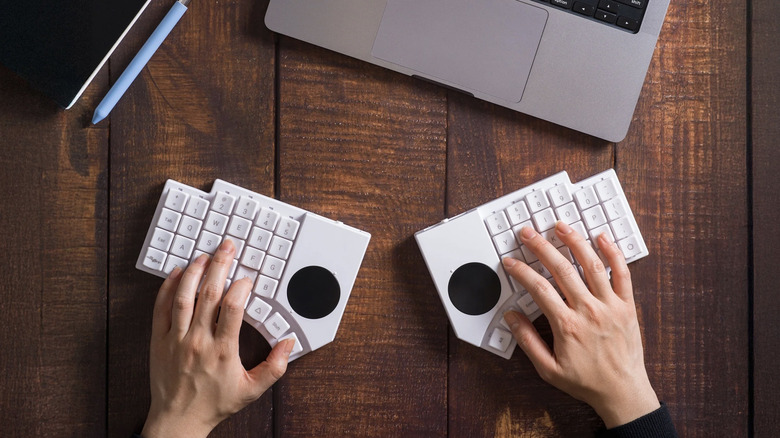
Launched via a Kickstarter campaign, the MoErgo Go60 has the most unique design among our selections and looks like another cool gadget that could change the way you travel. It's a true split keyboard, meaning you get two physically separate halves, each with a small circular trackpad so you don't need to carry a mouse on your travels. Designed for better ergonomics and long typing sessions, the MoErgo Go60 offers quiet mechanical switches that can be replaced or customized. It also includes RGB underglow lighting, which is more for aesthetics than key identification. The Go60 can be transported in two halves inside a protective travel case. The case also holds a couple of tenting bars that you fix to the underside of each half to raise them up. They can also be adjusted to different heights so you can find the optimal position for your typing style.
But the limited 60-key layout may take some getting used to, with some familiar functions and keys — including numbers — accessible through two-key combinations by default. You can, however, make the number keys part of the base layer by using the Layout Editor, which lets you remap keys as well as create custom layers and macros. Out of the box, the Go60's right trackpad offers cursor control, while the left one enables vertical scrolling and also lets you pan through a canvas. Again, the Layout Editor lets you modify the trackpads' functionality, though there's no way to add multi-touch. The MoErgo Go60 keyboard is steep at $315, but it could be a winner if ergonomic design is important to you. Also, if you want to add an elegant-looking walnut palm rest to each half, you'll need to spend an extra $128 at checkout.
Methodology

There sure are a lot of travel keyboards out there competing for attention, but for this list we focused on ones that bring something distinct to the table, giving you a broad idea of the kinds of features that are available with such devices. They include everything from backlighting and an integrated trackpad (or dual trackpads) to a numpad, exceptional portability, ergonomic design, a robust build, and even stylish looks. We also checked multiple online reviews to ensure that we included keyboards with at least generally positive coverage, though we've also mentioned some prominent drawbacks of each device.