

iFlyTek P1 Review: AI Transcription In A Compact Body
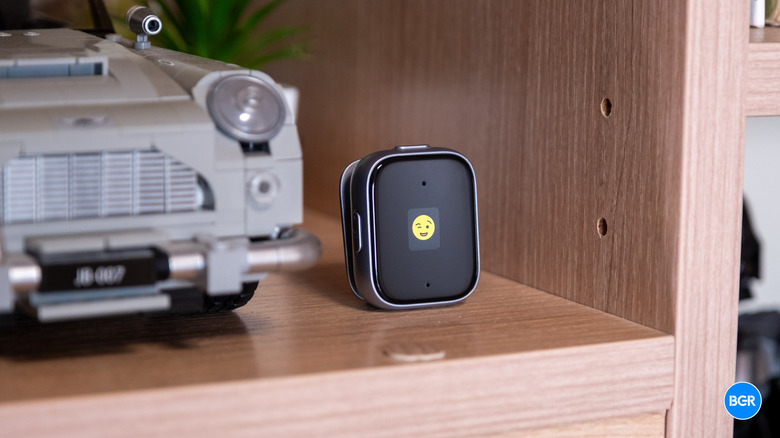
Plenty of people use specialized recording devices on a daily basis — whether it be students who want to record their lectures or professionals who need to record meetings. With the advent of AI, however, these devices are becoming significantly more useful, given the fact that these recorders now not only record audio but can accurately transcribe what was said. That's the idea behind the iFlyTek P1, which is a small, reasonably low-cost AI recording device that works with an app and can summarize transcripts.
To be clear, though, the P1 works as a conventional offline recorder without the companion app, but that's not really why you'd buy it. Its value depends almost entirely on the software side, and that means cloud services and, depending on how much you use it, subscriptions. Sure, it's not an ultra-complex idea. But, because of that, there are also plenty of competitors. How does the $119 iFlyTek P1 actually perform? I've been using it to find out.
Design and display
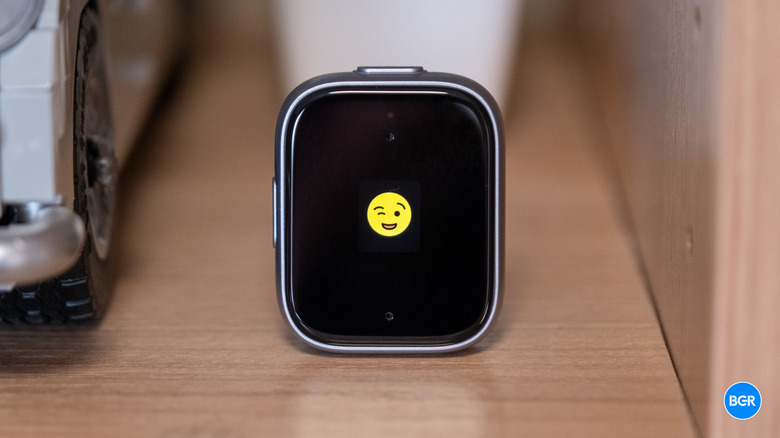
One of the advantages to this device over some others is that it's pretty small — which is preferable, given the fact that you will be wearing it. It's also lightweight — if it's on your collar, you probably won't forget it's there, but you might if it's somewhere less noticeable. You may or may not enjoy wearing it, though. Plenty of people prefer something handheld that can be placed on a table rather than worn on clothing. That's certainly true for me. Of course, there are no rules saying you have to wear it if you'd rather carry it around.
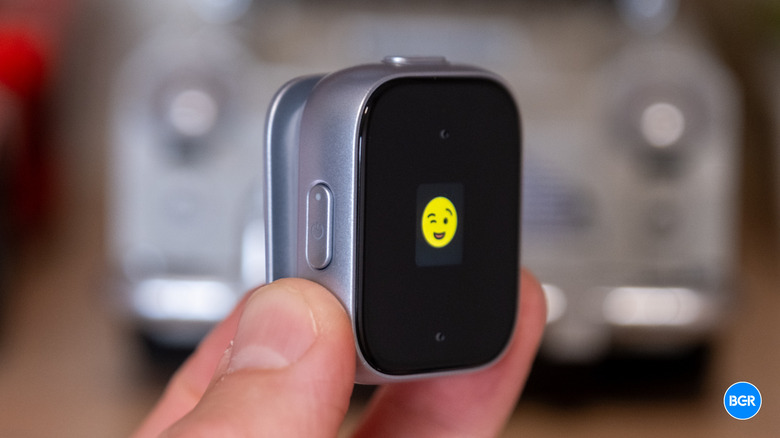
On the back of the device is a small magnetic clip that makes it relatively easy to attach the device to different clothing items. You can use the actual clip or you can use the magnetic back in cases where a clip doesn't make sense.
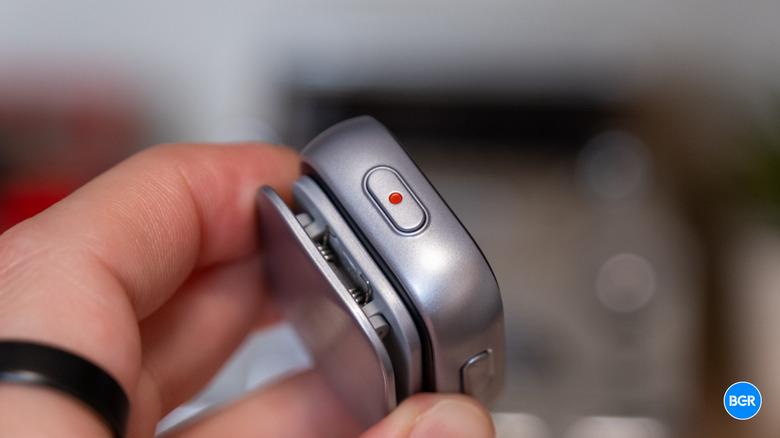
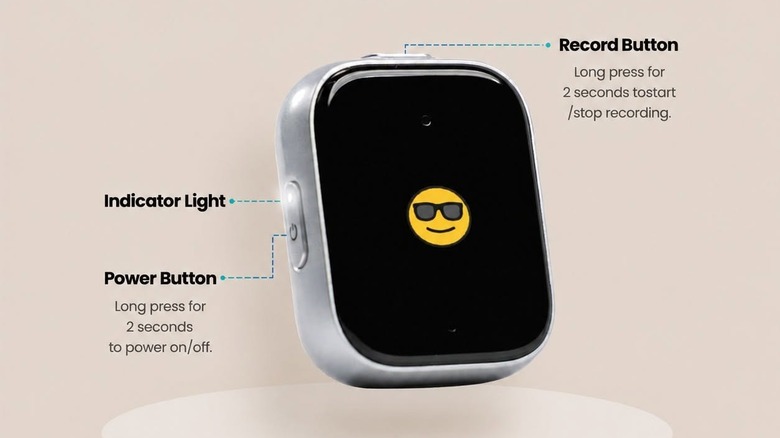
The body of the device is a gray plastic, and it's not necessarily the most premium build. It doesn't look overly cheap, but you'll know it's made from plastic when you pick it up. The record button is on the top of the device, while a power button with a status LED in it sits on the left edge. On the bottom is a USB-C port for charging.
The device also has a little screen. The display is much smaller than you might think, though — most of the front is made up of a bezel which houses the microphones. The actual screen is a tiny square in the middle of the front, and it's not quite used to its full potential. All it really shows is a winking emoji when it's ready to record and a microphone when it's recording — and that's about it. You'll see other information in the accompanying app, and if you want to do things like keep track of recording length, you'll need to depend on it.
That's the biggest interface difference from the P1 Pro, which has a 3.2-inch OLED touch display for navigating files and reviewing transcripts directly on the device. The standard P1 gives you none of that. Whether that bothers you depends on how you work. If you don't mind using your phone rather than on-device controls, it probably won't be much of an issue.
Audio and recording
The P1 uses dual mono microphones with options for 360-degree omnidirectional pickup or directional pickup. Clipped to your chest, the device captures your voice and nearby speakers without needing careful aiming. The recording quality is actually pretty solid. If you're recording for actual content, you'll probably want a microphone built for that purpose, but it captured my voice clearly. Based on the recordings I captured, I wouldn't worry about not being able to hear what was said in spoken content, as long as the recorder is near enough to the person speaking.
iFlyTek rates the P1 for clear recording at up to 5 meters, though the quality was certainly better when the speaker was closer than that. Once you get towards the edge of that 5 meters, you might find that the device starts to struggle at accurate transcription, especially if the person speaking is relatively quiet.
That's also another difference between this device and the P1 Pro. The Pro adds a third directional microphone, stretches the effective range to 10 meters, records at 96 kHz/24-bit hi-res, and includes a built-in speaker for standalone playback. If you often find yourself in a large conference room where the recorder sits at the center of a long table, the Pro is the better tool. The standard P1 is for situations where you control the distance — worn on your body or placed in a small room.
Storage is a non-issue either way. The P1 offers 64GB of internal memory, good for roughly 700 hours of audio. That's far more than most people will accumulate between syncs. What you don't get is a speaker of any kind, so there's no way to check a recording on the device itself. You'll need your phone or computer for any playback at all.
Battery and charging
The battery life of the P1 is actually pretty solid — likely due in part to the tiny display that doesn't require much energy. The device has a 300mAh battery that can power up to 25 hours of actual recording or last up to 85 days on standby, so you can leave it in a drawer for weeks and not worry about being out of juice if you need it in a pinch. During my testing period, I never really worried or thought about the battery of the device. Interestingly, that 25-hour figure actually beats the P1 Pro's 20 hours, despite the Pro's larger battery. The Pro's bigger display and hi-res recording presumably explain the difference.
Charging is handled over USB-C, and it's passable. Five minutes on the charger gets you roughly two hours of recording, and a full charge takes about an hour and a half. The P1 also supports pass-through charging, so it keeps recording while plugged in — handy for day-long conferences where you'd rather not gamble on the battery, even if you'd rarely need to. I will say, this would be the perfect form factor for wireless charging (which the P1 doesn't support), though that might be difficult to implement with the clip on the back. Alas, you'll need to stick to wired charging here.
AI and software
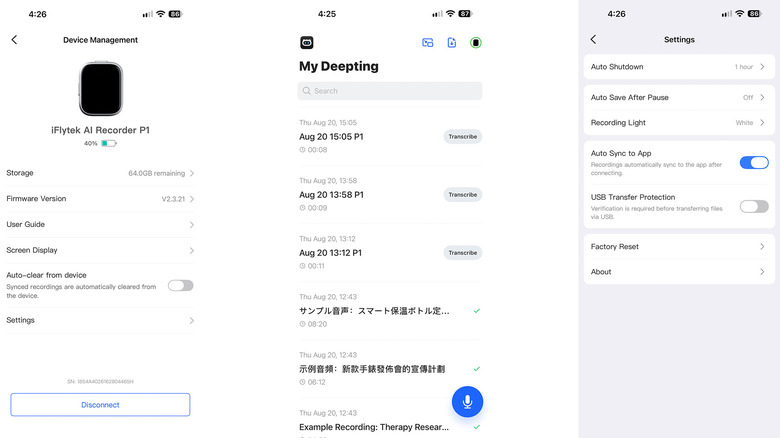
Really, the device itself is little more than a microphone in a box — everything interesting about it comes from the connected app, which is iFlyTek's Deepting app. Recordings sync over Wi-Fi (a one-hour file transfers takes about 30 seconds), get transcribed at a rate of roughly one hour of audio per five minutes, and come back with speaker identification, summaries, and extracted action items.
iFlyTek advertises transcription accuracy up to 98%, though in practice, your mileage may vary, especially if your transcriptions have a lot of jargon, product names, and so on. Even 95%, however, is quite good — especially compared to the non-AI transcription services of only a few years ago. The app also has an "Ask-AI" feature, powered by ChatGPT, that lets you query your transcripts directly — so you can do things like ask what was decided about a deadline, and it will pull the answer from the recording.
That said, the software experience isn't amazing. The app works well enough, but it's a little basic, and can be slightly confusing at times. There's a bit of a learning curve when it comes to locating things like settings, accounts, and other features and menus.
And, of course, there's a subscription. You do get unlimited cloud storage and 300 monthly transcription minutes included, which covers occasional use just fine. Power users will need Deepting Pro, which extends that limit to 1,800 minutes per month. If you're using the device regularly for work, you will probably want to upgrade. It's also worth remembering that data is processed on remote servers — so if you're recording anything related to legal consultations, medical information, or something else highly confidential, you'll probably want to look elsewhere for an on-premises option instead.
Conclusions
The iFlyTek P1 is a genuinely capable little device. For near-field recording, it captures decently clean audio and handles transcription pretty well. The bigger win is how small it is — your phone can handle recording and transcription pretty well too, but you probably won't want to clip it to your clothing.
All that said, the P1's best features live in the cloud, which means subscription costs for heavy users and privacy questions for sensitive ones. And it simply won't reliably capture distant voices in a big conference room — that's the P1 Pro's job.
The competition
At around $119, there's a lot of competition. The P1 sits above a basic dictaphone, though it is cheaper than many professional recorders and some AI alternatives like the Plaud Note Pro. If you're looking for an AI recording and transcription device, it's not a bad price. Just remember, devices you already own can probably do the job just as well.
Should I buy the iFlyTek AI Recorder P1?
Maybe, if you specifically want a compact, external device for AI transcription.