

iFlyTek P1 Pro Review: Transcription Is Better With AI
We may receive a commission on purchases made from links.
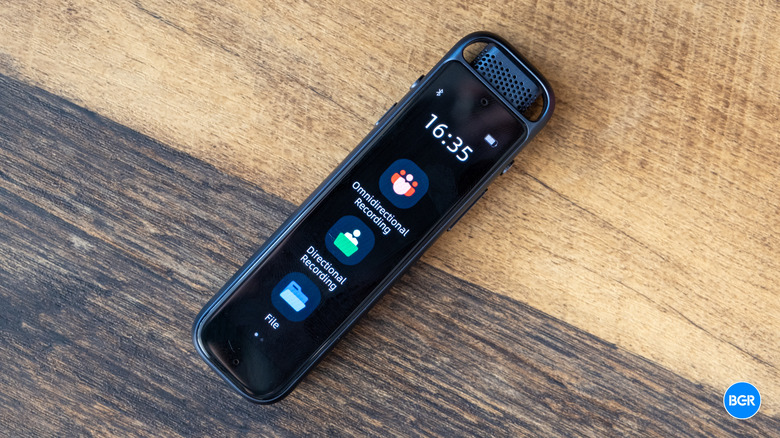
While many people use transcription tools on their phones, professionals, students, and journalists might prefer to use a dedicated device. These basically take the form of classic voice recorders, but they build in AI-related tools and often connect to an app for audio and file storage and smarter transcription. The iFlyTek P1 Pro is one of the more recent examples of this. It's essentially a more advanced version of the standard iFlyTek P1, which is a wearable pin.
The iFlyTek P1 Pro, however, is designed more for capturing meetings and interviews than turning everything that was said into something you can search and use, with a little more accuracy than non-AI implementations. At around $159, it sits above the entry-level P1, which costs $119.
The P1 Pro is positioned as the pro-spec option for business users — the one you place on a conference table rather than clip to your shirt. It combines hi-res audio capture with iFlyTek's AI transcription platform. I've been using the P1 Pro to find out how well it actually performs, and whether or not the software and AI dramatically improves the experience.
Design and display
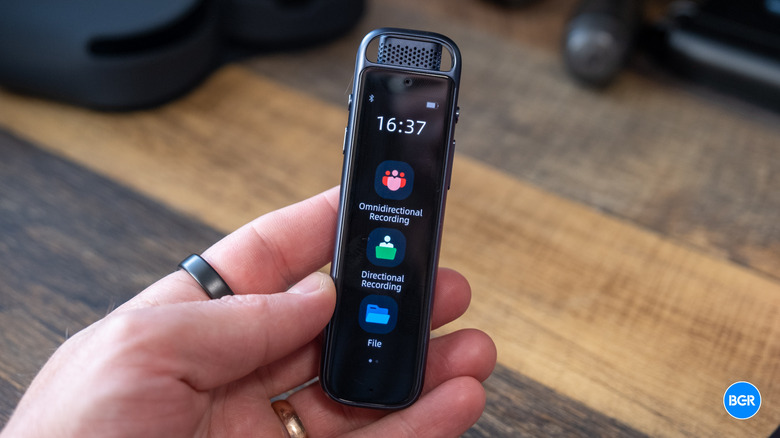
The P1 Pro has a reasonably slim profile and small build overall. It measures in at 1.2 x 0.5 x 4.3 inches — far smaller than a device like a phone. It's lightweight enough to where, in a pocket, you might forget it's there. It is, of course, larger than the wearable P1, but the trade-off is an actually usable display, more controls, and elements like a built-in speaker.
The build quality is a clear step up from the P1, too. The P1 Pro uses a metal body that feels genuinely high-quality and more serious than the lightweight, plastic-like construction of its cheaper sibling. It looks and feels like it's more suited to professional use. The finish is smooth and easy to handle.
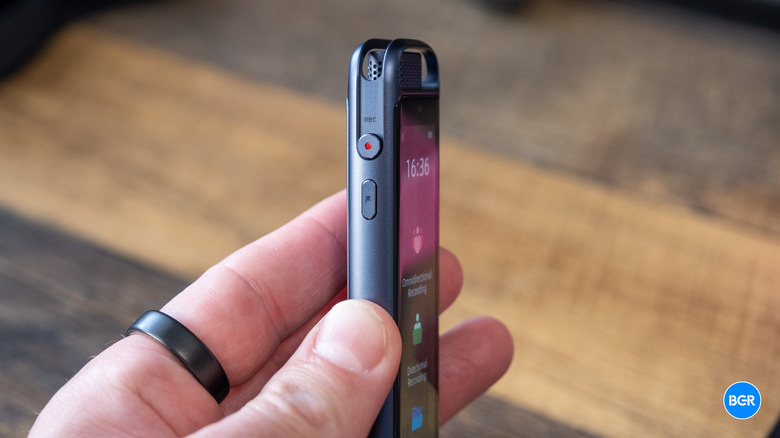
The physical controls are similarly well-designed. On the left edge, you'll find a dedicated recording button and a little flag button that lets you insert markers into your recordings as you go. On the right edge, there's a power button and a volume rocker. On the bottom is a USB-C port. Everything else is controlled through the touch display, which isn't the most responsive and can sometimes be a little finicky, but generally works fine. We'll get into the software later.
Speaking of the display, it's a 3.2-inch color OLED screen, which is obviously a big step up from the tiny square display on the standard P1. It's bright enough for the majority of use cases, and its resolution is crisp enough to not be annoying. That doesn't really matter for the use cases it's built for, of course, but it's still nice to see.
As a whole, the design feels thought-through and reasonably premium. It's not flashy, but it's well-built, portable, and easy to operate — which is exactly what you want from a device whose entire job is staying out of your way. The only thing really missing is what's in the box. You'll get a USB-A to USB-C cable, but there's no carry case or bag, which would have been nice additions.
Audio performance
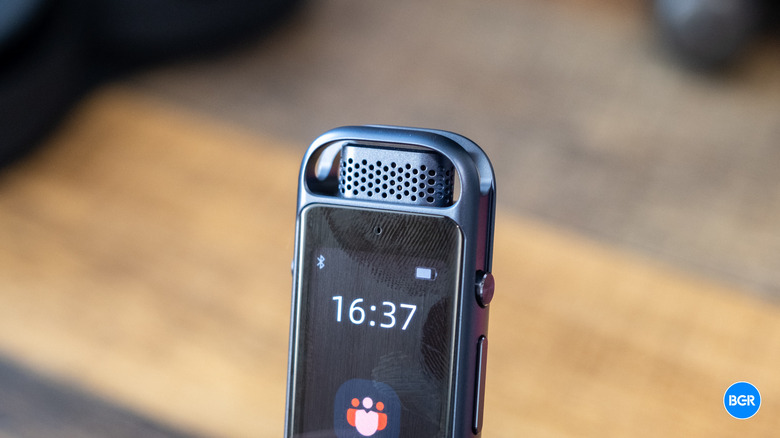
The P1 Pro integrates a three-microphone array made up of one directional mic and two omnidirectional mics — compare that to the P1's dual-mic setup. The extra microphone is there to improve the recording range. The standard P1 has a 5-meter recording range, and even at 5 meters, recordings were a little rough around the edges. The P1 Pro's 10-meter range makes for much better recordings at a distance, which makes a big difference in areas like larger conference rooms.
The recorder supports hi-res audio at up to 96 kHz/24-bit for both recording and playback through the built-in speaker — though you won't really notice that with the tiny speaker. Frankly, this might be slightly overkill. The microphone quality isn't good enough to use this device for things like studio recording; they don't really need hi-res audio in the first place. Still, it's there, and it's not hurting anything by being there. Plus, the added bit depth might give you a little more headroom in louder environments where the recorder would otherwise clip.
The device offers an AI noise reduction technology that's designed to suppress echo and reverb in a meeting room, and it seemed to work well enough. Regardless, I found that even in an environment with some echo, the AI transcription still worked well. It is worth noting that the quality will depend at least in part on the microphones that you use. You can't use both omnidirectional and directional microphones at the same time.
There are limitations to the transcription features, though none of these are surprising. For example, if two people are speaking at the same time, the words can get muddled and lost, even if one speaker is quieter and actually speaking in the background. And in fast-paced group discussions where people talk over each other, overlapping voices reduce the accuracy of both the audio capture and the AI transcription that follows. That's not unique to the P1 Pro — every speech recognition system struggles with crosstalk. Nevertheless, it's worth knowing before you rely on it for a chaotic meeting.
Battery and storage
The P1 Pro offers a 420 mAh battery, which is larger than the P1's 300 mAh. It's necessarily larger, though, as the larger screen and higher number of microphones mean that it also consumes energy more quickly, and actually, in the end, it has a lower battery life overall. The standard P1 has a battery life of 25 hours of recording with up to 85 days of standby. The P1 Pro, on the other hand, has up to 20 hours of recording and up to 38 days of standby.
Still, 20 hours of recording is easily enough for a few days of even heavier use, and 38 days of standby means that you'll be able to go longer than a month between uses without completely losing power. If you use the device very heavily, you might need to charge every week or so, but I don't think anyone will need to charge more often than that.
Storage is a non-issue. The P1 Pro includes 64GB internally, which iFlyTek estimates will hold roughly 700 hours of local recordings. This will partially depend on whether you record audio in hi-res or not, and it's turned off by default, which I think most people will want to keep as is. Recordings synced to the Deepting app also get unlimited cloud storage, so you can offload and archive indefinitely.
Software and AI features
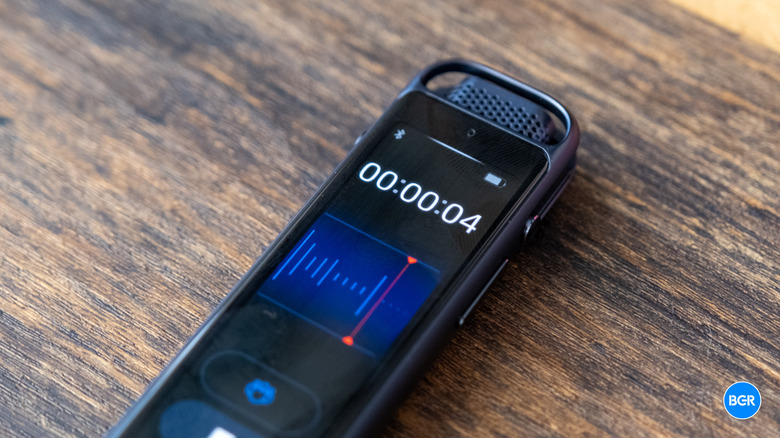
AI, of course, is where the P1 Pro sets itself apart from other recorders. The recorder connects to your phone via Wi-Fi and Bluetooth 5.3 and syncs recordings to the Deepting app, where cloud processing takes over for AI transcriptions. Transcription speed is really quite good — and it doesn't wait for you to finish a recording. Instead, transcriptions start to appear in real-time as the recording happens. iFlyTek claims transcriptions are up to 98% accurate — though your mileage will vary dramatically depending on things like jargon, complex product names and terms, and the number of speakers, as noted above.
Beyond raw transcription, the app automatically generates smart meeting notes, speaker identification tags, and concise summaries. Instead of reading a full, hour-long transcript, you get a condensed summary with speakers labeled and key points pulled out — combine that with the flags you added during recording, and finding individual moments in a transcription can be pretty quick and seamless.
I wouldn't necessarily say that the app is beautifully designed, though. It's a little clunky, and you have to get used to how it all works. But it does work perfectly fine, and it won't take much time to learn the ropes.
As with nearly any smart device these days, there is a subscription cost if you want to transcribe large amounts of audio per month. For free, you'll get 30 minutes per month or 300 minutes if you register the P1 Pro, which is probably enough for moderate use. If you do need more than that, you're going to have to pay for a subscription. A Pro membership costs $12.99 per month and offers up to 1,800 minutes of recording per month, which should be more than enough for the vast majority of users.
It's also worth remembering where the transcription actually happens. Because the AI processing happens on cloud servers, recordings of sensitive conversations are leaving your device. That might not matter to you personally, but if you work in a regulated sector like healthcare or law, you'll want to run compliance checks before uploading client or patient conversations to anyone's cloud.
Of course, the app itself isn't the only software you'll interact with. There's also the software built into the device. At times it can feel slightly confusing, but it's not so complex that you won't get used to how it works within a few minutes of using it. And there are plenty of helpful things about it too, like buttons to add flags while you're recording. The only thing I think is missing is a cancel button for a recording. Currently, you can only pause or stop, which means that if you accidentally start a recording, that second or two is going to be saved to the device. It's not a huge deal — you can delete it later on — but it's a minor inconvenience.
Conclusions
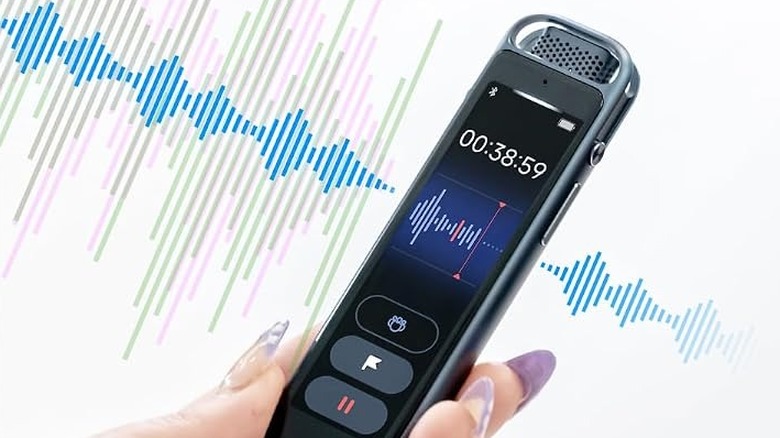
The iFlyTek P1 Pro is a solid, well-built device that works pretty well. The three-microphone array and 10-meter capture range make it genuinely effective in larger spaces and the metal build and OLED touchscreen make it pleasant to use. While the app isn't incredible, it serves the purpose, and it allows you to easily transcribe audio relatively accurately. If you're a student or professional looking for a dedicated recording and transcription device, this one is absolutely worth considering. Just remember, though, it's not doing anything that you couldn't do with a smartphone for less money.
AI recording has gotten a lot more popular, and while there may not be tons of actual dedicated devices, there are plenty of ways to use AI for recording and transcription. As mentioned, most of what this device does can simply be done on your smartphone — where the P1 Pro stands out is with better microphones for recording and simply allowing you to use a dedicated device.
The company's own P1 is another dedicated device, and it's smaller, cheaper, and wearable. I find the P1 Pro to be much better as a dedicated device, but you might like the idea of being able to wear your recording and transcription device. If you're looking for a dedicated recording device that works with AI transcription services, the iFlyTek P1 Pro is worthy of your consideration.