

Windows 11 Update Finally Fixes A Classic Feature That Should Have Never Been Changed
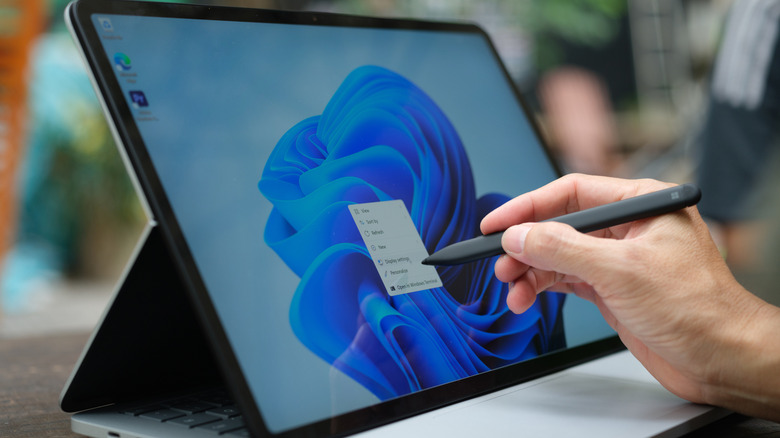
Despite some of the operating system's merits, the widespread pivot from using Windows 10 to Windows 11 hasn't been smooth by any stretch of the imagination. People keep ditching Windows 11 for alternative operating systems like Linux for all kinds of reasons, from performance issues to privacy concerns and unwanted AI integrations. One particular part of Windows 11 that has been a snag for users is the new right-click menu.
For a while, Windows 11's context menus — which appear when you right-click — could look cluttered and load slowly. Now Microsoft is finally rolling out an update that should make the menu less cluttered, easier to read, and perhaps most importantly, faster to load. This follows other changes that helped speed up and simplify the right-click function back in November 2025.
According to the Windows blog, the "new, redesigned context menu" is starting to be rolled out and will be available when you're navigating File Explorer. Currently, it's only available in Windows 11 Insider Experimental Preview Build 26340.9212, released on August 17th, 2026. If you aren't a Windows Insider, you can most likely expect to see updated context menus alongside other File Explorer changes when Windows 11 version 26H2 launches or rolls out as part of subsequent updates.
What changes are coming to the Windows 11 context menu?
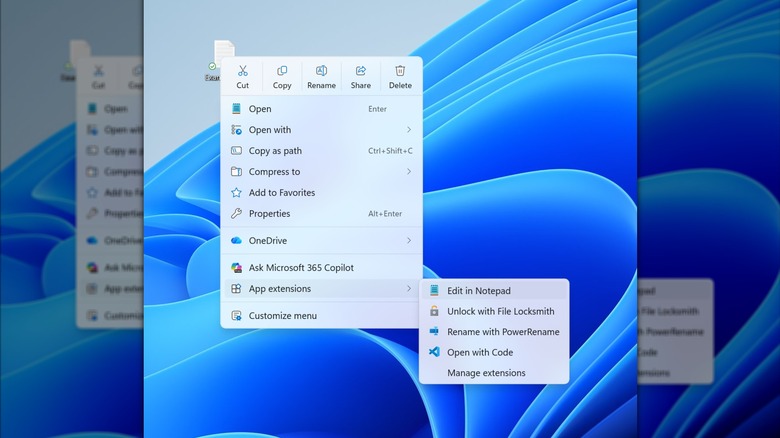
If the context menu changes in the Windows 11 Insider Experimental Preview Build 26340.9212 are anything to go by, we have a reasonable idea of how right-click menus could change in the near future. As mentioned, the menus are going to become more lightweight, with fewer options available upfront at the top of the menu. Functions you reach for often should be easy to find, with fewer other options clogging the menu.
Based on an image shared on the Windows blog, which you can see above, common functions like Cut, Copy, and Rename will be available as radio buttons at the top of the menu, while the rest of the menu will be simplified and reordered. Functions like Open and Open With return to the top of the list as they were in Windows 10, and several functions will be tucked away under the App Extensions sub-menu. However, keep in mind the menus could change based on Windows Insider feedback, so it may look a little different by the final rollout.
You can also customize the appearance of right-click menus to better suit your needs through the Settings menu, where you can enable or disable functions as you see fit. That's especially useful if you have a lot of third-party software installed on your PC, which can easily creep into your context menus. Alternatively, after the update, you can switch back to Windows 10 context menus altogether if you'd prefer.