

Why Do Some Laptops Have Small Holes Next To The Webcam?
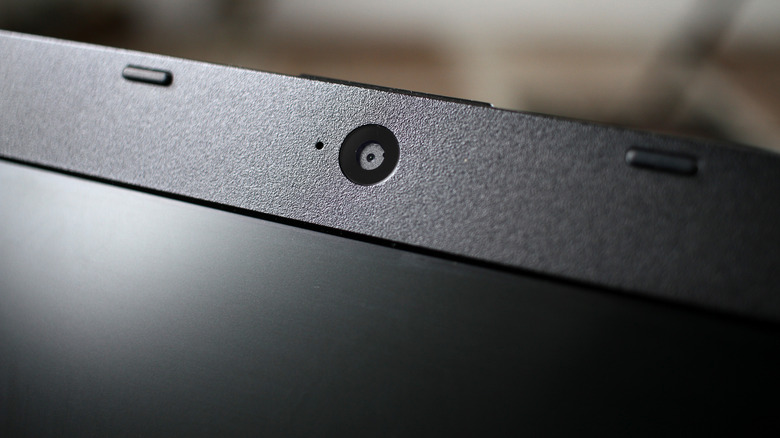
Laptops might be convenient computers for people to use and for businesses to deploy, but they're also easy vessels for software and hardware producers to spread around new features like Microsoft's infamous Copilot key on those Copilot Plus laptops. Still, there's a veritable medley of manufacturers to buy a laptop from, and they'll all have their own intents and designs for their products. So, why do they all seem to put holes next to the webcam?
Obviously, there's a hole for the camera itself, and that's useful for conferencing and chatting. There might also be an LED indicator to let you know your camera's up and running. Not necessarily a "hole," but a decent selection of devices will include a cover mechanism of some sort to assure some level of privacy even if your camera is accessed while you aren't aware. Many laptop makers will also locate microphone arrays alongside the camera — up and away from the body of the computer where cooling fans will generate deafening rumbling.
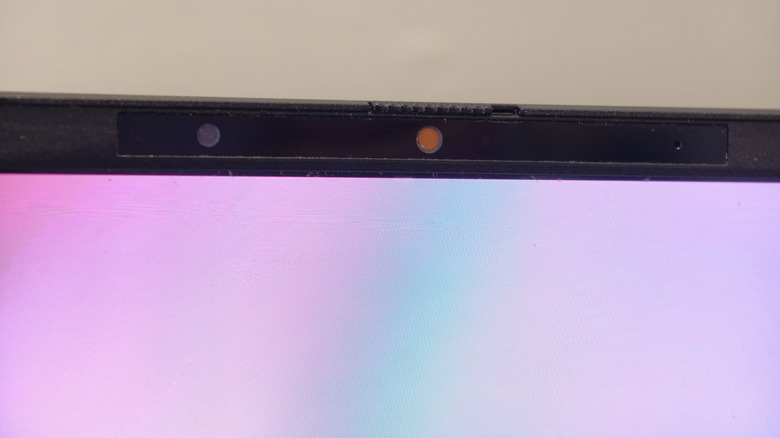
As for that extra hole that also looks like a camera (seen below) ... well, it is a camera, and it's used for Windows Hello, Microsoft's biometrics-based authentication system. In simpler terms, it helps Windows verify your identity through facial or fingerprint recognition and let you log into your computer as well as other sites that support passkeys.
What do these cameras have to do with authentication?
Passkeys aren't passwords or PINs, but cryptographic relationships between a host service and some form of physical authentication on your device, such as a USB security key or a biometric scan. You insert the key or scan in and you complete the host-device handshake that allows you to log in. As it is generally more difficult to reproduce a facial print than it is to brute-force hundreds of password guesses a second, we could argue that there's no need for password managers anymore.
And that is how we get to what the extra camera is for: When Windows Hello launched in 2015, it accepted inputs from fingerprint sensors, infrared sensors, and multi-camera systems that can generate 3D composite signatures — the vast majority of laptops went with infrared sensors for facial scans and still do to this day. The heat-sensing capabilities of IR cameras meant that you could authenticate with your face in the dark, but a software vulnerability that Microsoft addressed in 2025 led to a change requiring color camera input be paired with infrared data for a facial scan.
In a similar vein, we've been asking for a long time now if Apple will ever replace Touch ID on its MacBooks with Face ID. iPhones and iPads have had TrueDepth camera systems for about a decade up to this point and it's kinda wild we haven't seen them ported over to the laptops.