

Which AirPods Are The Best For Phone Calls?

Choosing a pair of AirPods to go with your iPhone for calls can be a tough choice. Do you go for the more affordable option but lose out on newer features, or go all in? Well, if you want the best call quality, it's currently the AirPods Pro 3. Naturally, these earbuds work best when paired to an iPhone, but they still work on Android devices — albeit with a variety of integrated features locked out.
That said, when it comes down to call quality for AirPods, the Pro 3 are the standouts. In the CNET review, the outlet regularly pointed out the general improvements to the call quality. Elsewhere, online forums like Reddit have praised the call quality, with one thread claiming it is "insane." Another user responded that the noise cancellation tech on the Pro 3s allowed their wife to speak clearly, despite being on a rush hour train.
A key reason for the improvements is noise cancellation from the microphones. It has regularly garnered praise across different reviews and user comments. Another Reddit comment claimed that they were vacuuming during a call, and a third said they aren't going back after the Pro 3s thanks to the voice call noise cancellation.
The AirPod Pro 3 is the best for calls
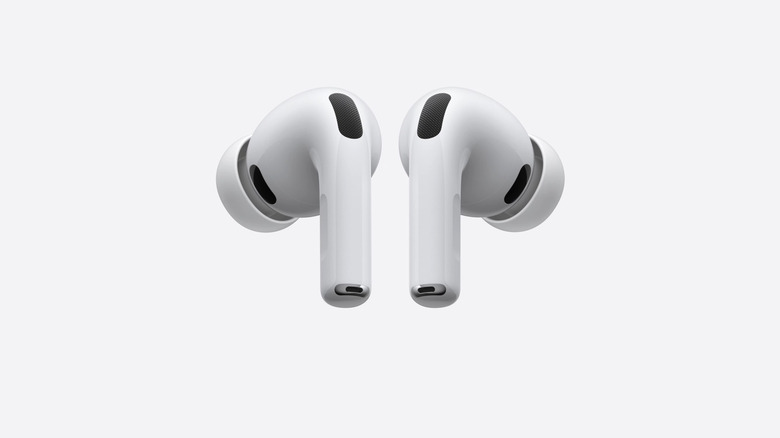
Other earbuds, and even AirPods, have been criticized over the years for their low call quality. Tinny or cheap microphones that can either pick up too much sound or just process it weirdly are common at the lower end. Apple has taken massive strides with its microphone tech, although it shouldn't discount any alternative earbuds out there. JBL, Sony, and Anker all have solid entries in the various lineups, but obviously won't be as integrated as to an iPhone or Samsung phone as the manufacturer-owned earbuds.
There are no real settings to mess about with to get the perfect noise cancellation, but it can be turned on and off if needed. On iPhone and iPad, you'll need to swipe down from the right-hand corner of the screen during a call to bring up the Control Center. "Voice Isolation" should be an option at the top of the screen, allowing you to activate or deactivate. On macOS, in the menu bar – which can be filled with all types of wonderful additions – look for the green camera or yellow microphone icon. You can then choose "Mic Mode" and "Voice Isolation" from there.