

5 Cheapest Ways To Upgrade Your Xbox Series X Setup
We may receive a commission on purchases made from links.
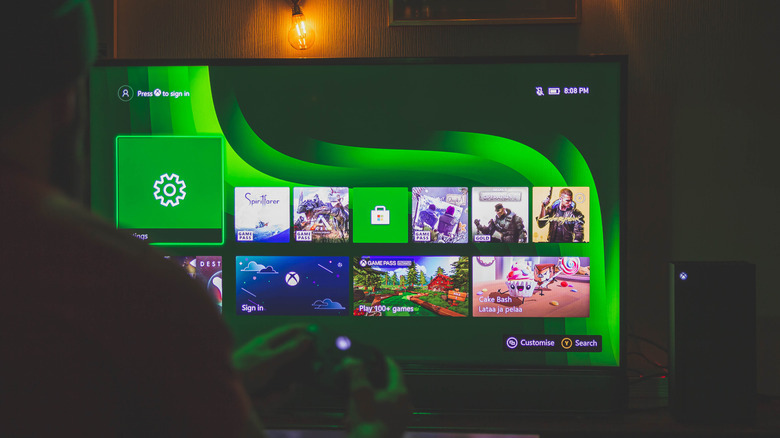
If you've ever wanted to upgrade your Xbox Series X setup but thought that it would be expensive, the good news is that you couldn't be more wrong. Sure, you won't be getting some of the best gaming headsets or a fancy new 4K OLED TV, but you can still enhance your Xbox experience from a gameplay and convenience perspective in subtle ways. In fact, you don't even need to spend more than $30. These are small additions to your Xbox setup, but they can have a huge impact on how you interact with it.
For instance, if you're tired of constantly swapping those AA batteries with new ones, there are rechargeable batteries you can use. If you want to be more precise in your movement and aiming in certain types of games, there are thumbstick caps that can help. Even if you just want to make it easier to type on your Xbox or control its media-playing capabilities, there are ways to do that too. And you can do it all without punching a hole in your wallet.
Xbox Rechargeable Battery
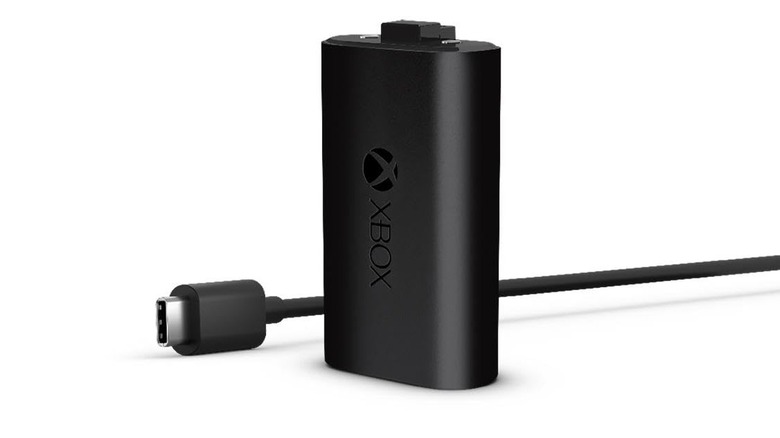
There are people who think Microsoft made the right choice by not including a built-in lithium-ion (Li-ion) battery like Sony did with the DualSense controller for the PlayStation 5. The argument makes sense because the design prevents controllers from becoming dated since the AA batteries are easily replaceable. Li-ion batteries have limited charge cycles before they can no longer hold a charge. A controller that you could once use for an entire day without requiring a charge now only lasts a few hours before it needs one. However, one can't deny that Li-ion batteries save time and money because you don't have to go out and get new AA batteries. But Microsoft said that the decision was driven by player choice, giving those who'd rather have rechargeable Li-ion batteries the option to purchase the Xbox Rechargeable Battery for $19.59.
The Xbox Rechargeable Battery goes in the back of the controller and comes with a USB-C to USB-A cable that you can use to charge it. It can be fully charged in four hours, and the 1,400 mAh battery can last up to 30 hours on a single charge. For reference, you can get a similar amount of playtime using high-energy AA batteries. The rechargeable battery can even be juiced up while you play, and you can sit comfortably at a distance because the included USB cable is almost nine feet long – you don't need to get a USB extender.
Dxkk Xbox Controller Battery Pack
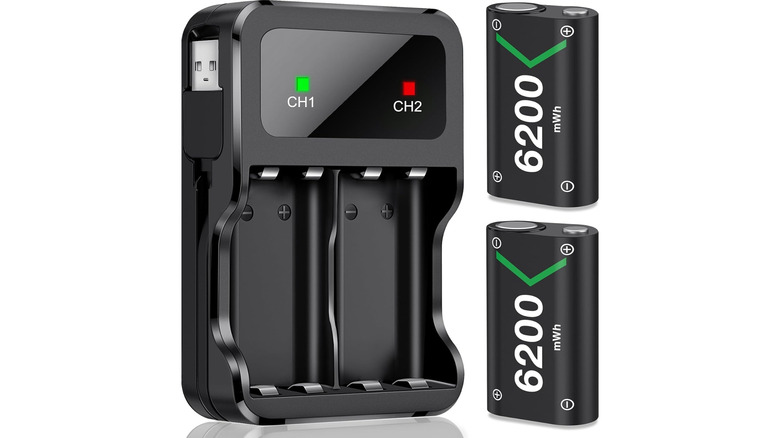
The Xbox Rechargeable Battery is not the only way to save on constantly buying AA batteries. You can purchase Li-ion or nickel-metal hydride (Ni-MH) AA batteries instead and charge them when they run out. But here's the kicker — simply plugging the USB-C cable into the Xbox Wireless Controller will not charge the batteries. That means you'll need an accessory that can charge them — like the Dxkk for Xbox Controller Battery Pack. So when even your rechargeable batteries run out of juice, you can insert them into the battery pack so they can charge for the next play session. You can even have spares so you can swap them out as needed.
The Dxkk for Xbox Controller Battery Pack costs $19 and comes with two 6,200 mWh AA Ni-MH batteries that can be charged over 2000 times. On a full charge, which takes about three hours, the batteries are said to provide over 30 hours of gameplay. There is an LED indicator on the battery pack that turns green when the batteries are fully charged; otherwise, it will be red. It has a built-in USB-A cable that you can use to charge the batteries, but you can also use a USB-C or micro USB cable for charging.
KontrolFreek FPS Thumbstick Caps
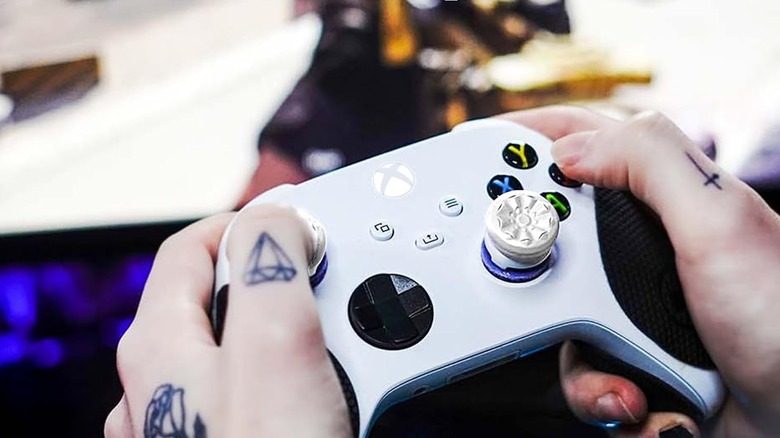
The KontrolFreek FPS Thumbstick Caps can be attached to the Xbox Wireless Controller to increase the height of the thumbstick. The length of your controller's thumbsticks matters more than people think. For instance, the shorter a thumbstick is, the less room there is for minute movements because its travel distance isn't that long. This is why playing a first-person or third-person shooter on the Nintendo Switch 2 using the Joy-Con's thumbsticks can be hard. It's easy to over-aim due to the short travel distance (it's a good thing there's gyro aiming). Long thumbsticks, on the other hand, allow for more precision due to their longer travel distance.
For $16.99, you get two caps. One is a 6.5 mm mid-rise cap, and it goes on the left analog stick for controlled character movement. This can come in handy in stealth games where you need to sneak behind an enemy to go past them or perform a takedown. The other one is a 10 mm high-rise cap that goes on the right thumbstick for precision aiming. This makes it a good choice for precision aiming when you aim down sights (ADS) with long-range weapons like sniper rifles. You won't always need thumbsticks, but they make a great addition to your setup depending on the games you play. On top of improving your gameplay in certain scenarios, they protect your thumbsticks from wear and tear, while also adding extra grip and comfort.
Moko Green Backlight Keyboard
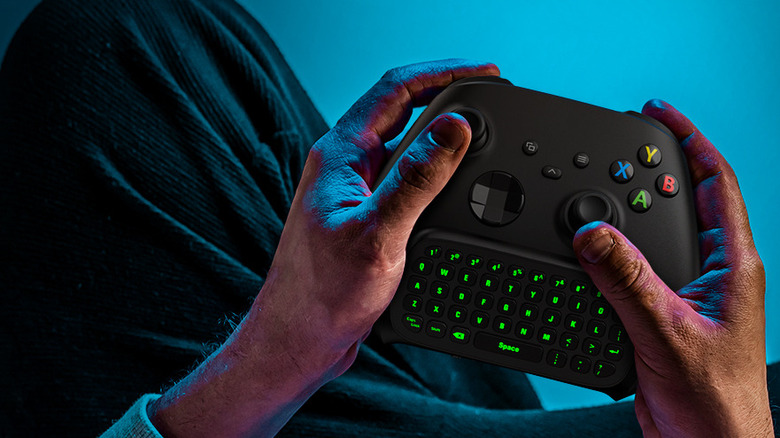
Typing on an Xbox, whether you're signing into your profile, entering your character name, or using the in-game chat, is a bad time. Having to navigate the on-screen keyboard with the left analog stick is slow, and remembering what key deletes, adds a space, and turns on all-caps or special characters can lead to frustration if you mess up. The Sony PlayStation 5's DualSense controller alleviates this somewhat by allowing you to use its motion sensing and touchpad to select characters with a cursor. In handheld mode, the Nintendo Switch 2 allows you to use the keypad, and in docked mode, you can use the Joy-Con 2 with Mouse Controls.
The Xbox Wireless Controller has none of these features, but it does support wireless keyboards like the Moko Green Backlight Keyboard. That's how you can make typing less of a chore. It's a QWERTY keyboard that costs $25.64 and can be plugged into your controller. It has a 2.4 GHz receiver that you insert into the Xbox Series X's USB port.
The Moko Green Backlight Keyboard has 47 keys, including the letters, numbers, Space, Shift, Caps Lock, and Delete, which are pretty much all you need. It's also backlit, making each key glow green for easier typing in low-light conditions. It also has a 3.5mm jack, and you don't need a battery because the keyboard draws power from the controller itself.
8Bitdo Media Remote for Xbox
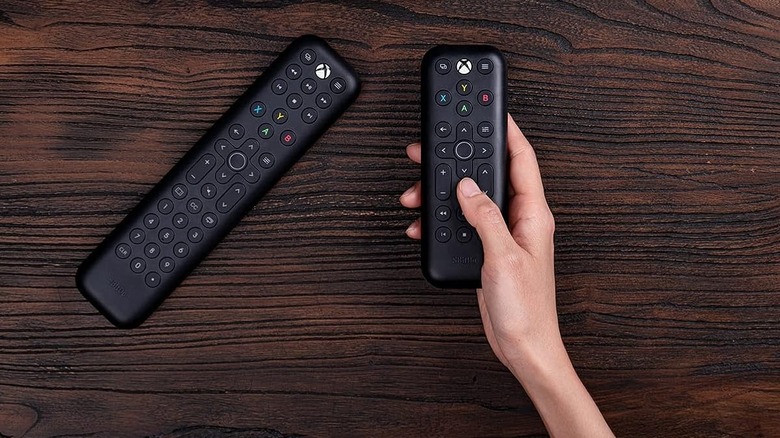
The 8Bitdo Media Remote for Xbox makes controlling media on your Xbox Series X easier. The Xbox is a capable entertainment center for watching movies and TV shows via the Blu-ray player in the Series X Disc Edition. You can also view them via streaming apps like Netflix, Disney+, Amazon Prime Video, Hulu, and Apple TV. It even has streaming apps like Spotify, Apple Music, and Pandora. Using a controller to navigate menus, control volume, skip tracks, and perform other media functions can feel clunky and unintuitive. This is especially true for someone who doesn't play games as often but needs to listen to music or watch something on the Xbox. This makes the Xbox Media Remote Control a great addition to your setup.
The 8Bitdo Media Remote for Xbox is a plug-and-play infrared remote. You just insert two AAA batteries, and it will be able to control your Xbox. It can also control certain TVs, but it's built specifically for the Xbox. It's lightweight and easier to hold than a heavy controller, and has all the necessary buttons for playing, pausing, fast-forwarding, skipping, and adjusting the volume. You can even wake the Xbox up with the dedicated Home button. Whenever you pick up the remote, it lights up thanks to motion sensing, making it easy to use in low-light conditions, like a backlit keyboard. The Xbox Media Remote Control is going for $20 on Amazon.
Methodology
To ensure that our recommendations are affordable, we made sure to stick to items that cost less than $30. While we could have easily recommended cheaper headphones, speakers, and controllers within that budget range, that would have meant sacrificing some level of quality to get a cheap item. For our recommendations, we didn't pick them because they're cheaper versions of something else, but because they're actual high-quality products that offer excellent value for their price.
We also ensured that all the products can be found on Amazon so it's easier to check up on ratings and comments from verified purchases. We exclusively selected products that have a minimum rating of four out of five stars, while ensuring that they don't have the "Frequently Returned Item" label. We also only picked products that have thousands of ratings.