

This Hidden iPhone Feature Can Drastically Improve Audio Quality In Videos
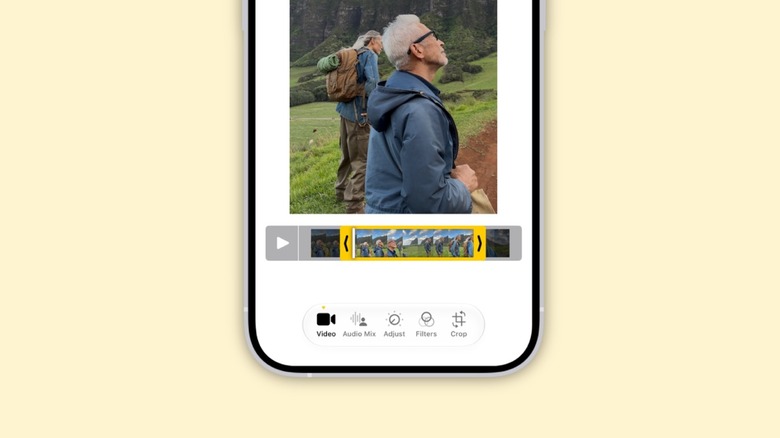
If you have an iPhone 16 or later, you can drastically improve the audio quality in videos with the Audio Mix feature. By using different recording options, you can later adjust the mix to make the audio more true to what you heard. While iPhone 18 Pro models have an extra feature that lets you solo music in addition to voices, all other users can take advantage of Audio Mix.
In the Photos app, open a video, tap Settings, then Audio Mix. Apple offers four different ways to enjoy the sound of your recorded videos: Standard, In-Frame, Studio, and Cinematic. In Standard mode, you get the audio exactly as it was recorded; In-Frame reduces the sound of everything that is not visible in the video frame (meaning that if someone is talking off-screen, the sound will be less prominent, or even completely disappear); the Studio option reduces background sound and reverb, making it feel like it was made in a professional studio; and Cinematic puts the voices in the front and moves environmental noises to the background, like the audio in movies.
iPhone users also have a slider they can use to increase or decrease the effect and background noise to make the recording sound better. Once they finish editing the audio, they can save the video to apply the changes.
iPhone 18 Pro users have special camera and audio improvements
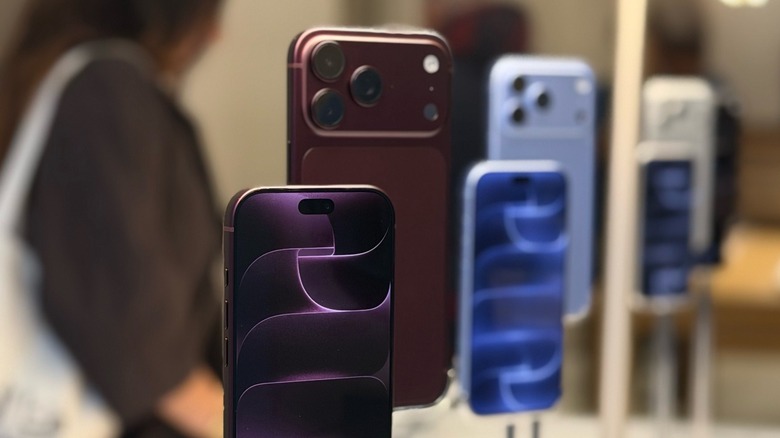
While iPhone 16 and iPhone 17 users can enjoy Audio Mix, Apple outdid itself with the iPhone 18 Pro, which features an all-new camera system with new shooting capabilities and improved audio. This new phone features a new 48MP Fusion Main camera, plus a variable aperture that gives users more control over their shots. The camera can adjust automatically, but Apple has offered manual controls (aka Pro controls) for the first time, which can produce more interesting photos in low light or when someone is in the back of group photos, making them sharper.
For video capabilities, Apple now lets users apply Cinematic effects to video captured at up to 60 FPS. In Time-lapse, videos can be recorded in 4K and Dolby Vision HDR. Audio Mix also features an exclusive new algorithm for higher-quality voices that can isolate music from people talking.
The iPhone 18 Pro Camera app now offers more settings, letting users adjust lens aperture, shutter speed, white balance, or even use a histogram to check exposure levels. Finally, Apple introduced its new Reference Image protocol, which can verify, with built-in privacy, whether a photo taken on the iPhone has been digitally manipulated or accurately represents what's been shown. This feature is currently exclusive to the iPhone 18 Pro, but it could be a powerful tool for journalists and others trying to tell stories without being questioned about the shot's veracity. That being said, if you have an iPhone 18 Pro, there are more settings you should change besides adding Apple Reference Image.