

Mac Mini (M6) Review: Still Great, But A Tougher Sell
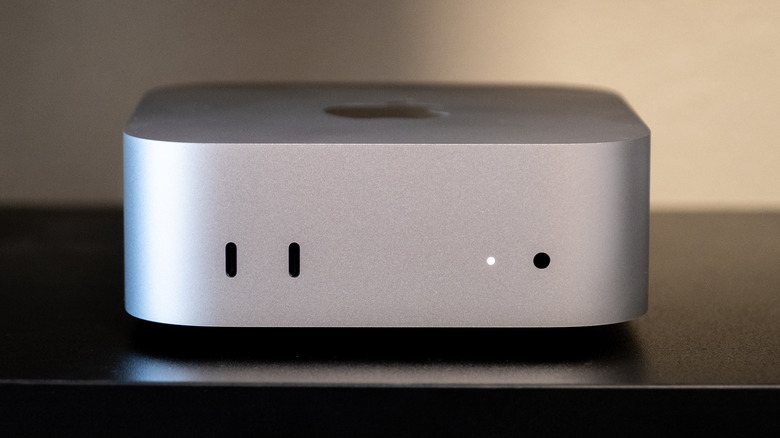
The Mac mini has been an easy recommendation ever since it adopted Apple Silicon, but the last-generation model, which came with a redesign and an M4 chip, took that to the next level. At $599, I found it to be the perfect option for anyone who wanted a macOS desktop and didn't need the performance on offer by the Mac Studio. Now, Apple is back with a new Mac mini, but this year, something is different — the M6 Mac mini has gotten a price bump. And yes, that's a price bump over the $200 price increase that hit the M4 model, which brought its price to $799.
Of course, this isn't necessarily Apple's factory shortage caused by AI spreading far and wide. Price increases are happening across the industry, not just from Apple, but regardless of the reason, it still makes the new M6 Mac mini a tougher sell than the M4 model was before it. The new model starts at $899 — a hefty $300 more than its predecessor cost at launch.
Somewhat confusingly, the M6 Mac mini was also released alongside an M5 Pro version — both essentially making up the 2026 Mac mini lineup. Despite the lower number, the M5 Pro variant is indeed more powerful than the M6, but because of its lower price, the M6 is still the default for anyone who wants a low-cost macOS computer.
Should you buy the M6 Mac mini, or should you spend more on an M5 Pro model? Alternatively, should you wait for the AI RAM issues to subside at some point, bringing prices back down to Earth? I've been using the new M6 Mac mini to find out whether it justifies the price hike.
Design
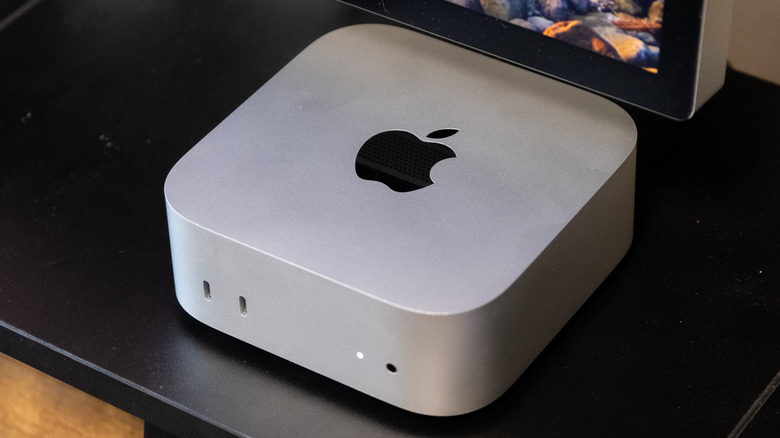
Visually, the Mac mini with M6 is identical to the M4 model — which I find to be (mostly) a good thing. The new computer has the same 5-inch by 5-inch footprint and 2-inch height, along with the same 1.5-pound weight and the same port selection. Apple kind of nailed the design with the last model, and I would have been shocked to see it change things up for this year's lineup. But, again, I love the Mac mini's design, even if it's not necessarily the most exciting look out there. It's incredibly compact and has a solid selection of ports.
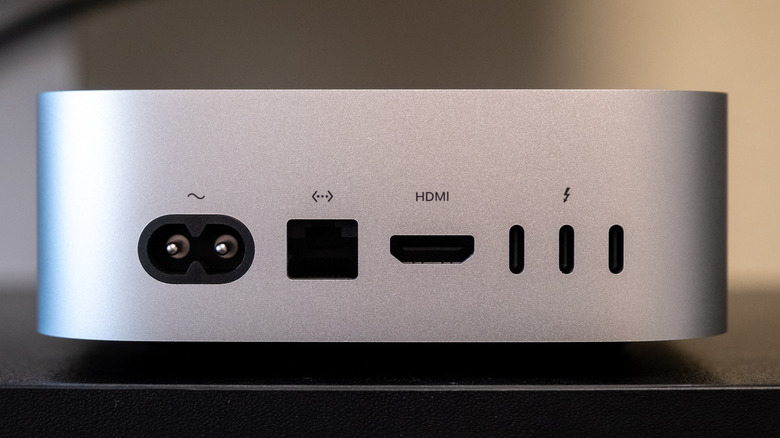
That includes ports on both the front and the back. Up front, you get two USB-C ports (USB 3, up to 10Gb/s) and a 3.5mm headphone jack, so it's easy to plug in a pair of headphones (though inconvenient to plug in speakers). Around the back, there are three Thunderbolt 4 ports, HDMI, 2.5Gb Ethernet, and a power connector. That 2.5Gb Ethernet is now standard — up from gigabit on the M4's base configuration — with 10GbE available as a configure-to-order upgrade. Wireless connectivity gets a solid bump too, with Wi-Fi 7, Bluetooth 6, Thread, and Apple's N1 networking chip all included.
The selection of Thunderbolt 4 ports is one of the main differences between the M6 model and the M5 Pro. On the M5 Pro, you'll get three Thunderbolt 5 ports with up to 120Gb/s transfer speeds, plus USB-C genlock for professional display and camera synchronization. If your workflow depends on Thunderbolt 5 bandwidth, the M6 model simply can't deliver it.
While I like the general build of the Mac mini and don't mind the silver color, I can't help but wish there were more colors available. The Mac mini is to desktop computers what the iMac is to all-in-ones, and if Apple is going to give the iMac cool colors, why can't it do the same for the Mac mini? Even a couple other options would be nice to see. Alas, you won't get that for this generation, and thankfully, the silver color does still look relatively sleek.
Because it's the same design as the previous generation, you'll also still get the same design quirks. Notably, the power button is still on the bottom. I found it a little strange last time, and it hasn't really grown on me since then. I also still don't really find it to be that big of an issue. It's pretty rare that I use the power button on my Mac Studio, unless there's a power outage or something. Instead, I just keep it on and restart it through software when needed. It's not a big deal to me to use the button on the bottom in those rare occasions. The exception, of course, would be for those who use the Mac mini as a kind of server, but I suspect having to press a physical power button is just as hard for those users, no matter where it is on the machine.
The chassis is compact, well-built, and thoughtfully laid out. But if you already own an M4 Mac mini, the physical experience is the same — you're paying purely for what's inside.
Performance
There are two chip options when it comes to the 2026 Mac mini: the M6 and the M5 Pro. The M5 Pro is the more confusing of the pair, because Apple sells it in two configurations. The $1,699 base model has a 15-core CPU — five of Apple's fastest "super" cores plus ten performance cores — with a 16-core GPU that has neural accelerators built into each core, hardware-accelerated ray tracing, and a 16-core Neural Engine. Step up, and you get an 18-core CPU and a 20-core GPU. Memory bandwidth is 307GB/s either way, nearly double the M6's best figure, and that's what really separates the two machines for anyone running local AI models, which has become a major use case for the Mac mini. Memory options go further, too. The M5 Pro starts at 24GB of unified memory and configures to 48GB or 64GB, which is twice the M6's ceiling.
Many, however, will go for the M6 variant instead. The M6 packs a 12-core CPU, a 12-core GPU with Neural Accelerators on every GPU core, and a dual 16-core Neural Engine. Base memory is 16GB of unified memory — upgradeable to 24GB or 32GB — with up to 170GB/s of bandwidth on higher-memory configurations and 153GB/s on the 16GB base. Storage starts at 256GB and tops out at 2TB.
I just finished reviewing the M5 Ultra Mac Studio, and I put it through its paces for local AI use. The M6 Mac mini is a decidedly different machine. Yes, it can be useful for local AI, but its use for that purpose is much more limited than the workhorse that is the Mac Studio. On the M6 Mac mini, you can run small local models to do specific defined tasks, but you won't necessarily use general-purpose models to replace services like ChatGPT.
For non-AI use, the M6 is plenty fast. App launches feel instant, multitasking is effortless, and workflows involving coding, photo editing, and light video work are quite quick. Apple claims up to 40% faster CPU performance, 2x faster graphics, and 4x faster AI, along with workload-specific gains like 4.8x faster LLM prompting in LM Studio and 1.5x faster Excel calculations.
Of course, this is the base model, and there are still limitations to its performance compared to higher-end machines. Demanding video editors, or even those who need more than the basics, will probably want to upgrade to at least an M5 Pro. Plus, as noted, local AI enthusiasts will need to find something with more RAM.
The new Mac mini also performed well in benchmarks. In Geekbench 7, it scored around 25% better than the M4 model in single-core scores and even better in multi-core tests, and actually scored similarly to M5 Pro machines in single-core performance — though the M5 Pro was well ahead in multi-core. More importantly, it's more powerful than anything on the Windows side when it comes to compact PCs, especially in CPU performance.
But again, it's a much tougher sell at this price point than the M4 was at $599. It's certainly a great machine, but the value isn't quite as impressive. Luckily for Apple, the Mac mini was so far ahead in value that the M6 model is, frankly, still well worth its elevated price tag.
Conclusions
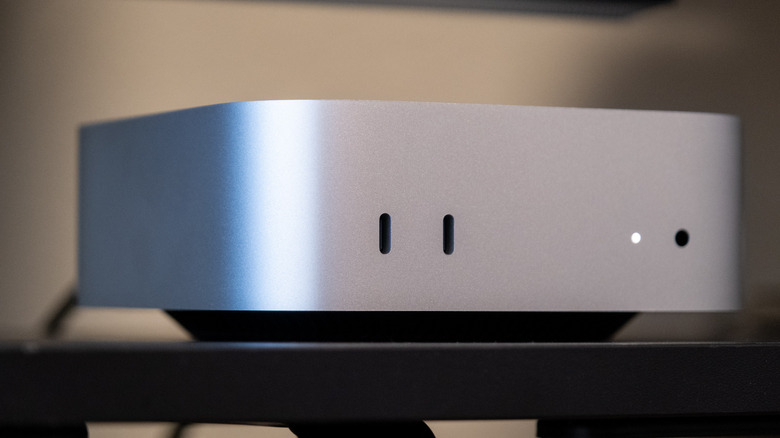
The Mac mini with M6 is arguably the most capable mainstream mini desktop you can buy. It's fast, quiet, compact, offers plenty of ports, and runs a mature ecosystem of creative and productivity software — with a growing roster of local AI tools that benefit from the hardware. For existing Mac users who already have a monitor and peripherals, as well as developers, students, and creators with moderate workloads, it's another easy recommendation.
There are caveats, though. The $899 entry point buys only 16GB of memory and 256GB of storage, with no peripherals included. 16GB of RAM will be enough for casual users — but not for the AI fans who want to run more powerful local models. A more practical 24GB RAM build runs roughly $1,299, and at that price, the M6 Mac mini is starting to get closer to the $1,699 M5 Pro model.
If you're upgrading from an Intel or M1 Mac mini, the performance jump is massive across the board. From an M2, it's still worthwhile — especially for AI, graphics, and the newer wireless standards. M4 owners are the trickiest case. Unless your workflow is specifically bottlenecked by AI performance, you can probably wait, and if local AI is really what you're going for, then you may want to consider saving up for a Mac with more RAM.