

Does Google Maps Use More Data When You Zoom In?

Anyone who remembers the Apple vs. Samsung days knows how important pinch to zoom has become in our daily lives. There are few apps where this is more apparent than Google Maps. But did you know that you'll typically consume 1 to 2MB of data every time you start the app and another 1MB (approximately) every time you zoom out or scroll? It's not much data, but it can add up if you're on a data-limited service plan and you need to figure out where you're going.
The math on that starts with the sheer tonnage of assets in which Google Maps deals. Maps has 23 levels of zoom, so you can view the whole globe on your screen and go all the way down to a city block. The standard overlay features vectors and shapes with metatags defining those assets as roads or other features. Turn on the satellite overlay and you start dealing with several imaging sources at differing resolutions. It's a lot of data, so the app itself can't potentially host all of it.
This means when you zoom and scroll, the app needs to load in a new set of what are called tiles to populate your display. A typical new tile has a resolution of 512×512, so it can range from the tens of kilobytes using the standard overlay to more than 100kB with satellite imagery. Consider when you boot up your device and open Google Maps for the first time that several tiles need to load in. Scrolling any way requires a few extra tiles, including adjacent ones, to be generated. And when you switch between zoom levels, that's another whole new set of tiles with assets scaled to that zoom resolution.
Every little thing you do in Google Maps uses data
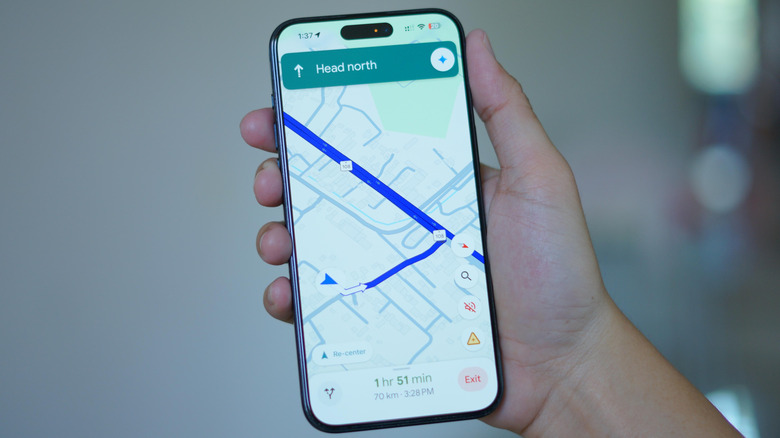
Google Maps also has access to loads of information that gets updated more often than a satellite scan. Pulling up a restaurant or another point of interest, for example, requires the app to call Google servers to load operating hours, a phone number, reviews, and any photos or videos submitted by users. Traffic congestion and transit arrival times can use data sources that update in real time. Of course, there's also navigation mode, which necessitates the loading of new tiles as you progress along a journey and can include said traffic information as well as user-submitted hazard reports. A mix of these activities during heavy usage can eat upwards of 200MB per hour.
We haven't even talked about features like Street View or, one of the best Google Maps features, AR-enhanced Live View for walking directions. If you're light on mobile data this month, the best things to do are to use Google Maps while you're on Wi-Fi, download and save an offline map, and keep the satellite overlay off.