

Here's What Stops Working When You Use Google Maps Offline
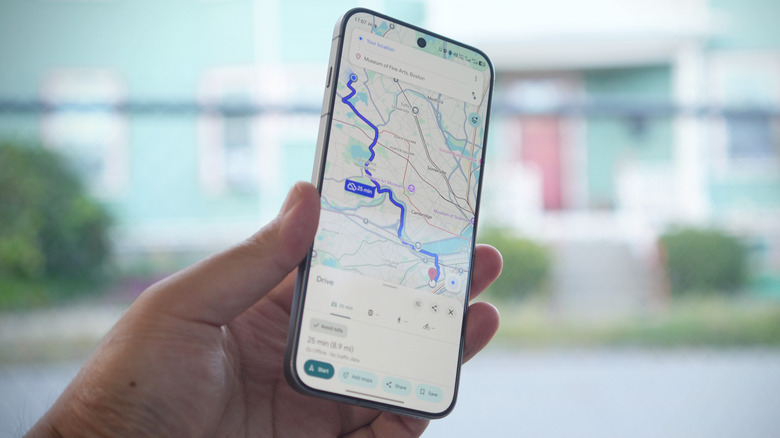
Getting lost is part of life's journeys, but you don't have to go wandering without a clue. One of several handy features in Google Maps is the ability to download and save maps of different regions. That said, they can only hold so much information. As you roam offline, you lose real-time information such as traffic congestion, proactive detours, and indicators for whether or not a business is busy. Turn-by-turn navigation within the saved zone remains available for vehicles, but not so for transit, cycling, and walking. This means integrations with bike-share and ride-hailing apps are also off the table, Google says. Points of interest in a saved map remain visible, but you won't see reviews, photos, or Google Street View images for that crucial visual location confirmation.
All that said, there's plenty of vital detail that an offline map retains. It can prove handy around town if and when the next internet outage occurs. But it can also come clutch for travelers who know they'll be out of coverage or, at the very least, tight on money for even the most affordable eSIMs. An offline map can range in size from mere megabytes for a metro area to gigabytes as you max out the view to an area of roughly 150 miles in latitude by 300 miles longitude—enough breadth for a daytrip or three.
What can you do with Google Maps offline?

You can save a map by searching up a city or region, scrolling the bar at the top of the listing, selecting More, and then "Download offline map." Alternatively, tap your Google account avatar in the Maps app and select "Offline maps" to manage and add to your catalog. If you have an Android Auto system or one with Apple CarPlay, plug in the origins and destinations within a saved map area to get turn-by-turn navigation when you're driving and save the scrolling around for later. Even offline, you can still filter for non-toll, non-highway, and H.O.V. priority routes. Travel times given are estimates based on free-flowing traffic conditions.
You're still able to search points of interest and see a location's address and phone number in the listing as well as recently posted operating hours. Google will also display the average star rating out of five plus the number of ratings. You also can save specific locations for future access, and make use of the Notes field in a saved location listing while you're on Wi-Fi at the hotel, a restaurant, or shopping so that you can take down crucial additional information such as whether a restaurant caters to dietary requirements or the cost of admission. If you know you'll be out of service range later on, at least you won't be left in the dark.