

4 USB-C Accessories That Can Eliminate Cable Clutter

We may receive a commission on purchases made from links.
With many of us using multiple peripherals and gadgets on our work desks, cable clutter is a real problem. If you are someone who likes to keep your desk tidy and free of any unsightly mess, cable clutter can actually impact your productivity. However, fixing it isn't always easy. You'll either have to upgrade your entire setup and choose every single device very carefully, keeping how much cable clutter it's going to create in mind, which can be pretty expensive, or you can invest in select accessories that can reduce the clutter a bit.
As many of our devices rely on a USB-C port, a good place to start fixing the cable clutter is to invest in USB-C accessories that can either help avoid using cables, reduce their number, or hide them out of view. A few examples of such USB-C accessories include retractable USB-C cables, USB-C hubs, charging stations, and power strips with USB ports. We have carefully selected some of the most useful options to get you started. We picked these particular accessories after considering their features, how much they can help reduce cable clutter, and actual buyer feedback.
UGREEN 100W Retractable USB-C Cable
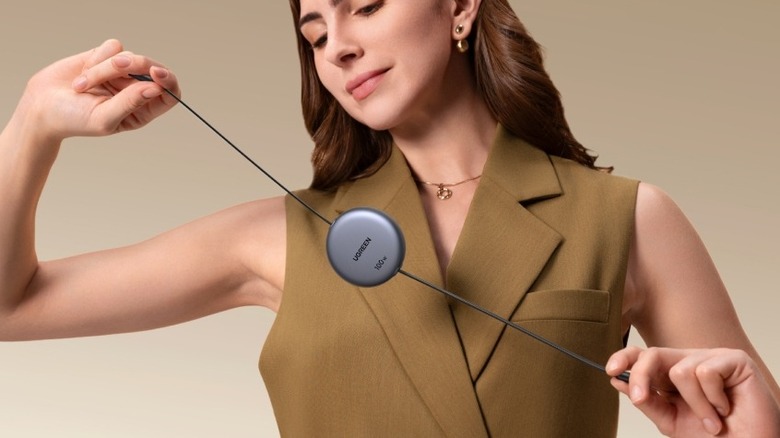
Charging cables often account for the most clutter on our desks. One of the relatively easier ways to deal with this without constantly trying to make everything neat is to invest in a retractable cable. With just a pull, your USB cable rolls itself back, and there is no unnecessary slack lying around. Mobile accessories brand UGREEN sells a well-rated retractable USB-C cable that's reasonably priced and good enough for a wide range of gadgets, thanks to its 100W support. It is 3.3 feet in length and supports four length settings, which gives you plenty of choice while keeping things cleaner.
In other highlights, the cable uses an aluminum shell for its housing, which looks sleek. However, it's not the most suitable for high-speed data transfers, as it's limited to USB 2.0 speeds. While you can use it to transfer data, it won't transfer very fast. It will cost you $17 at list price, and you can choose from three color options, including a special edition Honkai: Star Rail version. Amazon shoppers appreciate the cable's functionality and have given it an average buyer rating of 4.6 out of 5. They like that it helps them keep things organized, is good for traveling, and is pretty reliable. However, some buyers mentioned getting defective units or finding the length to be a bit too short.
Anker Nano Power Strip with Clamp
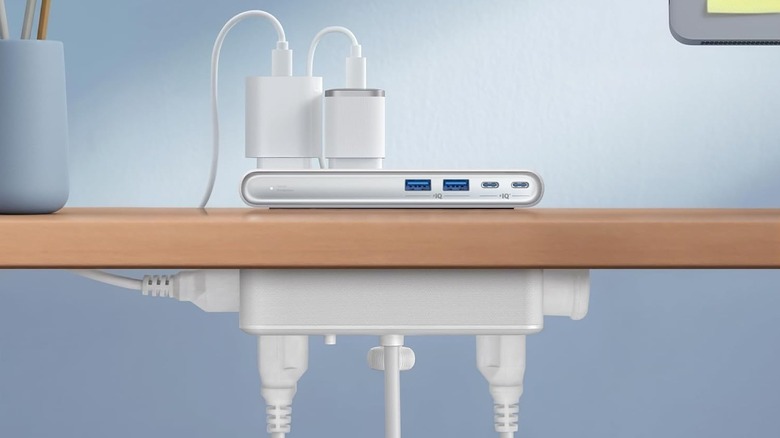
Anker's Nano Power Strip with Clamp is a pretty interesting gadget that can solve a lot of your power and charging cable clutter. As the name suggests, it essentially clamps to one edge of your work desk and gives you access to two USB-C charging ports, two USB-A ports, and six AC outlets. You can use these to power your computer and peripherals or to charge your mobile devices. Notably, the placement of AC outlets allows you to route at least four connections below the desk, keeping them away from direct sight. It doesn't take up much space on your desk.
The two USB-C ports can deliver a total of 70W of power, which is intelligently shared if you are using both ports simultaneously. The USB-A ports are limited to 12W total. More importantly, this Anker offering also doubles as a surge protector, keeping your connected gadgets safe from power spikes. You also get built-in overload protection.
Keep in mind, your table needs to have a clampable edge to use this gadget, and the tabletop shouldn't be thinner than 0.6 inches or thicker than 1.8 inches. The Anker Nano Power Strip costs $70 and is available in two colors. It has also garnered a pretty solid average buyer rating of 4.8 out of 5 on Amazon. Shoppers are happy with its ability to declutter your space and its sleek as well as compact design. That said, there are some complaints of receiving defective units, the lack of a power switch, and a short power cable.
Belkin Qi2.2 25W Wireless Fast Charging Station
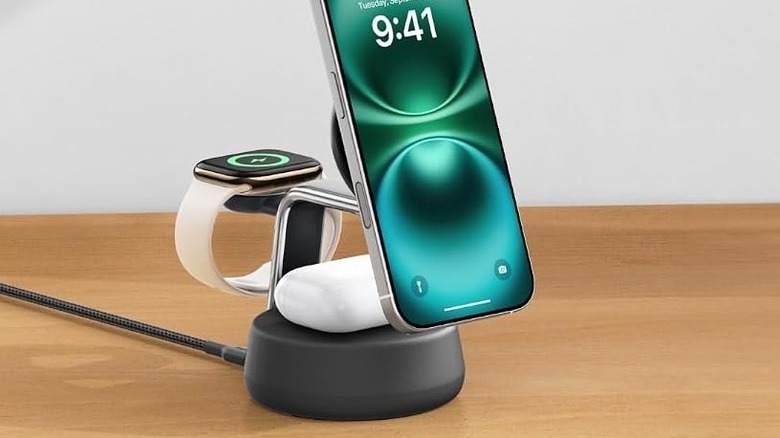
While topping up with a charging station or using a retractable USB-C cable is fine, there is another option to eliminate most of the cables: a wireless charger. Belkin has this nifty Wireless Fast Charging Station in its portfolio that allows you to juice up to three devices simultaneously. It also supports Qi 2.2, enabling you to tap into 25W wireless charging speeds as long as your phone supports that. Moreover, as it has a stand-style form factor for phones, you can use your phone reasonably well when it's charging, whether it's for quickly checking a message, watching a video, or joining a video call.
The Belkin offering makes the most sense for iPhone and Apple ecosystem owners because of the built-in Apple Watch charging puck. However, besides the Apple Watch charger, the other two charging spots can be used by any device. If your Android phone has Qi2 support or sports a MagSafe case, you can charge it using the Belkin station. The charging speed will depend on your device, though. The spot is perfect for any pair of wireless earbuds with a wireless charging case.
The company includes a fan in the primary charging spot to regulate temperature and ensure faster charging for longer. It also supplies a power brick with the wireless charger for out-of-the-box functionality. The Belkin Qi2.2 25W Wireless Fast Charging Station carries a price tag of $130. It has received an average buyer rating of 4.5 out of 5 from Amazon shoppers, who like its build quality, design, and fast charging speeds. The only notable complaints are about its high price, fan noise, and how some units failed within months.
Plugable 9-in-1 USB-C Hub
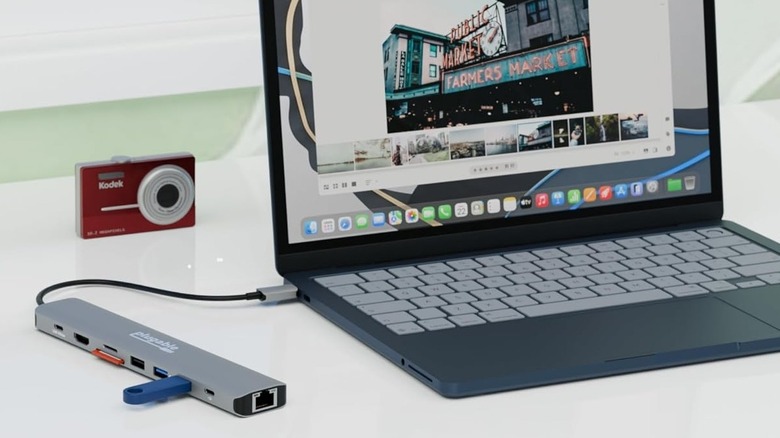
A USB-C hub is another gadget that can help you tackle some of the cable clutter caused by using multiple adapters. Besides, it's an excellent device to extend your device's port selection, particularly for laptops. Plugable's 9-in-1 Hub is a widely liked option that you can consider. As the name suggests, it has nine ports and slots to connect or plug in different devices. For example, you get two USB-C ports, one of which is rated for 10 Gbps speeds and ideal for connecting storage drives; the other is for power delivery and can accept up to 140W from your wall adapter. The hub will keep 15W for its own needs and transfer the rest to your connected device for charging.
Other ports include an HDMI 2.0 port for connecting a display, three USB-A ports, including two that support 10 Gbps speeds, a Gigabit Ethernet port, an SD card slot, and a microSD card slot. It's also compatible with all popular platforms and will work with any full-featured USB-C port and Thunderbolt 3/4/5 ports. It costs only $50, and Amazon buyers have rated it 4.4 out of 5. The shoppers like the port selection, Plugable's customer service, and its durability. That said, there are complaints about some units dying within weeks, defective units, and the short USB cable.
How we selected these USB-C gadgets
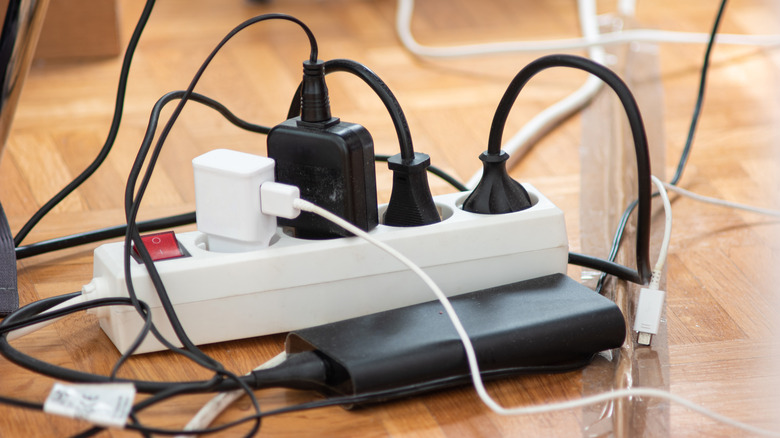
Nobody likes cable clutter. Fortunately, with the right set of USB-C accessories, you can reduce it quite a bit. While selecting the USB-C gadgets that can eliminate cable clutter, we focused on products that can actually remove or hide cables from a setup. We focused on reputable brands and considered feedback from Amazon shoppers to refine our selection. All our recommendations are rated 4.4 out of 5 or higher.