

5 Cool New Features Your iPhone Is Getting With iOS 27.2
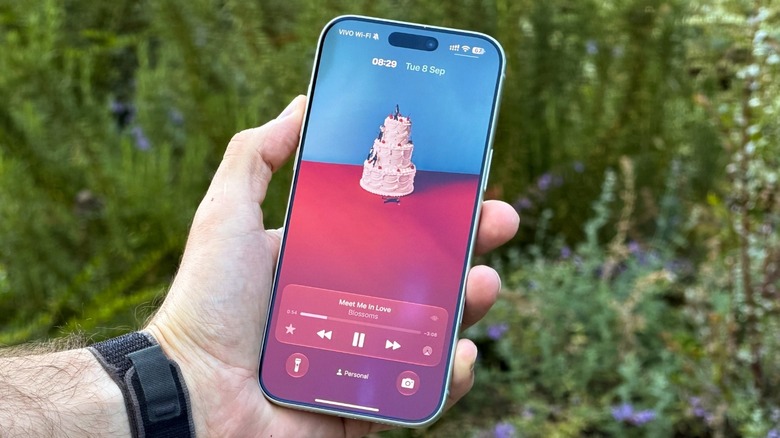
After a month of beta testing, Apple is releasing iOS 27.2 to iPhone users. While version x.2 of an iOS update usually comes later in the year, the company has decided to seed iOS 27.1 specifically for the iPhone Duo, and it's now making available iOS 27.2 to all iPhone users — including customers with the all-new foldable phone. With this software update, Apple adds new Siri AI voices, Dual Capture in group FaceTime, and profiles to the Apple TV app. Even though the company started to test the revamped Health app, in beta 4, Apple decided to return to the old interface, as it still plans a proper release for later this year.
In general, iOS 27.2 keeps polishing the iPhone experience with bug fixes and design changes that we're going to discuss in this article, such as the new Apple Music identity. With iOS 27, as well, Apple didn't bring many changes to iPhone users. As highlighted in our review, this new iOS cycle focuses on the all-new Siri AI, which finally taps into users' information, understands world knowledge, and is a lot smarter for everyday tasks.
Apple also refined the Liquid Glass experience, improved battery life, and focused on fixing bugs, polishing up the code, and making the experience feel snappier. Apple also said it focused on making older iPhones feel faster, meaning that those with a recent model wouldn't feel their phones lagging, while those with an iPhone 11, iPhone 12, or iPhone 13 would find their phones feeling faster than usual.
New Siri AI voices
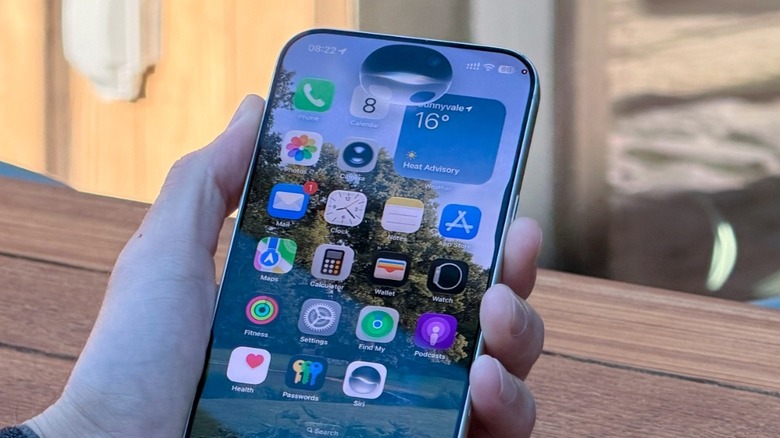
With the introduction of Apple Intelligence a couple years ago, the roll out began with American English, expanding to different accents, and eventually to other languages. As of October 2026, Apple Intelligence features 15 languages, including English, Danish, Dutch, French, German, Italian, Norwegian, Portuguese, Spanish, Swedish, Turkish, Vietnamese, Chinese (simplified and traditional), Japanese, and Korean.
For the new Siri AI, with iOS 27.2, it expands from English to a total of six new languages, including French, Japanese, Korean, Portuguese, and Spanish. While we do expect Apple to add more languages as new software updates become available, this rollout feels a bit faster — even though the new Siri AI is still unavailable in the European Union due to legal issues between Apple and the region.
With Siri AI, there are a few new features that will change how you use your iPhone, iPad, and Mac, and with new languages available, more users can take advantage of features like tapping personal information. This includes things like asking Siri to retrieve a podcast link a friend sent you a few weeks ago; getting help with onscreen information, troubleshooting issues with the iPhone; using powered-up Visual Intelligence, which can create more calendar events and transform the receipt into an interactive list; utilizing proper Writing Tools, which now use more advanced algorithms and adjusts based on who you're speaking with; and creating shortcuts using natural language.
Dual Capture in FaceTime group chats

With iOS 27, Apple added an iPhone Duo feature to iPhone 17 users or newer: the ability to stream the front-facing and back cameras simultaneously. With that, whenever you want to show something to a friend on an iPhone 17 Pro, the selfie camera will offer an ultra-wide look of your face, while also showing what's happening in front of you. With that, you can use anything from ultra-wide to telephoto to show the cinematic landscape you're in, highlight a friend who's with you, ask help to troubleshoot something, and more.
This feature works so nicely that it's weird it took Apple so long to come up with it — and even if you're on the iPad, it's really nice to see the dual view working as well. Now, with iOS 27.2, Apple says that Dual Capture is also available to group FaceTime, so multiple participants of a call can see both camera views at the same time. The best thing about this feature is that you don't need to do any extra step to enjoy it. Once you flip your camera on a FaceTime call, it automatically starts to display both images.
If you're not a fan of the feature, it's possible to hide your face and go back to the previous experience. In a FaceTime call, once you tap the button to flip to the back Camera, you can tap Hide Front Camera to return to standard view.
Profiles come to the Apple TV app
After almost seven years since Apple released the Apple TV streaming service, the Apple TV app has become a hub for anyone subscribed to the titular service, to other platforms through the Channels feature, for those using the Up Next feature with HBO, Disney, and other streamers to keep up with their latest shows, and even legacy iTunes customers who have a library of movies and TV shows still in the app. With so much available in a single app, the company released a few years ago Profiles to the Apple TV, the company's set-top box. Now, Apple TV users could instantly switch between profiles within the same family sharing group to get their proper preferences, photos, music, and streamed content in just a few taps.
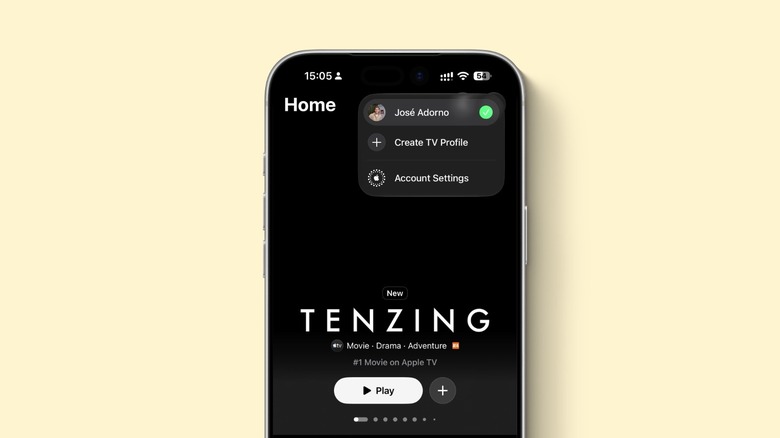
Now, with iOS 27.2, Apple is making a similar convenience available to the Apple TV app on the iPhone. There, users can swap between profiles, and they only require a name, profile rating, and whether the user is a child or not. If you're creating the profile for a child, you can have PG rating by default, or a more granular control based on their age.
This feature is especially useful for anyone with a minor who usually lets them use their phone to watch Apple TV shows and other content, but without messing up your personal algorithm and also ensuring they only have access to age-appropriate content. Just tap your face in the Apple TV app and choose create TV Profile.
HomePod fix
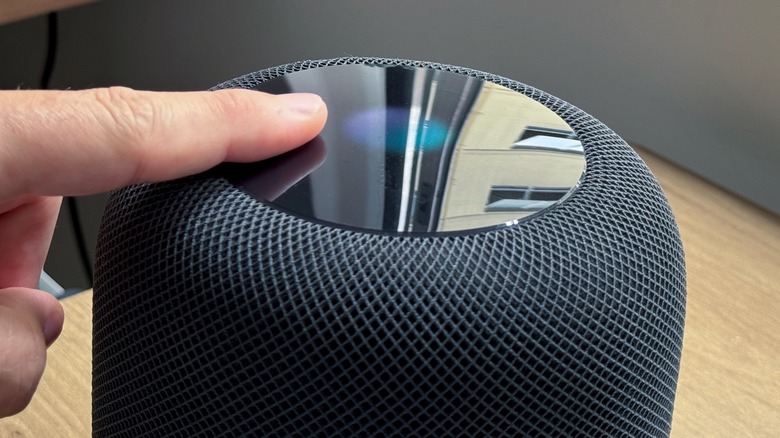
If you're a long-time HomePod owner, you're probably aware of one of the most annoying bugs that can happen with the product that Apple never admitted — even though the company is now finally offering a fix: the ghost touch.
As heavily discussed on Reddit, one day the HomePod touch capabilities start to fail, meaning that a song can start playing out of nowhere whether or not you can hear it, the HomePod starts to play super loud randomly, and any other issue you might think that could happen with the touch panel. Over the years, customers tried everything to fix this issue: factory reset the product, update to a new software iteration, and even physically open the HomePod and disconnect the touch panel manually to prevent this bug from happening.
While for the past eight years the company never offered a fix, which led users to just throw away their HomePods, Apple is now offering with iOS 27.2 a new setting called "Lock Control." Basically, within the Home app, users can prevent people from controlling the HomePod through its touchscreen. With that, Apple solves two issues: one with the ghost touches that seem to be a malfunction inside the product, and also whether you have kids at home or use HomePod in your business, but want to make sure people can't tweak the volume, skip songs, or interact with the smart speaker. Whatever the case is, Apple now lets users disable touch controls.
All-new Apple Music app logo
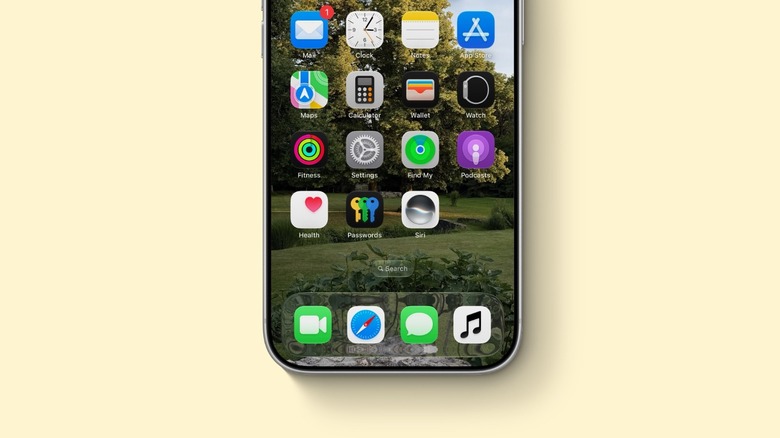
Before the official release of iOS 27.2, the latest beta of the software update offered an all-new Apple Music logo. Ditching its traditional pink background, Apple made it white with black notes. While the company hasn't announced the reason behind this new look, it also removed all the pink shades from the app — including in icons, letters, and other parts of the UI, in favor of blue or black colors. With that, iOS 27.2 continues to offer a new look to Apple Music in iOS 27, which with the first main software update, Apple updated the background of playlists, while adding stylized fonts for the names of artists on their pages.
While we wait for an official statement from Apple, in September during the Beats 360 headphones event, BGR was able to talk to Beats president, Oliver Schusser, who's also vice president of Apple Music. At the time, we questioned Schusser why Apple Music felt so boring with iOS 27, as little had changed within the app, to which he replied that they had "a lot more to offer soon."
Even though we took that as a PR response, we're now seeing a big change within the app for the first time in years — and it comes just a few weeks after the company announced the Apple Music Hall venue in London, showing that there's a lot more happening inside Apple Music than what iOS 27.2 gives us right now.