

Samsung Galaxy Tab S12 Plus Review: Steps Forward, Steps Back
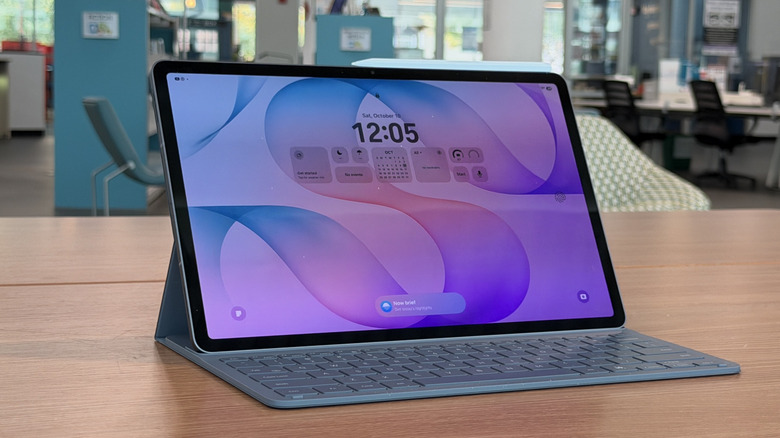
If you want a Netflix box, then there are plenty of other tablets you can choose, but when it comes to productivity tablets, Samsung is one of the biggest names in the business. Although a potential competitor could be emerging, more on that at the end. Aside from Lenovo, which also makes pretty good productivity tablets, Samsung is really the head of the class; assuming you want to stay inside the Android ecosystem of course. If you want to talk about iPads, the conversation gets a lot more complicated, but if you're an Android person, Samsung is the biggest name in town.
It's not just because Samsung makes a really good tablet: Samsung also has a very solid ecosystem to surround your tablet with phones, computers, earbuds and more, all designed to work together. But more than that, Samsung's tablets are powerful, with great screens, and a lot of features that you will want in a productivity tablet.
Samsung also made some choices that are not ideal, specifically surrounding the thing that makes it a productivity tablet: the keyboard cover. But overall, this is a very solid offering, and it can even include 5G connectivity. I've been using a Samsung Galaxy tab S12 Plus for two weeks, and this is my full review.
Extreme in the best ways
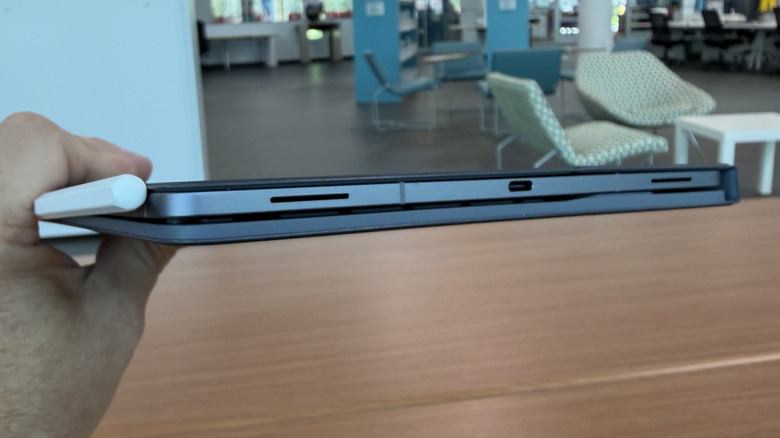
The Samsung Galaxy Tab S12+ is the lower-tiered tablet that Samsung announced, whereas the Ultra is the premium version. All the same, I like the S12+ even better because it's smaller — the Ultra can be uncomfortably big in some situations. The Tab S12+ also has a 5G option, which is really great for connectivity, if you don't want to mess with a Wi-Fi hotspot, or if you want the tablet and its massive battery to be your hotspot. Samsung did not have a 5G tablet available for testing, so I can't speak to it, but it is an attractive option. The card slot can accommodate a MicroSD card for those who care about such things.
Still, the tablet has an aluminum frame that keeps it pretty lightweight, and it's just 5.3mm thick. It runs on a MediaTek Dimensity 9500 processor, which is MediaTek's 2025 flagship processor. It's paired with 12GB of RAM and 256GB (or 512GB) of storage. The tablet has a single 13-megapixel camera that you should never use, because no one should ever use the rear camera on a tablet.
The display is a 12.6-inch, Dynamic AMOLED 2X panel with a 120Hz refresh rate. It's beautiful and bright at 1,600 nits at peak brightness. The tablet is also IP68 water and dust resistant and supports a stylus that magnetically attaches to the top.
Accessories are hit-and-miss
Speaking of that stylus, it's a very thin stylus, only a little thicker than the tablet itself. The stylus works very well, as does the handwriting recognition. That's handy at times when you have forms to fill out, and you don't have the keyboard around for whatever reason. It's noteworthy that this tablet ships with Adobe's newest mobile app Photoshop, which I'll discuss in a bit. Suffice it to say, I like the stylus; palm rejection is quite good, and the magnet attaching it to the tablet is better than one usually gets. It stays attached when the tablet slides into a bag.
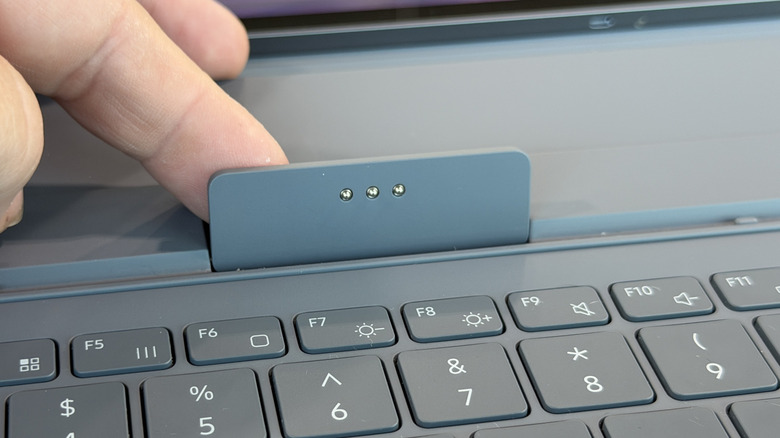
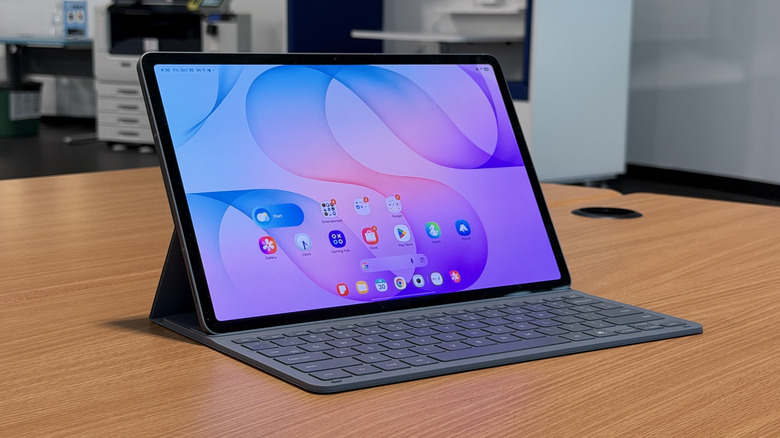
As for the keyboard, there are pros and cons. The keys are lovely, with great pitch and travel — insert the cliche "I typed this entire review with the keyboard" line here. There are keyboard shortcuts to Dex and Multi-control, which allows you to use the keyboard on something like your Samsung phone.
But the keyboard lacks a trackpad and a backlight, neither of which are great. The keyboard attaches to the tablet at a single angle and requires a little flap to connect to the pogo pins. But it's also the kind of keyboard that has to stick out in front of the tablet if you want to prop it up, as opposed to something like a detachable keyboard that flaps down from the front, which is how the Tab S9 Ultra (the last Samsung tablet I reviewed before this one) worked. I'm not a fan, but it is what it is. I appreciate the fact that this uses a physical connection to the tablet which all but eliminates latency, but that's about all I like about it.
DeX is still this tablet's greatest strength

Meanwhile, the software on the tablet is OneUI 9.0, which is based on Android 17. I really dig OneUI on Samsung devices. It's fairly clean, folders are easy to create and manage.
DeX is one of my favorite parts about using a Samsung tablet. Again, it's a bummer that the built-in keyboard doesn't have a trackpad, but the Logitech Logi-Fold mouse is a great workaround for that. Working on a tablet in a windowed interface gives you the "laptop feel" that you'd be looking for in a productivity tablet.
Photoshop for mobile is also a cool addition. Personally, I'm not much of an artist. I played with Photoshop a bit just to see what it was like, and I'm not a fan of the interface to be totally honest. I found some features and tools difficult to find and use properly. I'm sure that's just my absolute lack of imagination and talent as an artist, and I accept that, but Photoshop is one of the last remaining Abode apps to make it to mobile, so it's a welcome addition, for sure.
Samsung's ecosystem is king
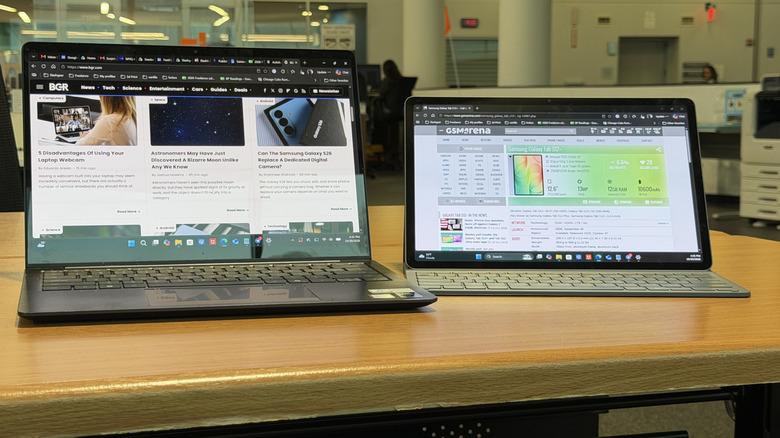
One of the parts I absolutely adore about using a Samsung tablet is its ability to work as a second screen for your laptop. It's part of the Samsung ecosystem, so any Samsung laptop will have that functionality built in. It's a little-known fact, however, that all you have to do is install Samsung SmartThings onto any Windows computer, and you get the same functionality. The only difference is that Samsung laptops have that built in. Speaking of which, my absolutely favorite laptop these days is the Samsung Galaxy Book6 Pro, so that helps.
For purposes of this review, I installed Smart Things onto a Dell 14 S, and it worked just as well. As I mentioned before, the mulit-control button on the keyboard also allows you to share the keyboard with your Samsung phone. It's this kind of ecosystem that is beneficial to Samsung users, but also serves as a form of platform lock-in, so just keep that in mind.
Battery life trumps performance
The Tab S12+ has a 10,600 mAh Lithium-Ion battery. I worked on the tablet for a full eight-hour workday and managed to get the battery down to around 25-30%. That included numerous browser tabs, Slack, and Telegram. That's very good for a tablet, but it didn't include much streaming, which can take a toll. That being said, powering a 12-inch screen for that long will be the biggest battery killer, so take that for what you will.
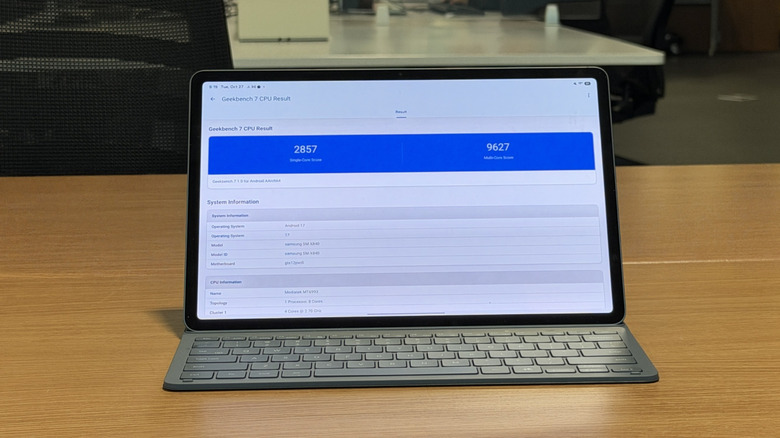
As for performance, the MediaTek Dimensity 9500 is a very decent performer. It's not up to speed with its successor, the Dimensity 9600 Pro that I used in the Oppo Find X10 Pro Max, but it's still very satisfactory for day-to-day tasks. On Geekbench, it returned 2,857/9,627 single/multi-core scores which are very respectable. You won't play AAA titles on this tablet, but it will definitely allow you to get some good work done.
Conclusion
All told, this is a powerful and long-lasting tablet that is great in a lot of ways. I'm definitely not a fan of the keyboard cover, but the rest of the experience is very solid. But that's a lot to pay for what, at the end of the day, is just a tablet. For that same price, you could get a very good 2-in-1 laptop which might give you a better productive experience.
Other competitors
As I reviewed this tablet, Amazon launched its new lineup of Alexa tablets and they are not pulling any punches. Starting at less than half of this price, you get a very good (though much slower in terms of performance) tablet with a stylus and, more importantly, Google Play services installed. It also does not include the keyboard: It's another $149.99, but it's still well below the price of this tablet. That being said, though, Samsung has been making productivity tablets for a long time, while the Alexa tablet feels like a first-gen product.
Should you buy it?
No. The Samsung Galaxy Tab S12+ is a very expensive tablet, and I'm not sure the cost justifies the features. The exception is if you are already in the Samsung ecosystem with a phone and/or computer. Then, it's probably worth the extra money.