

Who Is The Touchscreen MacBook Pro Really For?
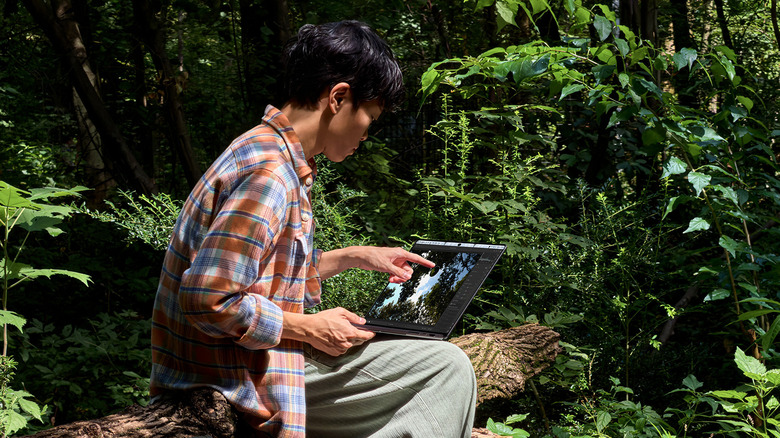
While touchscreen PCs are neat, they aren't a necessity in my opinion, unless the laptop is a convertible model with a screen that can flip back into tablet formation. That said, some people love touchscreens even with traditional clamshell laptops. And many Apple fans are excited that the company has finally launched a MacBook Pro with a touchscreen. However, not everyone is convinced it's the right move, nor that the design makes sense for everyday use. You can't help but question if having a touchscreen is worth the extra bucks and wonder who would use it and why.
The new touchscreen MacBook Pro marks the biggest MacBook change in years. It's a Pro-level laptop designed for creative individuals, who are the primary candidates for it. The laptop has fantastic features like a premium OLED screen and Dynamic Island, and it surprisingly retains a thin and lightweight design. And, there are reasons some users might find the touchscreen useful, like photographers zooming into photos to inspect intricate details, and graphic designers leveraging the entire span of the display as a canvas. But for everyday use, while the MacBook Pro with PROLED XDR display is a solid laptop in and of itself, the touchscreen may be nothing more than a novelty for most.
Who would make the most use of the touchscreen?

A touchscreen is only included on the Apple MacBook Pro with PROLED XDR. The model is geared towards professional users, not necessarily everyday workers. Apple highlights that creative professionals can find unique ways to make use of the touchscreen. Alongside photographers and graphic designers, musicians can also play musical instruments directly on screen. Touch-based iOS and iPadOS apps can translate differently on the bigger-screened, more powerful laptop for things like games and productivity apps. With various creativity apps already integrating touch capability, from Canva to Microsoft Excel, Adobe Lightroom, and 3D modeling apps like Blender and Maxon Cinema, this unlocks new ways to interact with and make content.
The touchscreen may also be useful for those with mobility and dexterity issues. Since touch gestures are automatically translated into clicks, the touchscreen can function as a sort of accessibility feature for those who have trouble using the traditional keyboard and trackpad.
Touchscreens are for pros and occasional use
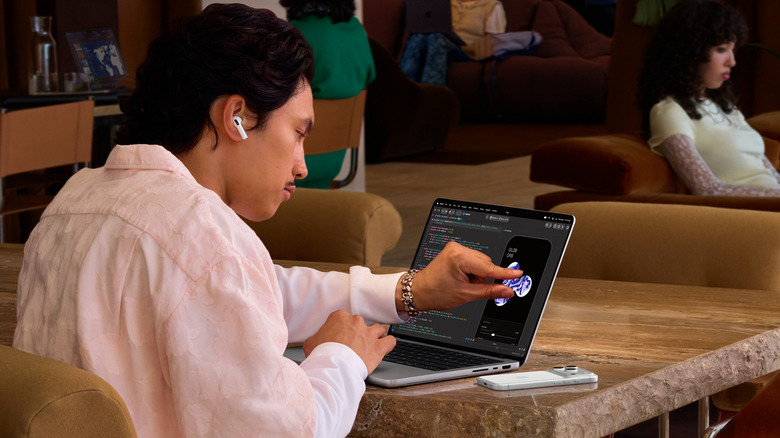
Touchscreen laptops can be cumbersome to use unless the screen flips back entirely. Touch doesn't afford the same precision as a touchpad and mouse, and the action of typing and lifting your finger constantly seems counter-intuitive when you could use the same keyboard you're already using anyway. Plus, you'll have to clean the screen more often since it will be prone to smudges. Given the inflated price, most everyday users might prefer the new non-touchscreen MacBook Pro M6. You should also factor in arm fatigue when attempting to manipulate the laptop through touch for long periods of time. In fact, this is precisely a reason the late Steve Jobs gave when addressing the lack of touchscreen in a Mac. "After a short period of time," he once said, "you start to fatigue, and after an extended period of time, your arm wants to fall off."
So, the only people who will truly benefit from a touchscreen MacBook are creative professionals who find value in occasionally leveraging the functionality for specific tasks, like zooming in to photos, analyzing wide, multi-column spreadsheets, and playing music. The premium OLED screen does sweeten the deal and helps justify the bump in price (models start at $2,899), along with the fact that the touchscreen hasn't resulted in a thicker or heavier laptop. But being able to occasionally tap, pinch, swipe, or scroll on the screen isn't worth upgrading to this model for most users.