

Alexa Tablet 8 Review: A Great-Value Tablet For Basic Tasks
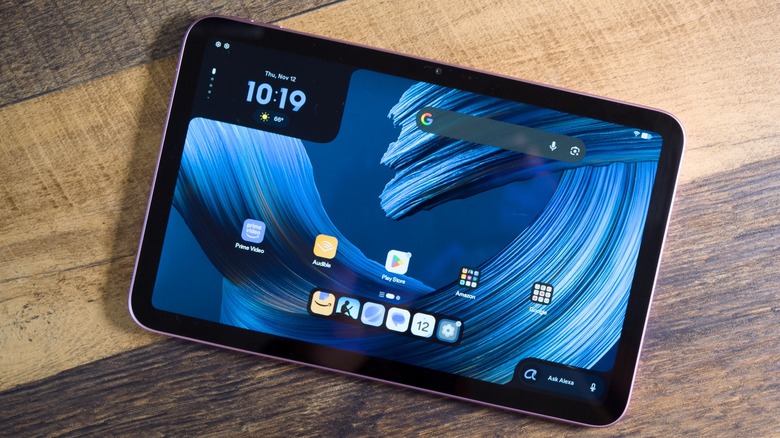
Amazon is going in a different direction with its most recent tablets. The $229.99 Alexa Tablet 8 runs full, Google-certified Android 16 with the Google Play Store, rather than Fire OS and its much smaller app selection. It's the entry model in Amazon's all-new tablet line, alongside the Alexa Tablet 11 and flagship Alexa Tablet 12 Pro.
That software change and the new, more premium designs come with a much higher entry price, though. The Tablet 8 starts at $229.99 with 64GB of storage and lock screen ads, or $249.99 without ads, while a fully maxed, ad-free configuration costs about $320. The 2024 Fire HD 8 cost $99.99 to $129.99, and the Fire HD 10 cost roughly $155, so getting a new, Amazon-built tablet now costs over $100 more.
So, is it worth the cash? People bought Fire tablets specifically because of their low price. Sure, the better specs and software are appealing — but are they convincing enough in a world with a solid number of reasonably high-end tablets?
Design
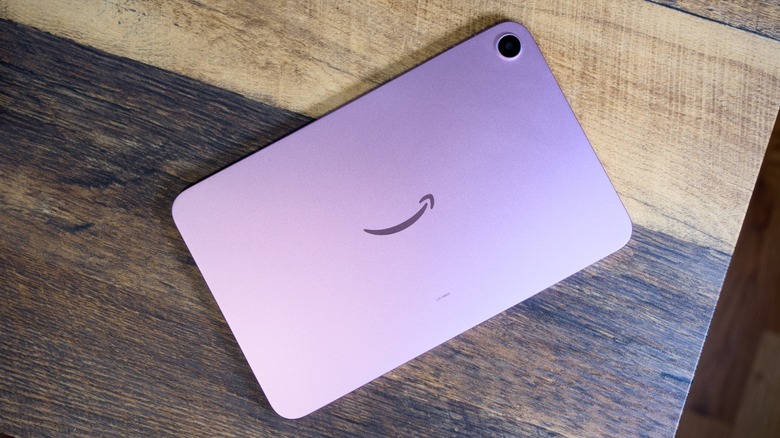
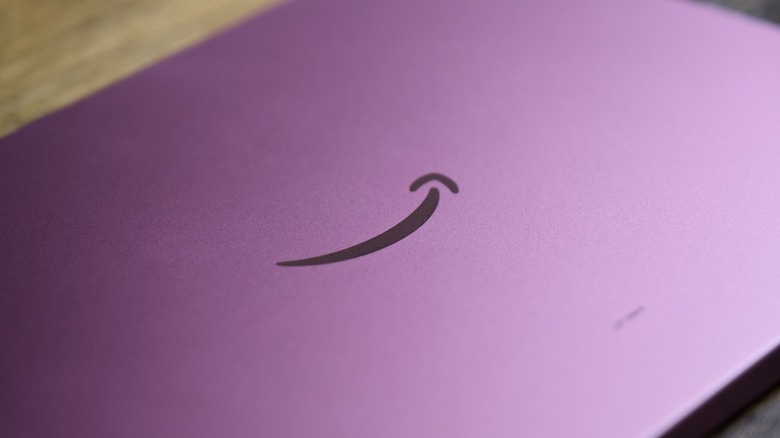
The design is perhaps the most striking difference between this tablet and any of Amazon's previous-generation models — at least until you turn the screen on. An aluminum unibody replaces the plastic construction of Amazon's Fire tablets, helping give it a much more premium look and feel. It's a huge step up and reminiscent of the build quality of iPad models.
The Tablet 8 weighs 329g, or 11.6 ounces, with a thickness of 7.95mm. It measures 8.23 by 5.22 by 0.31 inches, which fits the one-handed reading pitch nicely. Held in its vertical orientation, it's taller than the iPad mini, but about as wide, so it's designed to be very portable. You can buy the Tablet 8 in Graphite, Rosette (which is pink), or Teal. Based on online images, they all look quite good, but I really like the Rosette model that I'm reviewing. There's no official IP rating, which isn't surprising for a tablet — but it does mean that you'll want to be careful if you're looking for something to use in the bath or near the kitchen sink.
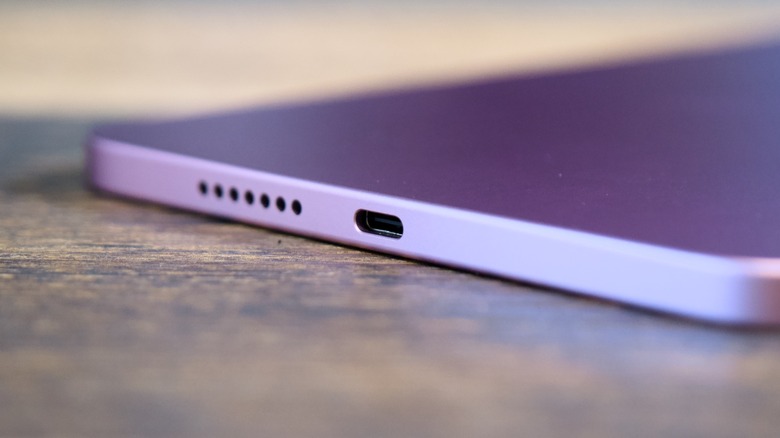
Much of the design isn't necessarily all that surprising or unique, which is a good thing. Amazon has largely followed Apple's playbook here. When you hold the tablet vertically, there's a power button on the top right, along with volume buttons on the right edge. On the bottom, there's a USB-C port. In that orientation, the front-facing camera is embedded in the right bezel, which is where it should be. That means that when you hold the tablet horizontally, it's in the top bezel. There's no headphone jack, which isn't uncommon in 2026.
What is somewhat annoying, though, is the fact that there's no fingerprint sensor or biometric authentication to be found. The power button doesn't house a fingerprint sensor, so you're stuck using a PIN code. As a whole, though, the tablet is well designed and premium feeling, even if it lacks some of the features that I would have expected to see, even at this price.
Display
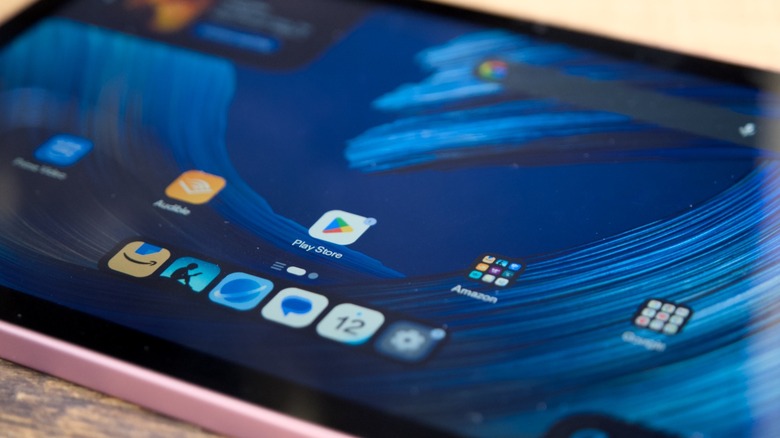
The display is the first compromise that you might notice from the device. It's not that it's completely subpar, but it's just nowhere near what the competition offers. The device has an 8.7-inch IPS LCD display with a resolution of 1340 x 800. No one would expect an OLED screen at this price, especially given the fact that Apple only just recently added an OLED display to the iPad mini, but the resolution is pretty low; images aren't quite as detailed or crisp as they could have been.
The rest of the display doesn't help either. It has a 60Hz refresh rate, which is fine for most viewing, but means that things like scrolling and animations aren't going to be as smooth as they could be. And then the brightness only hits up to 400 nits, which is relatively dim and means that it'll be hard to see the screen if there are a bunch of reflections in the room or you're trying to use the tablet outdoors. Again, most of this is what you might expect for the price, but that doesn't change the fact that the display is underwhelming at best.
Performance
Powering the Alexa Tablet 8 is a MediaTek MT8189, also called a Kompanio 540, which is firmly a budget chip. It combines two Cortex-A78 cores for more demanding work with six Cortex-A55 cores for lighter tasks and efficiency. Graphics come from a Mali-G57 MC2 processor running at 880MHz.
All that to say, this tablet is not built for gaming. It's built for things like reading, watching videos, and other basic entertainment or media consumption. Even multitasking heavier productivity apps is likely to cause some slowdowns while you work. To be fair, that's somewhat expected at this price point, but it's still worth keeping in mind if you're looking for a device that you can use for more demanding tasks.
The bigger long-term concern is the 4GB of base RAM. The RAM crisis has made RAM pretty expensive, so it's not all that surprising to see only 4GB on this device. But it does mean that multitasking might be a challenge. To be clear, there is an upgraded version with 8GB of RAM, so if you're looking for something to multitask with a little more often, it might be worth upgrading to that version. The Alexa Tablet 8 also offers 64GB or 128GB storage options, which is probably plenty for most casual users, but the lack of a microSD card slot is a legitimate limitation.
Again, in day-to-day, basic use, the tablet should perform decently. It just won't perform well for even moderately demanding tasks. I was able to do things like read my emails, watch videos, and so on, which is what this tablet is really for.
Battery and charging
Powering the tablet is a 4600mAh battery, which Amazon rates as offering up to 14 hours of video playback or 19 hours in Kindle reading mode. That will vary dramatically depending on things like brightness, what you have running in the background, and so on. That said, I was able to get through two days or so of moderate use, and I suspect most will hit similar numbers, if not more. Tablets, unlike phones, aren't used all day (at least in my life). If you use your tablet a couple hours a day, you should only expect to have to charge every three or four days.
When you do have to charge, you'll get modest charging speeds. The Tablet 8 supports 18W charging over USB-C. If you charge it every now and then and aren't too fussed about it taking a long time, it should be fine — just don't expect to fully charge in less than an hour.
Camera
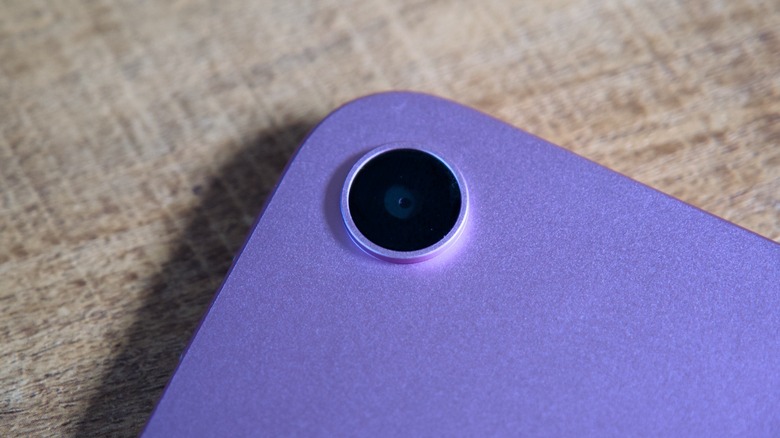
Like any other tablet, the camera system on the Alexa Tablet 8 is less of a priority than it would be on a phone. That's to say, don't expect much when it comes to camera quality. On the back of the device, you'll get an 8-megapixel camera with autofocus, while the front features a 5-megapixel camera. Video recording tops out at 1080p. There's no ultrawide or telephoto camera, which is normal for a budget tablet and no great loss for the reading-and-streaming audience Amazon is targeting.
Rear autofocus is still a genuine improvement over the fixed-focus cameras Amazon used on Fire tablets. It allows the lens to adjust for subjects at different distances, making the camera more useful for documents, receipts, and the occasional quick photo. Along with Google Play and Alexa+, it's one reason the Tablet 8 is arguably a much better buy than the roughly $155 Fire HD 10.
Autofocus doesn't guarantee good photos, of course. Ultimately, the actual camera quality isn't great, but again, it will do the trick in a pinch. When it comes to tablet cameras, you're likely to use the rear camera more during video calls than for actually taking photos you want to keep, so I don't really consider it to be a huge deal that the camera isn't very good.
More importantly, the front-facing camera is pretty rough. Colors are washed out, and it struggles with dynamic range. Details aren't very crisp either. It'll pass for video calls, but only just.
Software
The most notable change to the tablet over a Fire tablet has nothing to do with the specs but rather the software that it runs. Amazon has finally gotten rid of the Fire tablet experience, which includes getting rid of the barren Amazon Appstore. Instead, the Alexa Tablet 8 runs full Android 16, complete with Google Play services. Out of the box, it works mostly like other Android tablets, which is good news for those who are used to using Android devices. Gmail, YouTube, Google Drive, and the Google Play Store are all installed out of the box, as you would expect.
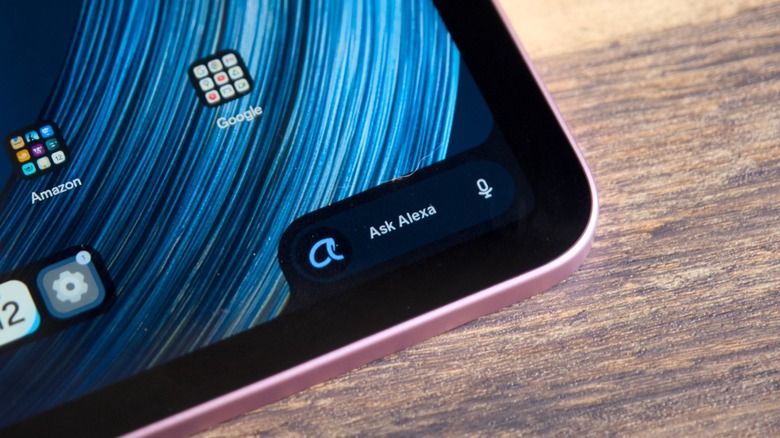
There are also plenty of Amazon apps and services front and center. Alexa+, for example, is built right into the operating system. An on-screen Ask Alexa widget handles typed or spoken requests, and live sessions allow a continuous conversation without repeating the wake word. On-Screen Intelligence lets Alexa read what's displayed, but it's opt-in, switched off by default, and accompanied by an on-screen indicator. The home screen also gets Amazon's Dynamic Tab — a For You-style feed designed to surface content and suggestions.
Alexa+ does leave a little to be desired when it comes to being used on a tablet. It can be slow and occasionally loses track of things during conversation. For more complicated prompts, it can take a while to answer and still get things wrong. It does work fine for basic things, but it doesn't compete with other AI assistants like ChatGPT, Gemini, or Claude. Speaking of Gemini, you can actually switch to Gemini as the default assistant in the settings. And that might be worth doing, especially for those who pay for Gemini.
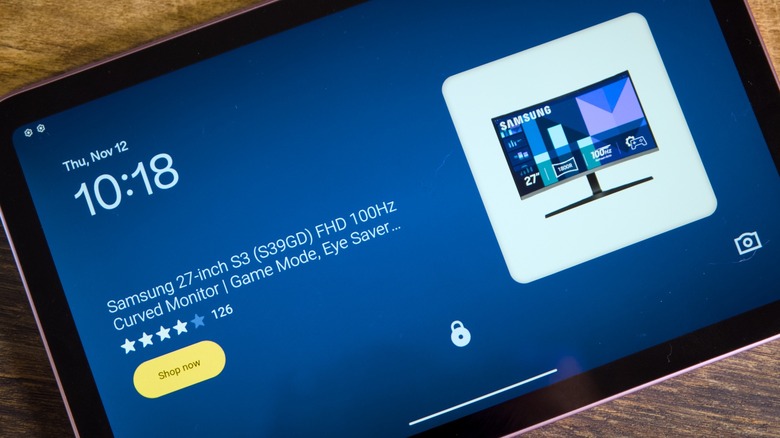
Then there are the ads, which my review model had. They're pretty annoying, but you'll have to decide for yourself if it's worth paying extra to get rid of them. They appear on the lock screen of the tablet — so expect to see full-screen ads for products Amazon thinks you might be interested in. Then there are the more subtle ads, which can't be removed by paying extra, up in the widget on the home screen. And while they're a little more natural because they're focused more on continuing watching content, they're still ads.
Amazon's published policy commits to at least three years of Android OS upgrades for the Alexa Tablet 8, compared with seven years for the Tablet 11 and Tablet 12 Pro, along with security updates through December 31, 2032. It has also said the device will get Android 17 in 2027. Three years of OS updates isn't spectacular, especially given the fact that Amazon's other tablets get more.
Conclusions
For all of its shortcomings, the Alexa Tablet 8 gets a lot right. Its new, stylish design is a massive step up over old Amazon tablets, not to mention the fact that it finally comes with a full version of Android with Google Play services. Those alone make the experience of using the device dramatically better than a Fire tablet. Of course, that doesn't mean that there aren't things to keep in mind before you buy. The low resolution and relatively dim display make viewing content worse than it could be, and if you go for the base model, expect limitations when it comes to multitasking and performance.
All that said, this is a cheap tablet; even if it's pricier than Amazon's previous tablets at $229.99, it's easier to stomach the Alexa Tablet 8 as something for basic reading, media consumption, and so on. If you're looking for a tablet that does the job in the same way the Fire HD 8 has in the past, then this is definitely worth considering. It's a whole lot better than those Fire tablets, and it'll handle everything you could do on those tablets with ease.