

Struggling With Your Roku Wi-Fi? Your TV Might Be The Hidden Culprit
We may receive a commission on purchases made from links.
Binge-watching Apple TV's latest series or having a movie night can be fun, but nothing kills the vibe faster than your Roku buffering nonstop. When the Wi-Fi drops out, you might blame your ISP or reboot your router. But when neither of those works, it can lead to you spending hours messing around with your network gear trying to figure out why your Roku isn't getting a good signal. But before you assume your router is dying and chuck it in the trash, take a quick look at your entertainment center because the culprit just may be hiding in plain sight: your TV.
Yes, it could be that your gorgeous 4K TV is what's throwing a wrench into things. Newer TVs are made with thick glass and tons of metal and tightly packed electronics components. And for radio frequencies, these kinds of materials are exactly what can block out a signal, especially if you have your TV up against a wall. So, when you plug a Roku stick into an HDMI port at the back of your TV, that device can become trapped and isolated from the signal it needs, even more so if it's sandwiched between the dense wall of your living room and that of your TV.
That area is a wireless dead zone. Even though the rear ports on your TV help keep the dongle and other messy cords tidy and out of sight, that closed-up area is one of many things in your home that can mess with your Wi-Fi. Even ultra-fast fiber internet can suffer in those cramped conditions, and leaves your Roku struggling and you just staring at a buffering screen.
How to snag a free HDMI extender to fix the lag
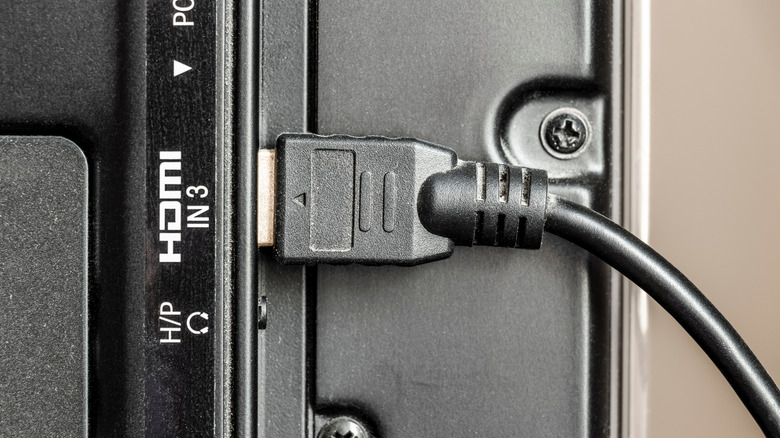
Fortunately, fixing this headache is easy, and you won't need to head out and buy a pricey mesh Wi-Fi system or run Ethernet cables around your house. The cure is simple, relying wholly on physical space to improve your Wi-Fi signal; your Roku streaming dongle just needs a little bit of breathing room away from your TV. Using a short HDMI extender cable to help give it that space often works just fine.
While this might sound kind of like a weird hack found on a forum somewhere, it's the official recommendation from Roku. The company warns about issues caused by obstructions, literally stating that "TVs can block Wi-Fi signals, especially if you use a Roku streaming stick plugged directly into the back." To solve this, Roku even offers a free HDMI extender, which you can get by filling out a form on Roku's website. Bumping that dongle just a few inches out and away from the main body of your TV will help it reach a stronger signal. Though you can also buy HDMI extenders online for just a few bucks, like the VCE 4K HDMI Extension Cable for $5 on Amazon, getting one for free from the manufacturer is obviously an even more cost-effective option. Once you set up this fix, you won't have to worry about anything else except what to watch on movie night.