

How To Adjust Aim Assist In GTA 6 (And Why You Should)
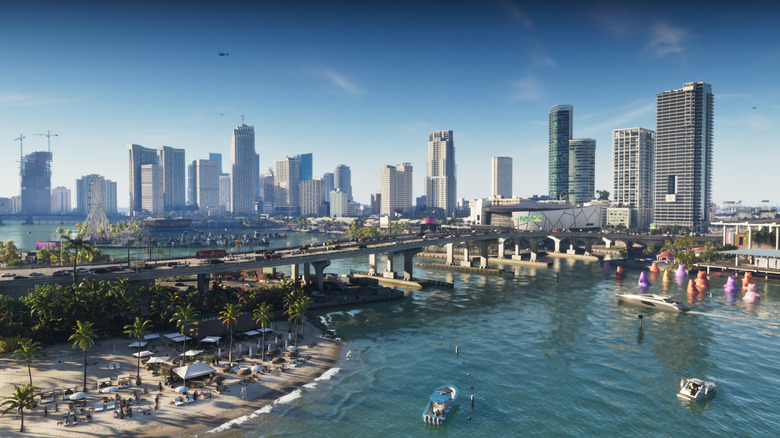
If you don't play games on consoles often but picked up a PlayStation 5 or Xbox Series X|S for "Grand Theft Auto 6," then you might be wondering just how well you'll settle into the controls. After all, "GTA" games can get hectic, and with so many fights facing the main characters of the story, nobody is going to want to struggle with aiming on a controller. Thankfully, Rockstar Games has always baked fairly solid auto-aiming into its titles, making it easy to lock on to targets during combat.
However, by default, "GTA 6" uses a Partial Targeting system — with the option to switch to two other options called Free Aim and Lock-On. If you're just jumping in, then this is one of a few "GTA 6" settings you should change immediately. Depending on your playstyle, you may want to switch between these modes when needed or adopt a single one for the entire journey.
To change your aim assist settings in "GTA 6," you must play until you can open the pause menu. Once here, navigate down to Settings and then tab over to Gameplay. Find the Targeting option under the Combat section of the Gameplay menu and change it to the aim assist setting that you want to use.
Why you should change your aim assist settings in GTA 6
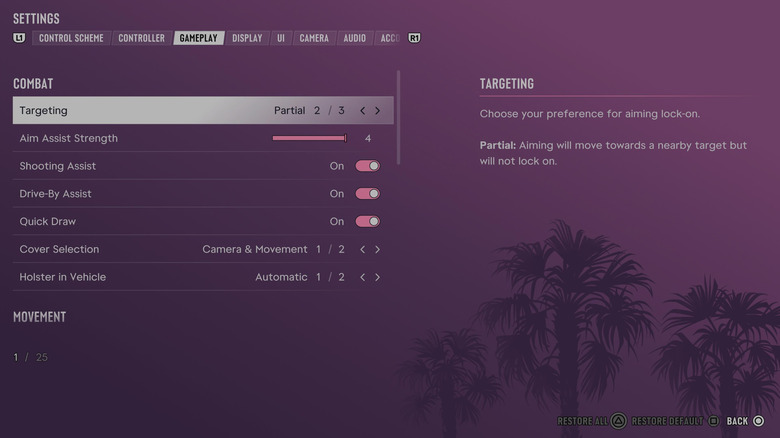
Changing your aim assist settings in "GTA 6" is a great way to customize how the game feels for you. For example, while some players who aren't always comfortable playing shooters or fast-paced action games on a controller might find the Free Aim too hard to handle, the full Lock-On aim assist might be too much help for experienced gamers. That's where Partial comes into play: You can still get some of that guiding hand, but it's a lot less intrusive compared to the Lock-On settings, which snap you to the nearest target. Free Aim is great for players who want full control of where they aim.
Considering how much Rockstar appears to have changed the damage you deal to enemies based on where you hit them, changing your aim assist settings could make controlling your shots worth the effort in the long run. The good news is you can always change it, so if you find yourself disliking one setting, you're free to try another.
While Rockstar says that "GTA 6" looks best on the PlayStation 5 Pro, changing settings like aim assist will let you find ways to smooth out your gameplay experience without having to muck around with visual settings. "GTA 6" is already the highest-rated game ever, and part of the reason is how much freedom Rockstar gives players to customize the game to their needs.