

This Open-Source App Lets You Use Your AirPods As A Mouse

It isn't uncommon for traditionally non-mouse devices and accessories to have surprise mouse controls up their sleeves. One reason gamers would argue the Nintendo Switch 2 is a major upgrade over the original Nintendo Switch, for example, is that the console's Joy-Con 2 controllers also contain mouse functionality that can be used to play games like "Metroid Prime 4: Beyond" and "Balatro" the way PC users might. Although other gadgets like Apple AirPods aren't natively equipped with mouse support, one open-source application can give your wireless earbuds an even greater purpose while connected to macOS devices.
Users who've frequented the Microsoft-owned code-sharing website GitHub may have once stumbled across a listing for AirCursor, downloadable software which can convert your AirPods into functional mice for macOS products. The app takes advantage of the AirPods' pre-installed motion sensors, which are generally used to detect users' head nods, and repurposes them to replicate traditional mouse commands. If a user turns their head, the pointer will move along with it — similarly, the user shaking their cranium can either pause what's playing on the screen or resume action. Tapping the stem one time will prompt a left click, and an additional tap will signal a right click. Other head movements can engage additional commands.
Setting up AirCursor is as easy as downloading it onto your macOS device, installing it, and then enabling permissions and connecting a set of AirPods in the launcher. Before it'll fully let users go off to the races with their newly equipped mouse features, the app requires that they test it so that it can adjust its functions to fit their particular head movements. Once everything is calibrated, they'll be able to control their computers in a mostly hands-free fashion.
Similar apps can turn your AirPods into mice in a different way
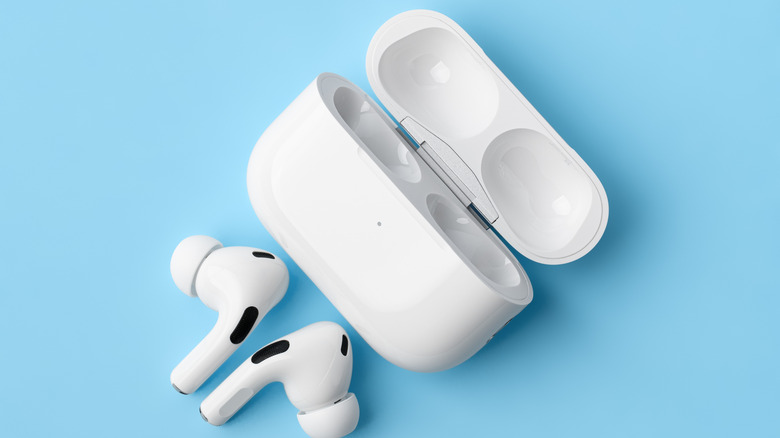
The notion that Apple AirPods could also function as computer mice might seem like a cool trick, yet still completely foreign territory for some macOS users. However, AirCursor isn't the only third-party or open-source app that can convert your earbuds from listening accessories into desktop or laptop pointers. Comparable software available on GitHub such as Airpointer affords the Apple earbuds mouse support, albeit with their case also involved. Users can activate the mouse features after sticking their AirPods in their case, rotating it 90 degrees to an upright position, and then pointing it at the display and tapping on its front to click. Though it isn't a hands-free choice like AirCursor, Airpointer offers a useful way to repurpose your AirPods, rather than fork over funds for a new clicker.
Another open-source app, Mousepods, lets AirPod owners use their accessories as mice for other devices besides macOS products. While it uses motion controls in a similar manner to AirCursor, Mousepods can function on other operating systems like Linux and its immutable distros. Its developers are also testing out functionality for other devices as of this writing, including Garmin smartwatches and Sony WH- and WF-series wireless earbuds. Perhaps if these apps — or at least their features — ever become more mainstream, we'll hit a point where mouse support becomes a premier function of wireless earbuds, rather than a downloadable novelty.