

5 Cool Accessories You Can Install In Your PC Case
We may receive a commission on purchases made from links.
For those who prefer a traditional PC experience, there are several cool accessories you can install in a PC case that can greatly improve your everyday experience beyond just adding some RGB lights and anime stickers. While PC builders often overspend on high-end cases when they should be putting money into more horsepower and high-quality peripherals, there are several solid additions you can make to your PC case that can take it to the next level.
In this article, we have selected a handful of products and categories that tackle some of the biggest issues plaguing modern PCs, with a focus on the case itself. Over time, addressing these problems can greatly impact how your computer performs, sounds, and ages, instead of just how it looks. This is especially important now, with the memory crisis continuing to drive up component prices – and keeping what you already have is one of the best ways to save money. With that in mind, here are five cool accessories you can install in your PC case to improve your overall computing experience.
Corsair Xeneon Edge 14.5-inch LCD touchscreen
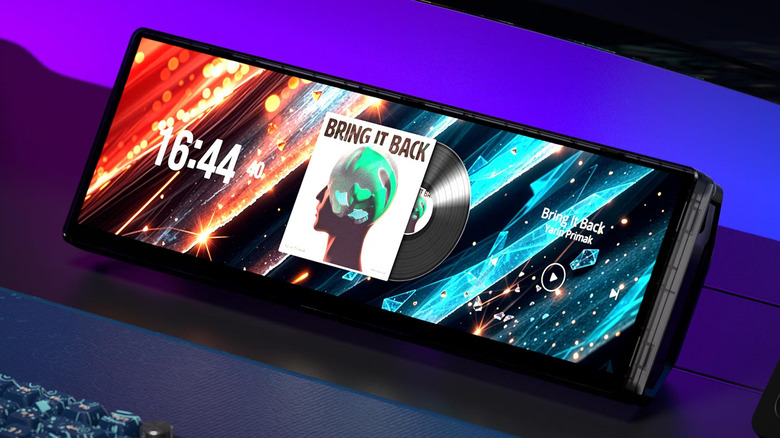
An internal sensor display can help you understand why fans suddenly ramp up or why something else occurred by giving you instant visibility into your computer's system health without you having to minimize the software you're currently running. This is why a gadget like Corsair's Xeneon Edge is one of the most interesting choices on the market. After all, generic mini sensor screens often require clunky third-party drivers, messy HDMI cable routing out the back of the case, or permanent double-sided tape. With this accessory placed inside your case window, it can act as a dedicated telemetry dashboard that allows you to keep an eye on CPU and GPU temperatures, fan speeds, and even frame rates at a quick glance. You can even use it as a secondary display for controlling music, checking Discord messages, or launching shortcuts.
What makes the Corsair display stand out is the 14.5-inch ultrawide panel with a resolution of 2560 x pixels and five-point multitouch support, which means you can tap and swipe on the screen to switch layouts or adjust settings. By using Windows display settings or the software that comes with the Xeneon Edge, you can customize what widgets appear on screen to work with your setup.
Maybe more importantly, while it might look like a complex modification, installing this accessory is pretty straightforward, as it features built-in magnets that snap securely onto any steel panel inside a PC case. Users only need a single USB-C cable to support DisplayPort Alt Mode or an internal motherboard USB header and graphics ports. On Amazon, customers can find the Corsair Xeneon Edge for $249.99, and more than 450 buyers have rated it at 4.1 stars.
Noctua NA-FD1 fan duct kit
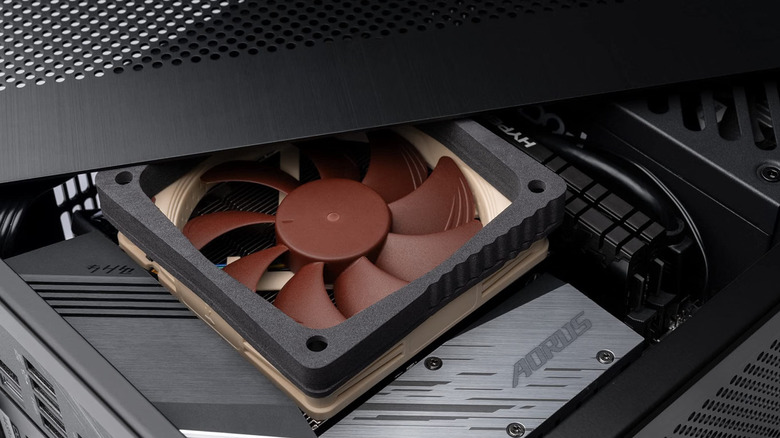
Adding more fans to your PC case does not necessarily mean lower temperatures, especially if those fans are just recycling hot air trapped inside the machine. A fan duct like Noctua's NA-FD1, though, with stackable foam spacers that let you customize the height to fit dozens of different compact cases, can make a difference on a packed and overutilized PC interior. While a low-profile CPU cooler sits a short distance away from a perforated side or top panel, with the fan sucking in warm air trapped inside the chassis rather than drawing fresh air from the outside room, the Noctua NA-FD1 fan duct kit solves this issue by creating a sealed tunnel between the cooler and the outer vent. This often leads to significantly lower CPU temperatures and can keep the system running noticeably quieter under heavy loads.
The main feature of this kit is its modular design, as instead of a rigid plastic tube that only fits a very specific kind of PC case, Noctua's options include seven stackable foam spacers ranging from three millimeters to 10 millimeters thick. By mixing and matching these foam rings, you can dial in the exact height you need to bridge any internal gap. More importantly, installing this PC case accessory takes less than five minutes and requires no screws or adhesives. You just push the included plastic mounting pins into the corner hole of your Noctua NH-L9 CPU fan and slide your chosen stack of foam spacers down over the pins. The Noctua NA-FD1 kit costs $13.95 on Amazon, where more than 500 users have given it an average rating of 4.4 stars.
Arctic 10-port PWM case fan hub
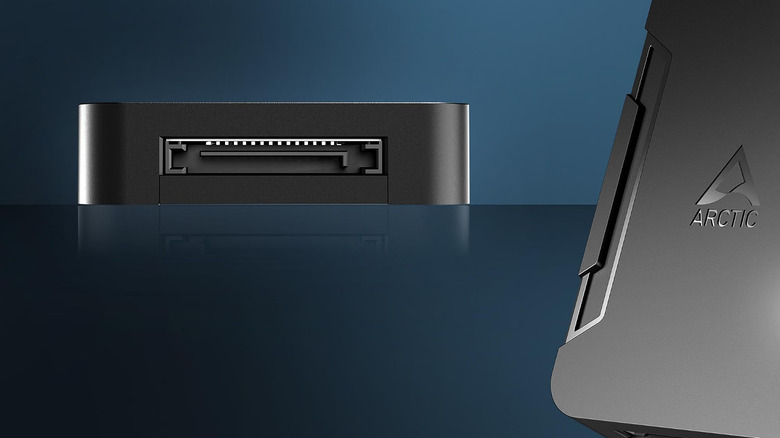
Modern PC cases can hold six to ten fans, which is far more than a standard motherboard can power on its own. That's why a powered hub can overcome both an electrical limit and the physical headache of consolidating a true spiderweb of wires into one tidy connection. A device like the Arctic 10-Port PWM case fan hub, for example, reduces all the unnecessary RGB controllers to a pure, SATA-powered speed control for up to 10 fans at a relatively affordable price. Basically, this accessory works as a central power strip for cooling the setup with a single control wire back to the motherboard. That configuration allows you to keep all the fan cables tucked away out of sight and ensure everything runs reliably.
What makes the Arctic 10-port PWM case a must-have is the combination of SATA power delivery and synchronized Pulse-Width Modulation (PWM) speed control. Since it draws electricity directly from the power supply via a SATA cable, the hub can safely power all ten fans without putting electrical strain on the motherboard. This hub also takes the speed signal from one motherboard header and mirrors it across every connected fan. Another important factor to consider about this product is that installing it is quick and beginner-friendly. The hub has built-in magnets on the back, along with an adhesive pad, meaning you can stick it onto the metal frame behind your motherboard tray in seconds, plug in the fans, and connect the two main cables. The Arctic 10-Port PWM case fan hub is available for $10.99 on Amazon, where buyers have given it an average rating of 4.5 stars.
NZXT internal USB hub (Gen 3)
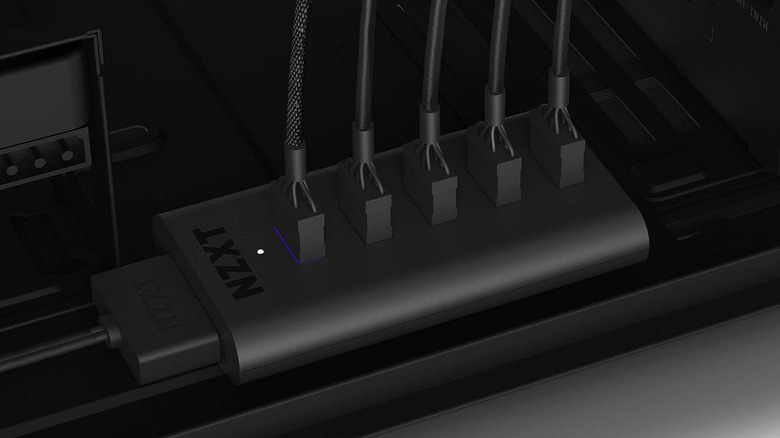
As PC components get smarter, they rely more and more on internal motherboard headers to communicate with software. However, rarely do motherboards include enough of these ports, meaning that internal hubs act as essential plumbing that lets modern smart hardware and software coexist. With an accessory like NZXT's internal USB hub, you can add accessories like an all-in-one liquid cooler, a digital fan controller, and an internal sensor screen without exhausting all of your ports. As is the case with external USB hubs that can replace an expensive dock, this accessory allows customers to avoid having to choose between just a couple of add-ins to their PC case. The NZXT internal USB hub, in particular, can transform a single motherboard header into four dedicated internal ports, so you can connect and use more accessories with your computer.
The key feature of the third-generation hub is a dedicated SATA power connection housed in a compact, low-profile body. This is important because unpowered USB splitters often cause devices to disconnect randomly or fail to boot properly when one header is unable to supply enough electricity for multiple controllers at once. This device sidesteps that issue by drawing a steady five-volt power straight from a power supply. In addition, installing this PC case accessory is also easy, as you just plug the included input cable into an open USB 2.0 header on the motherboard, attach a spare SATA power plug from your power supply, and press the hub against any steel surface inside the hidden rear chamber of your case to hold it in place. The NZXT internal USB hub (gen 3) costs $24.95 on Amazon, where customers have given it an average score of 4.8 stars after more than 2,800 ratings.
Acer GPU support bracket
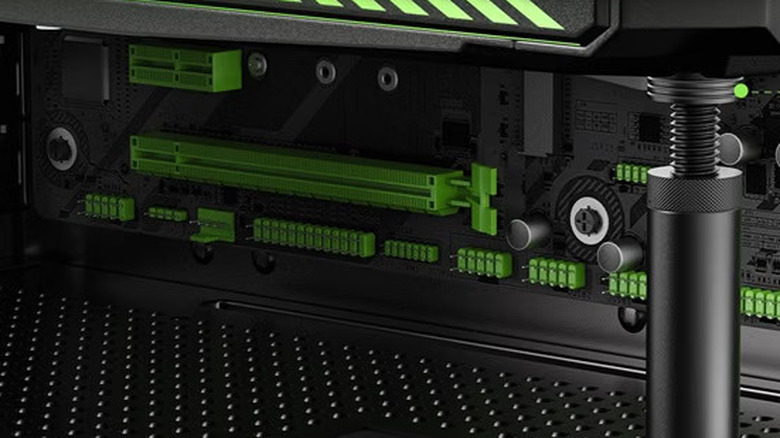
Last but not least, another cool accessory to consider adding to your PC case is the Acer GPU support bracket. Basically, modern graphics cards packed with massive heatsinks and triple fans can weigh a lot, and since they are usually only anchored at the rear bracket and the motherboard slot, that bracket tends to bend down and sag over time. This puts constant mechanical stress on the motherboard's PCIe slot, which can eventually cause connection glitches or permanent hardware damage. To avoid that situation, an accessory like Acer's GPU support bracket props up the outer corner of the card to keep it completely level and protect your most expensive components.
The standout feature of this gadget is its durable all-aluminum design, a hidden magnet inside the base, and non-slip silicone pads on both ends that prevent scratches and dampen fan vibrations. The compact form factor allows this bracket to rest on top of the power supply shroud or the bottom of the case without eating much space. By using a screw-adjustment mechanism, you just need to twist the top column up or down until it meets the underside of your graphics cards. Users can get small (25-50 millimeters), medium (50-80 millimeters), and large (70-120 millimeters) heights to match different case clearances. Installation doesn't require tools, either, as you can simply place the magnetic base under the sagging corner of the CPU and twist the collar to the right height. The Acer GPU support bracket costs around $10 on Amazon (4.7 stars after more than 450 buyer ratings), with lower prices available depending on your size choice.
How we chose these cool accessories for your PC case
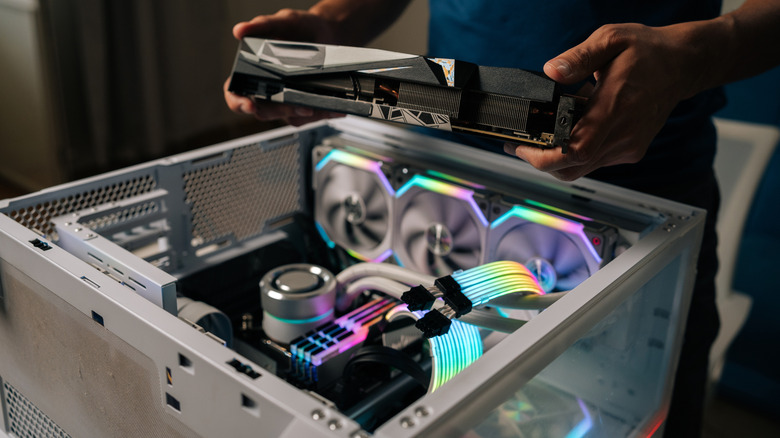
To select these cool accessories you can install in your PC case, we considered three main points: Usability, affordability, and installation. All of the options listed above are easy to install, can completely revamp the experience with your PC tower, and, aside from the Corsair Xeneon Edge display, cost less than $100. Still, while we chose a somewhat expensive display, we opted for a model that can work as a secondary screen and serve as a hub to show you everything related to your computer in real-time. Each of these gadgets also brings real benefit to your PC case, boosting real-time diagnostics, targeted airflow efficiency, scalable cooling, internal expandability, and structural protection.
Since the memory crisis has made many components a lot more expensive, more consumers than ever are moving away from upgrading their PC tower, and the picks above can help that effort by improving the lifespan and functionality of your existing PC tower. They are all available on Amazon, where they've received a score of at least 4.1 stars (out of five) after dozens or hundreds of buyer ratings. These devices have also been reviewed by specialized media, which praise them for the attributes mentioned above, among others. Of course, you should also check out similar accessories from other brands to decide what will work best for you. And, as you're upgrading your case, it's a good idea to also follow some essential tips and tricks for beginner PC builders.