

You Can Improve Your Video Doorbell's Signal With These Simple Changes

Several common issues found with smart home doorbells can be frustrating to manage, including video problems, audio glitches, and failures with motion detection. Ultimately, most of these challenges may relate to problems with your Wi-Fi connectivity. When these devices don't have a solid and consistent connection to the internet, they may fail to store video in the cloud or cause audio and video to skip.
It's common to notice weak Wi-Fi signals just outside the exterior doors to your home, where you would have a video doorbell or smart lock installed. Exterior doors can be thick, and most homes' exterior walls are about twice as thick (8 to 10 inches) as non-load-bearing interior walls. Materials used in walls (like drywall) naturally absorb a little bit of the Wi-Fi signal, weakening it. Brick, stone, and similar materials (which you may find on a home's exterior) cause far greater signal degradation though.
Figuring out what's interfering with your Wi-Fi signal and fixing it isn't always easy when the signal must pass through thicker walls. One option is to use mesh nodes that provide more access points to connect to the Wi-Fi router. In basic terms, placing multiple nodes around the home means you're closer to a node when you make a Wi-Fi connection, giving you more consistent signal. You can place a node near your video doorbell, strengthening its connection. Mesh nodes can connect to each other wirelessly or with Ethernet cables.
Creative hacks that may boost Wi-Fi for a video doorbell
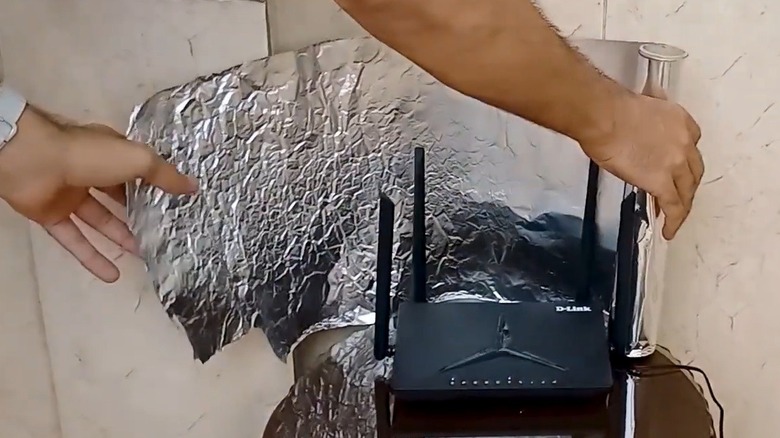
If you can't fix the problem with mesh nodes, you may want to try more creative tricks to strengthen Wi-Fi signal. For example, does aluminum foil boost Wi-Fi signal and help a video doorbell's performance? It surprisinglydoes seem to work, as placing a sheet of aluminum foil behind the router can reflect the signal back in the direction you want, such as toward a video doorbell. The improvement in signal consistency probably won't be significant, but it may be enough to help with problems you're experiencing with your video doorbell.
In a study that's now almost a decade old, researchers at Dartmouth created a 3D-printed reflector that enhanced the Wi-Fi signal when placed near the router and aimed in a certain direction. One of the researchers compared it to the way a flashlight's design uses a properly placed reflector to direct the light beam. So, there's actual research that shows this type of hack may create a more consistently stronger home Wi-Fi signal in a certain direction (such as toward a video doorbell).
If you have a large fish tank, do not place your router near it. You may also experience problems if a fish tank or indoor water feature is near the front door and video doorbell. Water absorbs wireless signals in the frequency range that Wi-Fi networks usually use, effectively blocking them. Move the fish tank or router to a new location.
Poor internet data speeds can cause video doorbell issues
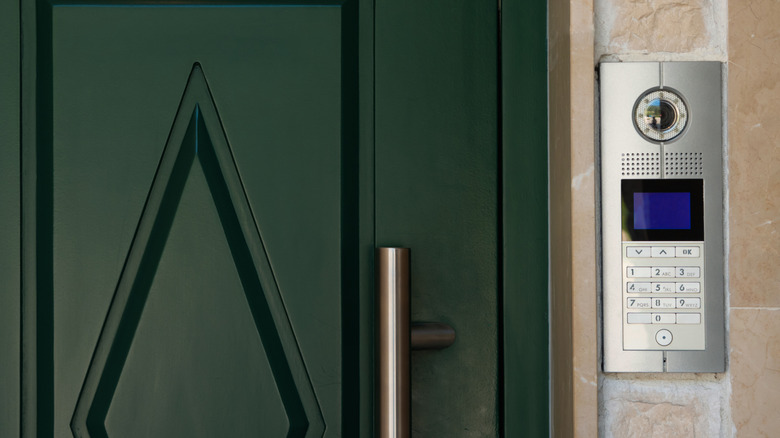
If you notice lags or skips in files saved to the cloud from your video doorbell, you might have issues with your Wi-Fi's data speeds. Older routers might struggle to upload the data from the doorbell to the cloud, causing video to fail to record. If you had an older video doorbell that didn't save video in HD or 4K, your new video doorbell's ability to record sharper images (that require more data) may cause these issues.
Your internet service's upload speeds are especially important for video doorbells and other security cameras, as they upload far more data than they download. Some internet data plans skimp on upload speeds and deliver stronger download speeds.
Some of the best ways to improve your Wi-Fi speed for uploads include purchasing new router hardware (especially hardware that supports Wi-Fi 6 or newer), using quality of service (QoS) settings on the router to prioritize traffic from the video doorbell, or upgrading to an internet service level with higher upload speeds. If the problem with uploading video doorbell data has recently started, try restarting the router and modem to clear glitches in the firmware and software.