

Apple MacBook Pro (M6) Review: Probably Everything You Need
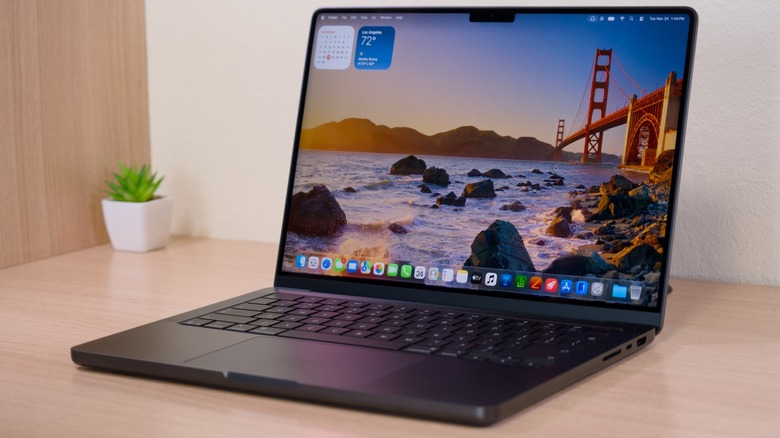
The MacBook Pro got a big update this year. The new MacBook Pro with PROLED XDR display not only has a new screen with touch support, but also got a more subtle Dynamic Island instead of a notch, and a thinner build overall. But alas, the entry-level MacBook Pro has none of those things. The $1,999 14-inch MacBook Pro with M6 is the entry point to Apple's Pro laptop line, and keeps the older design and the non-touch screen.
The Pro does have something more expensive models don't: The M6 is Apple's first chip built on a 2-nanometer process, which packs more transistors into the same area for better performance and power efficiency. In other words, the base MacBook Pro runs Apple's current-generation chip, while the pricier M5 Pro and M5 Max models are a generation "behind."
Of course, while the M6 does represent a new generation of chips, that doesn't make it actually more powerful than the M5 Pro and M5 Max. That said, the base MacBook Pro still has a lot going for it — and for many, it may well still be the MacBook Pro to get.
Design
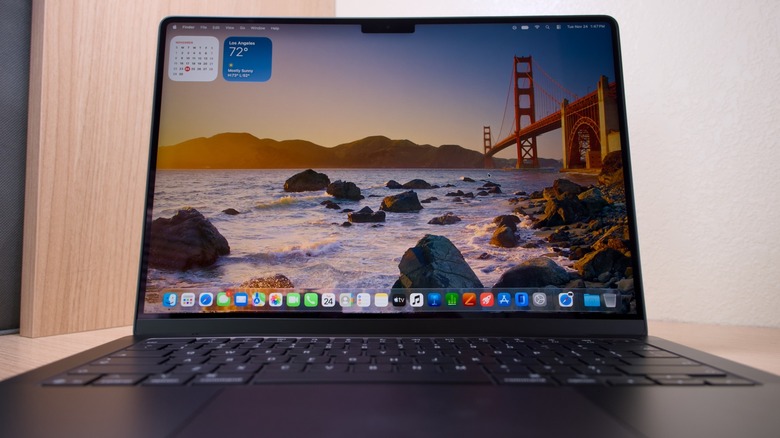
Apart from the display, one of the main changes to the MacBook Pro PROLED is a slimmer, smaller design. That design, however, hasn't come to the base MacBook Pro; which remains untouched, and the same as it has been for the past five years or so.
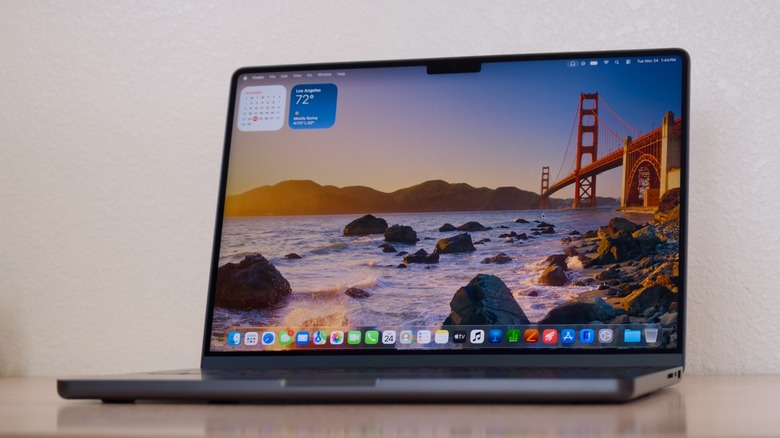
Frankly, I'm fine with that. It is a little weird that current-generation MacBook Pro models don't have a unified design, but the design of the MacBook Pro is still sleek, stylish, and extremely premium. The 14-inch model I'm reviewing measures 12.31x8.71x0.61 inches and weighs 3.4 pounds (or 1.55kg). The enclosure is 100% recycled aluminum, and the laptop has 45% recycled content overall. You can get it in Space Black or Silver — I have the Space Black model, which I prefer. It's been five years, but the design still feels very premium. The keyboard deck is rigid, the hinge is smooth, and the shell doesn't feel like a cost-saving base model.
The notch makes the design's age more obvious. It remains a large camera cutout at the top of the screen, while the $2,899 PROLED model moves to a smaller Dynamic Island cutout that can also surface live information. Honestly, I've always stopped noticing the notch within minutes, so I don't consider it a serious problem. The vast majority of users will forget it exists. The laptop is roughly half a pound heavier than the 14-inch PROLED model, and more than a pound heavier than the ThinkPad X1 Carbon Gen 14 Aura. It's not super lightweight, but I've never found it to be overly heavy, especially in the 14-inch model.
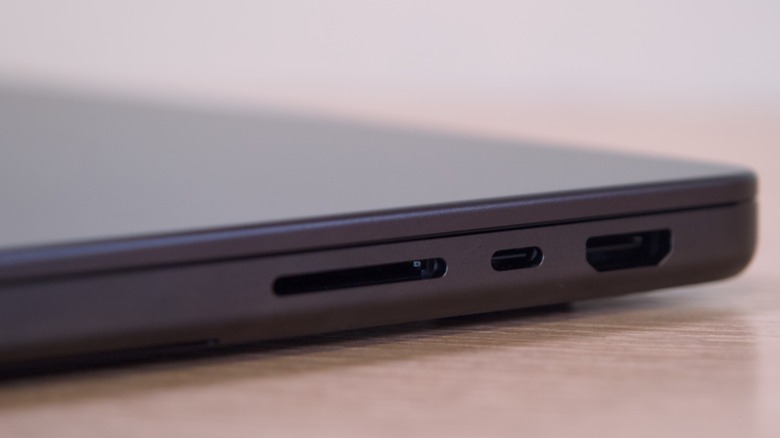
The port selection remains one of the best arguments for buying a Pro over a MacBook Air. You get three Thunderbolt 4 USB-C ports, each supporting data transfers up to 40GB/s, plus HDMI, MagSafe 3 charging, an SDXC card slot, and a 3.5mm headphone jack. That jack handles high-impedance headphones, so you won't need a separate amplifier for more demanding wired headphones. Dell's XPS 14 gives you three Thunderbolt 4 ports and a headphone jack, but no HDMI, SD card reader, or MagSafe equivalent.
Thunderbolt 5 is the obvious omission. This is the only MacBook Pro Apple sells without it, while the PROLED and M5 Pro and M5 Max models include the faster connection. Thunderbolt 4 is still enough for most docks, displays, and external drives. But if your workflow depends on maximum external bandwidth, you can't get it here.
Wireless connectivity does get a real upgrade though. Apple's N1 chip adds Wi-Fi 7, Bluetooth 6, and Thread, replacing Wi-Fi 6E and Bluetooth 5.3 on the M5 model. Wi-Fi 7 can deliver faster, steadier connections with a compatible router, while Thread is a low-power networking standard used by smart-home devices. None of this changes how the laptop looks, but it does make it feel more current.
Compared with the 3-pound XPS 14, the base MacBook Pro is heavier and lacks a touch-screen option. It answers with more ports and twice the starting storage, plus it looks and feels more premium and more sturdy.
Keyboard and touchpad
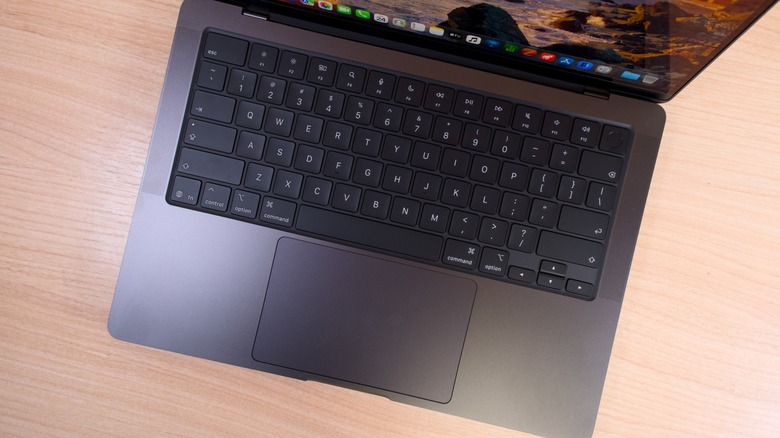
The backlit Magic Keyboard is classic Apple, and that's a compliment. The keys feel pleasant and precise, with enough travel and spacing to type quickly without feeling cramped. The full-height function row is still much nicer than a strip of half-height keys.
Touch ID sits in the keyboard at the top right, so you can log in or approve purchases with a fingerprint. I'm still not sure why Apple hasn't put Face ID in that big notch, but the fingerprint reader works well enough that it isn't a major complaint, and you'll stop thinking about it quickly. Apple's Force Touch trackpad remains the best laptop trackpad by a wide margin. It's large without getting in the way. Its pressure-sensitive surface uses haptic feedback to simulate clicks, so the click feels consistent wherever your finger lands. Gestures and tracking are excellent.
The XPS 14 can add touch and OLED display options and is lighter to carry. Still, neither those options, nor any other Windows laptop I've tested has caught up with Apple's keyboard-and-trackpad combination.
Speakers
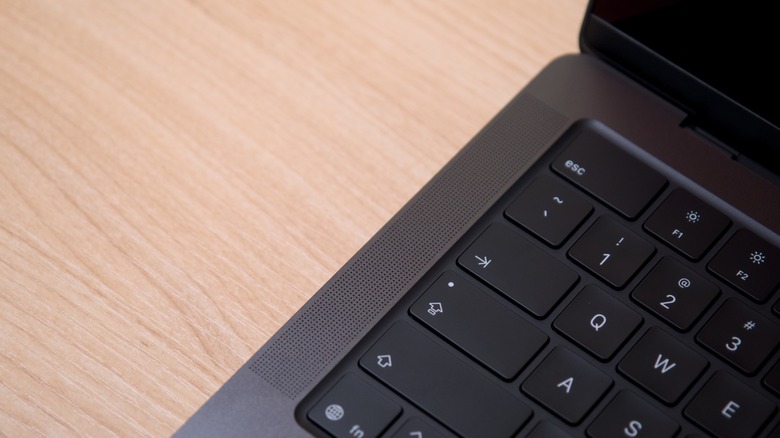
The six-speaker system carries over from the M5 model, including force-cancelling woofers that use opposing drivers to deliver bass without shaking the chassis. The three-microphone array does a good job of keeping voices clear on calls.
Honestly, these are still the best laptop speakers I've used, save for the speakers in the new MacBook Pro PROLED. Bass is full, dialogue stays clear, and the tuning sounds more balanced than what you'll get from the XPS 14 or most other Windows laptops.
What you don't get is the PROLED model's newer audio hardware. Apple added tweeters there, claims 50% deeper bass, and includes a closed-lid tuning mode for use with external displays. The M6 model keeps last year's system, and you'll notice the gap if you compare them side by side. I still found plenty of low-end weight here, even without those upgrades. It now trails its own sibling inside Apple's lineup, but it's still better than anything I've heard from the Windows competition.
Display and webcam
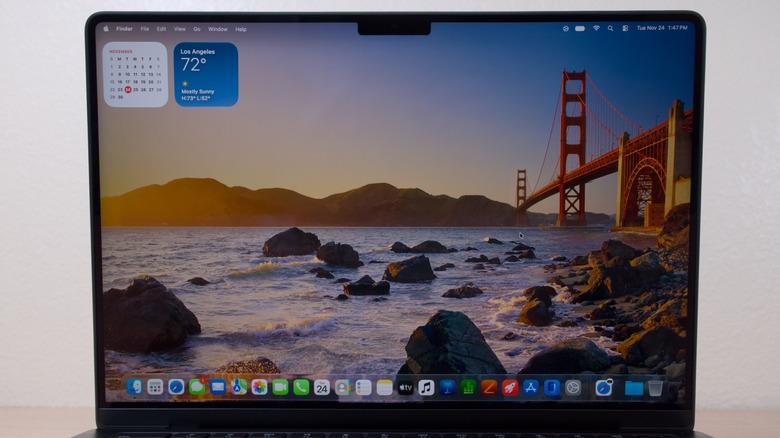
On its own, the 14.2-inch Liquid Retina XDR display is genuinely excellent, and you'll notice it the moment you open a photo library. Resolution is 3024x1964 at 254 pixels per inch. It uses P3 wide color for a broader range that supports one billion colors overall. Apple's ProMotion technology adjusts the refresh rate up to 120Hz, so scrolling and animation look smooth without running at full speed all the time.
Apple rates contrast at 1,000,000:1, sustained full-screen HDR brightness at 1,000 nits, and peak HDR brightness at 1,600 nits. Apple also claims up to 1,000 nits outdoors in SDR and a minimum of 1 nit. Generally, the screen looks great, even outdoors, though with the glossy screen and in direct sunlight, you might be hitting that maximum brightness a lot.
Unlike the higher-end model, the display is a Mini-LED screen; and in theory, Mini-LED screens are susceptible to blooming, unlike OLED screens. On this screen, I found blooming to be basically a non-issue. Sure, I was able to force blooming with things like test patterns, but in day-to-day life, I didn't notice it once. The tandem OLED panel in the higher-end model doesn't just avoid blooming. It also gets brighter, at 2,000 nits, and has a 10,000,000:1 contrast ratio. Dell's XPS 14 offers a 2880x1800 tandem OLED touch panel, too, alongside its lower-resolution 1920x1200 LCD option. Realistically, this is now Apple's second-best MacBook Pro screen. It's also quite a bit cheaper, of course.
My review unit has the standard glass, not the textured glass. It still looks great, but it doesn't tame reflections like the nano-texture models I've reviewed. Nano-texture is a $150 option that uses microscopic etching to diffuse light hitting the screen. In my experience with other MacBook Pros, it cuts glare and fingerprints without meaningfully softening the image. If you'll spend your days under office lights or next to a window, I'd strongly consider it. In a dimmer room, the standard display is perfectly good, and you won't miss much.
The notch houses a 12-megapixel Center Stage camera with Desk View and 1080p video recording. Center Stage automatically reframes the image to keep you in view, while Desk View shows an overhead look at the surface in front of the laptop. It's a solid webcam for meetings, though I wouldn't call 1080p a reason to upgrade.
External display support is a little better than on the M5. You can connect two displays at up to 6K and 60Hz, two at 4K and 165Hz, or one at up to 8K and 60Hz. The M5 topped out at 4K and 144Hz for its high-refresh option. An M5 Max MacBook Pro can drive four external displays, though. If you're building a large docked setup, you'll want to look higher up the line.
Performance
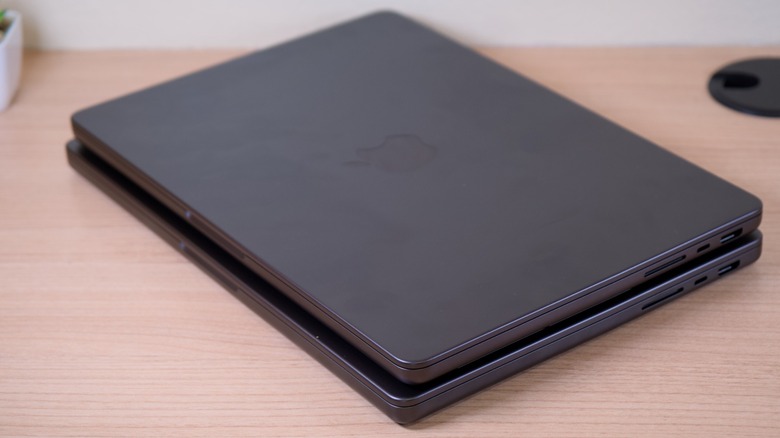
The M6 has a 12-core CPU split between two super cores, four performance cores, and six efficiency cores. The M5 had 10 cores, with four "super" and six efficiency. The super and performance cores handle heavier jobs, while the efficiency cores take care of lighter tasks using less power. In day-to-day use, the laptop felt quick. Productivity apps and lighter creative work like photo editing were easy, and it mostly stayed cool during those tasks. Heavy video work could make it run hot, though. If your workload involves long exports rather than short bursts, keep that in mind, and you may want to upgrade to an M5 Pro or M5 Max model.
Graphics come from a 12-core GPU with a Neural Accelerator in every core, which gives local AI tasks dedicated processing. Apple also includes third-generation ray tracing, which simulates how light behaves for more realistic reflections and shadows. A dual 16-core Neural Engine gives the chip 32 cores of AI processing, up from one 16-core engine in the M5. The media engine is unchanged: It accelerates H.264 and HEVC video, ProRes and ProRes RAW, and AV1 decoding, with one video encode engine and one decode engine. If you edit video, that can be helpful.
Those additions don't turn it into a gaming or high-end GPU laptop though. The $2,599.99 Surface Laptop Ultra pairs Nvidia's RTX Spark N1X with Blackwell graphics, Nvidia's GPU architecture, for even heavier rendering work. The M6 wins on efficiency and single-core speed, not discrete-class graphics.
Generally, the M6 does perform quicker than the M5, though to be fair, for productivity-related workloads I always found the M5 to be perfectly fine. If you mostly use productivity and web apps, you probably won't notice all that much of a difference. But, in benchmarks, the M6 performs around 7-15% better on the CPU and 20-30% better on graphics.
The configuration you choose can make a big difference to how well the laptop performs in your workflow. You can choose between 16GB, 24GB, and 32GB of RAM, and if you go for 24GB or 32GB, you'll get faster memory bandwidth (170GB/s). The base 16GB model sits in at 153GB/s. That's perfectly fine for most, of course. It's just the only configuration that misses the full M6 bandwidth upgrade, and 16GB is thin for local AI, heavy multitasking, or a creator laptop you plan to keep for years. The PROLED starts at 24GB, and goes up to 128GB. Storage is better: Every model starts with a 1TB SSD, with 2TB adding $500, and 4TB adding $1,500. A fully loaded 32GB, 4TB model with nano-texture costs $4,049.
Battery
Battery life has long been one of the best things about MacBooks, especially since the switch to Apple Silicon. The 72.4-watt-hour battery in the 14-inch model is larger than the 70-watt-hour battery in some competitors like the Dell XPS 14. Apple claims up to 24 hours of video streaming, or 16 hours of wireless web browsing — its longest battery claim for any Mac. I never really hit 24 hours of use, but I certainly found the laptop to last easily through an 8-hour workday, and I think most will have a similar experience.
The M6 model's efficiency is doing a lot of work here, but so is its relatively large battery. The Mini-LED design helps too, giving this machine a real endurance advantage over the prettier PROLED. Against the M5, the important changes are the chip's efficiency and the battery system rather than the panel.
Charging is also quite quick. Apple includes a 70W USB-C adapter and recommends at least 60W. Unfortunately, the advertised fast charge to 50% in 30 minutes requires a 96W or higher adapter, which you'll need to buy separately. I would have liked to see Apple include a charger that allows for the fastest charging the laptop supports.
Software
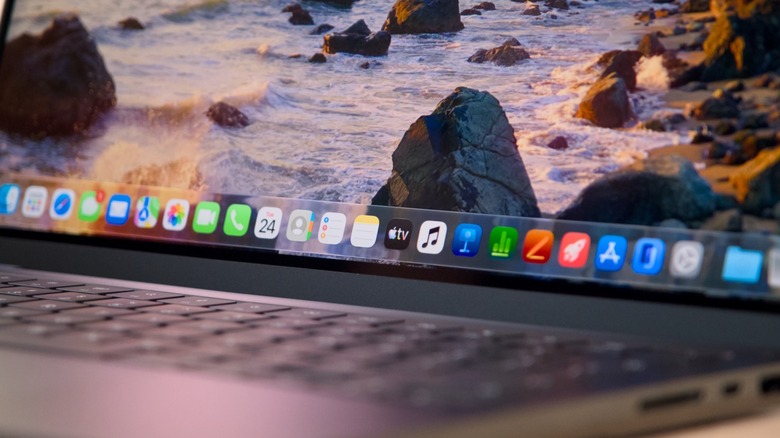
The MacBook Pro ships with macOS 27 Golden Gate, including the current Apple Intelligence feature set and Siri AI in beta. Apple Intelligence is Apple's built-in AI system for tasks like writing help, summaries, and image tools. Siri AI is the company's revamped assistant. The beta label matters. Right now, Siri AI feels like a work in progress, not a finished reason to choose this Mac.
Local AI work is where the M6's extra processing hardware becomes more interesting. Local models run on the laptop instead of sending your data to a cloud server. That can mean better privacy, and you can keep working without an internet connection. The app and model still determine what actually happens on the device, though.
The 24GB and 32GB configurations are much better suited to this work than the 16GB base model. They have more memory, and they get the full bandwidth. A faster Neural Engine doesn't remove the memory limit. That said, even with 32GB of RAM, you won't be getting anywhere near frontier-level AI.
Conclusion
The 14-inch MacBook Pro with M6 gets the important things right. It combines fast single-core performance, genuinely long battery life, 1TB of standard storage, an excellent keyboard and trackpad, strong speakers, and a useful set of Pro ports, all at a $1,999 base price, which is $400 more than the M5's launch price.
My recommendation for most users is the 24GB model with 1TB for $2,199. The extra $200 buys more memory and the full 170GB/s bandwidth, so it's the version that actually delivers the complete M6 upgrade. If you know you need the headroom, the 32GB model costs $2,399. I'd avoid the 16GB base tier for local AI, heavy multitasking, and long-lived creator work. It doesn't perform badly, but if you're getting a MacBook Pro instead of a MacBook Air, it's likely for the extra horsepower that more RAM can help deliver. I also recommend considering the nano-texture glass, even though it's expensive.
Existing M4 and M5 owners can probably skip the M6 model, unless battery life, Wi-Fi 7, or the M6's performance gains solve a problem you actually have. If you have an M1 or M2 machine, however, you're getting a pretty meaningful upgrade. Of course, there's also the PROLED model to consider. I love that laptop; but if you don't care about touch and don't need more than M6-level processing, you probably don't need to upgrade. The slimmer design is nice, but it's a very small difference in real life.