

Steam Deck Owners Need To Install This New App For Android And iPhone
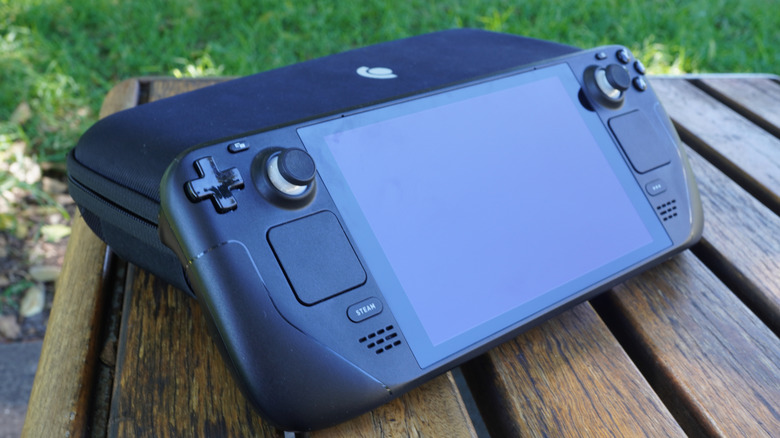
A Steam Deck is the ideal way to bring your library of Steam games on the go with you. However, there's a potential hitch with this: If you run into compatibility issues while you're out and about, it's a lot harder to check online for fixes with only your phone. It's this little hiccup that the DeckSettings app hopes to remedy, making it an excellent accessory for your Steam Deck.
Valve's own Steam Deck Verified system goes a long way toward telling you what can and can't run on a Steam Deck, but if something's not running perfectly, you're kind of left to your own devices to figure out the optimal settings. If you start making changes at random, your settings could end up making your Steam Deck experience even worse.
DeckSettings is meant to serve as a quick and easy resource for determining a game's Steam Deck viability, along with the best display and performance settings to use to offset any hiccups. The app is available in an early build for Android devices on the Google Play Store. It's also slated for release on iPhone via the Apple Store, though at the time of writing, the beta build of the iOS version isn't accepting new testers.
DeckSettings lets you quickly look up Steam Deck compatibility
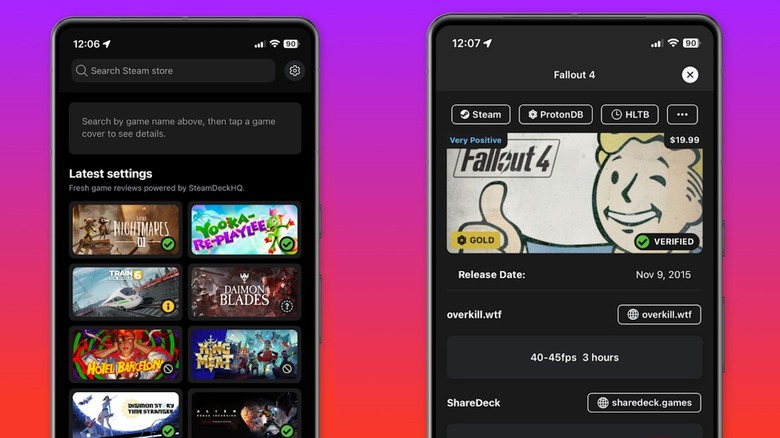
DeckSettings is designed to be a swift and convenient point of reference for Steam Deck users who are out and about and can't do a detailed lookup on a PC. From the app's main screen, you can quickly look up any game in the Steam catalog and receive a plethora of information about it, including reviews, tags, release milestones, and more. Most relevant to Steam Deck users, you can see the game's Steam Deck Verified compatibility badge, if there is one, and get direct reports on performance from other users via ProtonDB. These reports indicate a game's general playability through general performance tiers ranging from bronze to gold, then go into more detailed information like framerates and performance benchmarks.
If a game on your Steam Deck isn't performing as optimally as you'd like, you can check its entry on DeckSettings for recommended configurations and presets across several prominent user-run databases, such as ShareDeck and SteamDeckHQ. These configurations come with data readouts like expected FPS, power draw, and everything else you'd want to know in order to get the best possible performance out of an otherwise uncooperative game. If you pair this with a few tricks to extend your Steam Deck's battery life, you'll have optimal gaming all day long.
Android users can download DeckSettings for free on the Google Play Store, where it is currently in version 1.0.4 and still receiving regular updates. At the time of writing, it has a perfect 5-star rating with 18 reviews.