

Amazon Fire TV Stick Vs. Roku: Which Streaming Stick Is Best For You?

A streaming stick connects to your non-smart or even smart TV to provide access to all your favorite streaming apps through an intuitive interface. If you're considering one, you're probably deciding between two of the top players in the business: Amazon Fire TV Stick and Roku. Both offer plenty of options, from entry-level sticks with simple features to higher-end ones that support 4K streaming, and more. All of them are relatively affordable and easy to use.
So, which one do you choose? The decision about whether to get an Amazon Fire TV Stick or Roku streaming stick comes down to preference for the interface, core features, add-on options, and what matters most to you. Amazon Fire TV Sticks, for example, come with the handy Alexa Voice Remote and can be used to control compatible Alexa-enabled smart home devices. Roku streaming sticks, meanwhile, include the Roku Voice Remote and offer access to additional content such as original movies and shows through free Roku Channels. Arguably, the better option for most people will be a Roku streaming stick for many reasons.
Amazon Fire TV Stick for smart homes
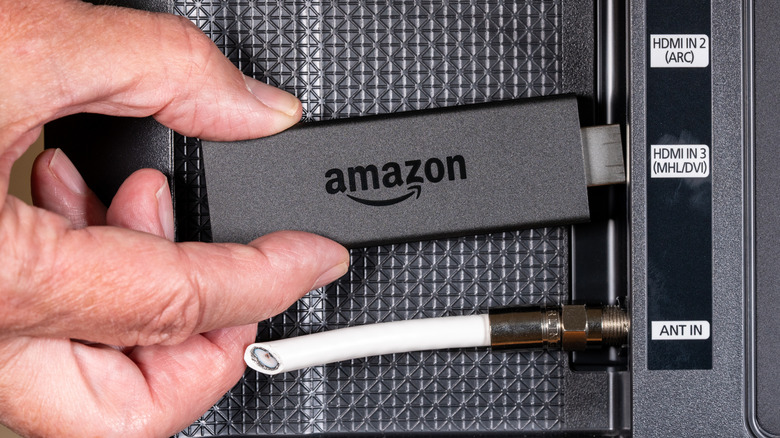
If you have other Alexa-enabled smart devices in the home, this might sway you toward an Amazon Fire TV Stick as a Roku TV Stick alternative because of the seamless integration. Use the Voice Remote to ask Alexa about the weather, dim the lights, play a camera feed on your smart display or listen to music through a speaker, even order pizza and wings while you watch the game.
Moreover, you can access all the top paid and free streaming apps and easily search for content by voice. This means not only searching for where to find a specific movie or show, but even more generally asking Alexa to find you a good action movie starring Tom Cruise. Access live TV, news, and sports as well if you have subscriptions to services like Sling TV and YouTube TV.
One important thing to note is that while Amazon Fire TV Sticks have historically been great for side-loading apps outside of the Amazon App Store, that's no longer the case. With Amazon's latest software update, the company is cracking down on illegal streaming apps. So, if this was an incentive to go with Amazon Fire TV Stick, you won't be able to leverage it anymore.
Roku Streaming Stick for most

Roku is known for its intuitive interface that's beloved by users. Get access to all the top paid and free streaming services, and tap into 200+ free Roku Channels, which include original content as well as live news, weather, sports, and more. If you're thinking about buying a Roku streaming stick, you'll be delighted to know that they are simple to connect and come with the easy-to-use Roku Voice Remote with TV controls, or use the Roku mobile app. Some models even have a Bluetooth Headphone Mode for private listening, which everyone from students to parents will appreciate.
Like with other streaming sticks, however, Roku streaming sticks are so affordable for a specific reason: they could be spying on you. Roku notes in its privacy policy that it collects search history, voice commands, and data about what you watch and how you interact with content. This data may be sold to third-party companies for market research and advertising purposes. There are privacy settings you can adjust to somewhat safeguard your data, but it's still something to consider. Nonetheless, to get the most user-friendly interface, simple design, and added value with more channels, Roku streaming sticks remain a favorite.