

You Can Control Your Roku TV With An Android Phone - Here's How
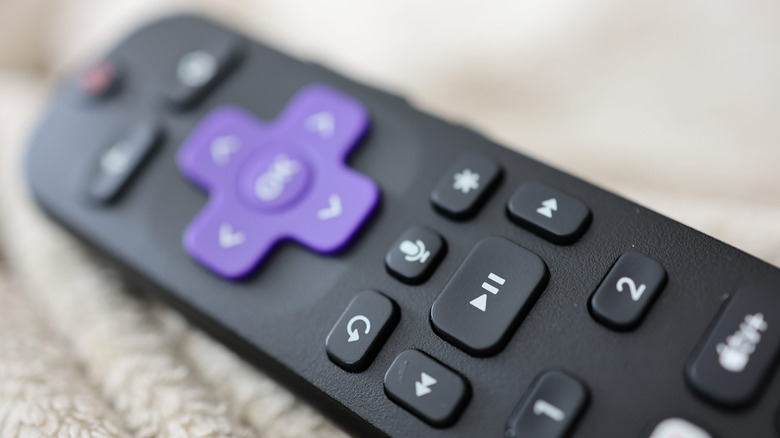
Roku streaming devices and smart TVs give you access to all kinds of streaming platforms, including these five essential Roku TV apps everyone should be using. All Roku hardware comes with a remote, many of which can be programmed to control TV power and volume — even if it's not a Roku-branded TV. But did you know you can also control most aspects of your Roku-streaming experience with your Android device or iPhone?
The Roku mobile app (for Android and iOS) is a free download that consolidates a number of Roku remote functions onto an intuitive dashboard screen. To get to these controls, you'll first need to sign in to your Roku account through the app. Once you're logged in, you'll be taken to the Home panel, which should feature options like Continue Watching, Trending Now, and Save List. Tap the Remote icon at the bottom of the screen to pull up the mobile controller, and use the dropdown at the top to choose which Roku streaming device or TV you want to use. You can also tap the Device icon to select your hardware, then tap Remote to pull up controls for the device you chose.
With the Roku app's built-in remote, you'll be able to play, pause, rewind, and fast-forward whatever content you're watching on any Roku device connected to your Wi-Fi. You can even turn on private listening (when you have headphones paired to your phone), use the Roku voice assistant, and adjust various Roku device settings.
Making the most of the Roku mobile app
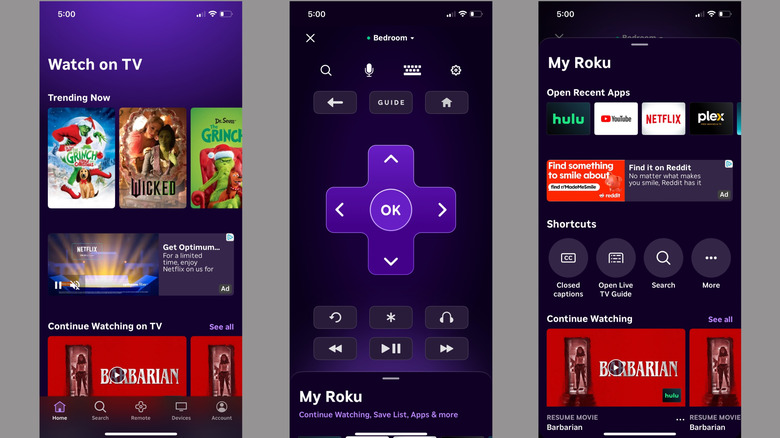
When you're on the Remote panel, you should see the top of the My Roku menu at the bottom of the screen. Swipe up on the pull-tab, and you'll find a handful of useful shortcuts and extra features. The Open Recent Apps scroll will let you quick-launch a streaming service you were recently using with just one tap. Continue Watching will let you resume a movie or show, and automatically opens the correct app to restart your stream.
We've already talked about the four essential Roku TV settings and tips that can speed up your device, and the Roku mobile app is another great tool you can use to control and manage your Roku experience. You'll even be able to tap the Account icon to tweak device settings, change account info, update your payment method, and more.
Are you thinking about buying a Roku Streaming Stick or a Roku-powered smart TV? It's hard to beat the performance and affordability that any Roku product brings to the table, and the Roku mobile app is a solid extension of the company's user-friendly OS.