

5 Benefits Of Roku TV, Explained By Users
We may receive a commission on purchases made from links.
The smart TV and streaming player sectors have become quite competitive over the years, with multiple major tech brands like Google, Amazon, and Apple crawling over each other for that coveted spot in your living room. In addition to those major competitors, another power player emerged from relative obscurity in the late 2000s to become one of the pillars of the sector: Roku. Roku's own smart TVs and streaming devices like the Roku Stick have made a splash with users thanks to features like cross-service searching, private listening, and original content.
Roku TVs and streaming players provide the same broad services as their contemporaries, letting you watch content from various streaming services on your living room television with a simple remote-based interface. The difference is in the details, with various helpful features that Roku users have come to appreciate from the brand. If you're on the fence while shopping for a new smart TV or streaming player, it's these particular features that may help move the needle in one direction.
Cross-service searching

One particular frustration in this modern era of streaming, with so many platforms releasing so many titles, is that it's more difficult to know what exactly you can watch and where. One streaming app may have exclusive rights to a particular film, while a TV series may have its seasons divided up between several services. If you're trying to track down a specific show or movie, that's where Roku's cross-service search function comes in handy.
Using the search function on your Roku device's main menu, you can search for show and movie titles, particular actors, or genres. Your results won't be limited to a single streaming app; everything that fits your search criteria from across all Roku-supported streaming apps will be displayed, which allows you to quickly jump to whatever service has what you're looking for. Users like how quick and convenient this is, taking the guesswork out of hunting for their old favorites.
Searching by typing with just your Roku remote is, admittedly, a bit unwieldy, but if you have a remote with the Roku Voice button, you can conduct searches with audible commands instead. This is another popular feature with users, as it further expedites the search process. Additionally, you can download the Roku app on your mobile device and type your searches more easily.
Private listening through the app, remote, or streaming device
Just about anyone who watches TV regularly knows how annoying it can be when you're trying to focus on a show while friends or family members are milling about in the background. Unfortunately, there's little you can do about that when you're sitting on the other side of the room from the TV. That is, unless you're using a Roku TV or streaming device.
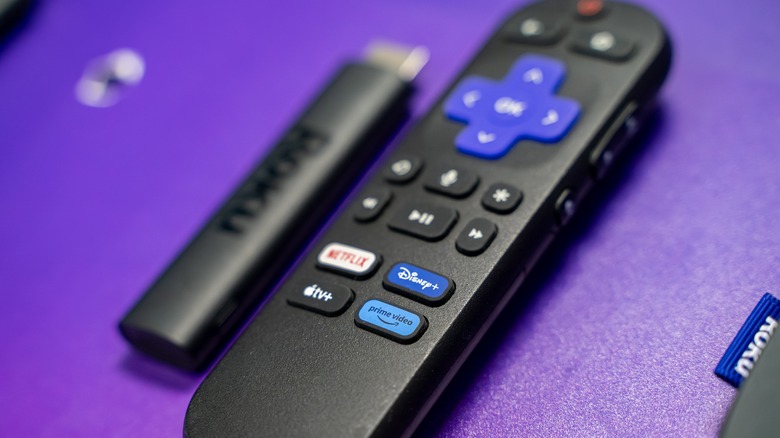
If you're watching content on a Roku device and have a particular variety of Roku remote or streaming device, you can sync a pair of headphones directly into your remote to stream the device's audio. As long as your remote is within range of your Roku device, you'll get exclusive audio with dedicated controls. Roku Express, Roku Premiere, and the Roku Streaming Stick 4K are not compatible, but if you have an old Roku remote, it may have a headphone jack that you can plug headphones into, as well.
Even if you don't have a Roku remote with headphone sync functionality, you can still make use of this feature by using the Roku app on your personal smartphone. If the Roku app is synced up with your Roku TV or player, you can get the same audio sync function, which in turn allows you to use your headphones with your mobile device for dedicated audio streaming. Users like this feature because it ensures you're able to hear your shows even in a crowded room, as well as keeps the volume down for others if you're trying not to disturb anyone.
Take your Roku Stick on a trip
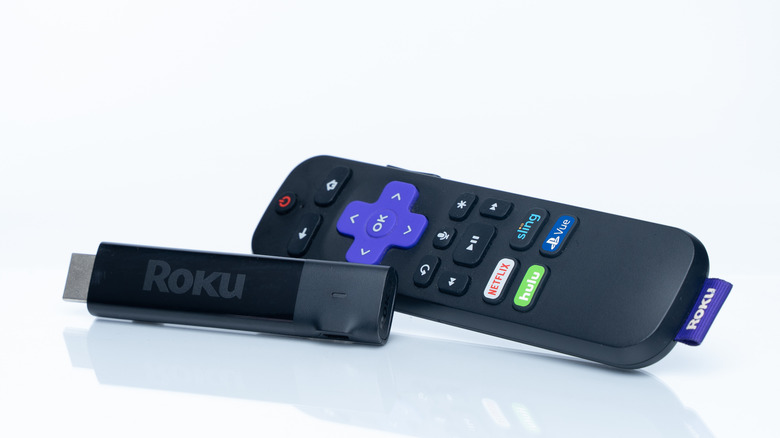
As just about every streaming app has its own dedicated login, you could access your curated content from almost any other smart TV. This is great if, for example, you're at a hotel in a room with its own smart TV. However, if the hotel or wherever you're staying doesn't have a smart TV, you're out of luck. It's in this particular situation that the portability of the Roku Streaming Stick really shines.
Various users have reported taking their Roku Streaming Stick with them when they travel around, plugging it into hotel TVs wherever they go. Roku Sticks store your apps and credentials internally, so you can quickly access them even on a non-smart TV, getting all of your favorite streaming shows and movies wherever you go.
Even if the hypothetical hotel has a smart TV, plugging your Roku Stick in is still an attractive alternative, as you can use your apps right away instead of needing to individually log into them. If you have any safety concerns about entering login information into what is technically a public TV, carrying your own Roku Stick with you instead is the ideal alternative.
Original content like the Roku Channel, Howdy, and screensavers
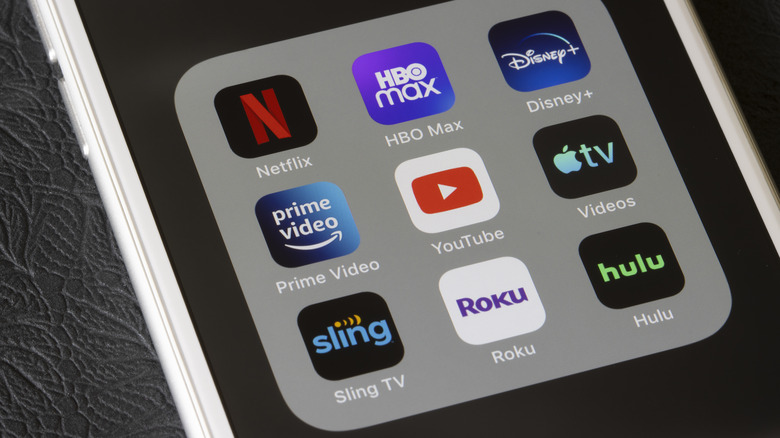
Just about every major player in the streaming device market has its own signature streaming service. Amazon Fire devices have Prime Video, Apple TV has Apple TV Plus, and so on. However, not only do Roku devices have access to those same apps, but they also have a surprisingly good original channel of their own, one that not all streaming players can access: the Roku Channel.
The Roku Channel offers both live television and on-demand content, including exclusive Roku titles like "The Spiderwick Chronicles" and "Weird: The Al Yankovic Story." While some Samsung and Amazon devices can access the Roku Channel, other devices like Apple TV and Google Chromecast are locked out of it entirely, whereas Roku can still access their services.
In addition to the Roku Channel, Roku introduced an extremely competitive streaming service called Howdy, which is only $2.99 a month. It carries many of the tiles you'd find on platforms like Tubi, Pluto TV, and Plex, but without any ads. Additionally, Roku devices offer another, humbler form of original content that has its own fans: screensavers. Roku devices come with a small catalog of screensavers, including pleasant seasonal wallpapers and personal photo album slideshows. It's a nifty way to turn your TV into a living room centerpiece, even if nobody is actively watching it.
Roku players are easier to replace if they break

One unfortunate thing about smart TVs compared to the olden days of CRT TVs is that they can have a generally shorter shelf life. The addition of PC-style functions means their firmware can become outdated in just a few years, leading them to become sluggish and unresponsive. Replacing a full smart TV with that kind of frequency is expensive and frustrating. If you've found yourself dealing with that issue, switching to a non-smart TV with a Roku device might be the perfect solution.
Various Roku users have said that they rely on standalone Roku streaming players like the Roku Express and Streaming Stick, paired with a "dumb" TV rather than a full smart TV with integrated features. This is because, if and when the Roku device reaches the end of its lifespan, they can just replace that instead of the whole TV.
Technically, this is a benefit of all streaming devices, not just Roku's, but Roku maintains the edge in terms of pricing. Roku devices are some of the most affordable streaming players on the market. A Roku Streaming Stick HD, for example, only costs $29.99 on Amazon (or $19.99 on sale, as it sometimes is), while Amazon's own Fire Stick HD costs several dollars more at $34.99. Along with all the aforementioned benefits, Roku is generally the cost-effective choice.