

Nvidia GPU Users Can Use This Free App For Better Performance
Gamers are always looking for ways to get the most bang for their buck. I can remember in the early 2000s, when overclockers found that they could take an Intel Core 2 Quad Q6600 and upgrade it from 2.4Ghz to 3Ghz with nothing more than a little tape. In the modern era, various overclocking options are easier than ever, even to speed up older graphics cards, thanks to software such as MSI Afterburner.
But if you have or are looking to pick up a new Nvidia graphics card, you have access to a free application to help you get the best visual performance in games. Known as DLSS Swapper, this third-party tool makes it easy to manage your DLSS settings in games that support this feature. It essentially does what it says on the tin, by letting you swap out DLSS versions for various games, as certain versions of DLSS might work better or worse in certain titles.
In simple terms, DLSS Swapper can potentially provide most modern games with a free visual upgrade. Deep Learning Super Sampling (DLSS) is a proprietary Nvidia technology that is designed to help improve image quality in video games that support it. The company is currently at DLSS 4, and over the generations, the technology has gotten better and more impressive, and DLSS Swapper takes advantage of this.
The DLSS Swapper is a must-have utility
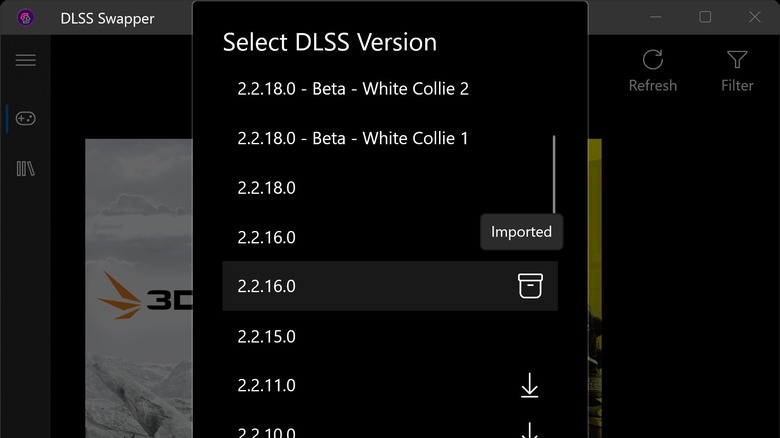
DLSS Swapper can be used to download and select the latest compatible DLSS version, giving you the best possible visuals for most titles that may be stuck on older versions of this technology. In case a specific game works better on an older version of DLSS, you can change versions through a handy version list provided. Once you choose your settings, you'll be able to load your game and may see a boost to visual performance.
The main issue with DLSS is that every game can implement the technology in different ways based on the engine used, the developer, and the DLSS version available at the time. Most games don't ever update their DLSS settings natively, so a game you are playing will most likely be running the DLSS version that it shipped with. This can leave a lot of potential improvements on the table that newer versions of DLSS offer. Thankfully, the version being used can be replaced and updated through DLSS Swapper.
While the software will update the version of DLSS used in your games, be aware that it might not always provide the best results. Many games were designed with a specific version of DLSS, and updating them may lead to some visual issues. This is why swapping versions is such a nice feature to have, allowing users to share their results online to find which DLSS version works best for their specific game.
What about the Nvidia App's DLSS options?
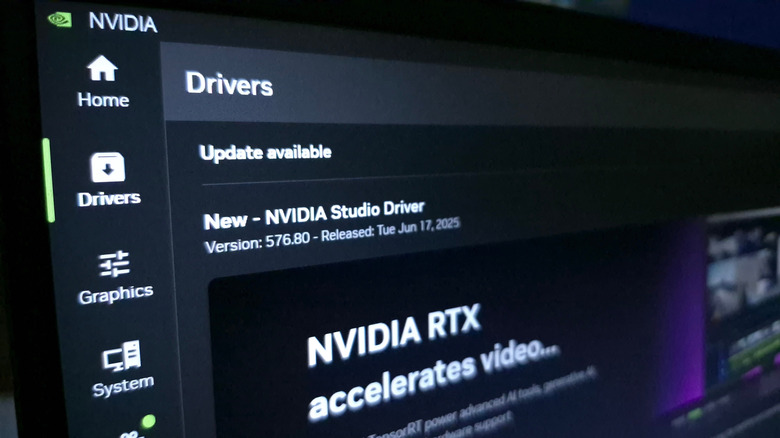
If you are using the Nvidia App to manage your graphics card settings, you might be wondering why you need DLSS Swapper, as the app allows you to upgrade to the latest DLSS version. While this is true, it comes with a number of limitations, as the Nvidia App will only pull updates from your current driver.
This means that if you are not running the latest video drivers, you won't have access to the latest version of DLSS. Another reason to use the Swapper is that the program is game-library-agnostic, while the Nvidia App selects games based on a specific list of currently supported titles. If you download, install from disc, or purchase a game from a non-supported platform, the Nvidia App may not be able to see the game and make adjustments. DLSS Swapper allows you to point to any folder on your computer to search for and load available games.
And perhaps the most important difference is that the Nvidia App has no rollback options. It will allow you to update to the latest DLSS version, but if there is a visual problem, you'll be stuck with the version you upgraded to. With DLSS Swapper, you can swap between versions to try and fix that. All of this makes DLSS Swapper an essential tool for many Nvidia card owners.