

Google Photos Just Became The Built-In CapCut Alternative Android Needs
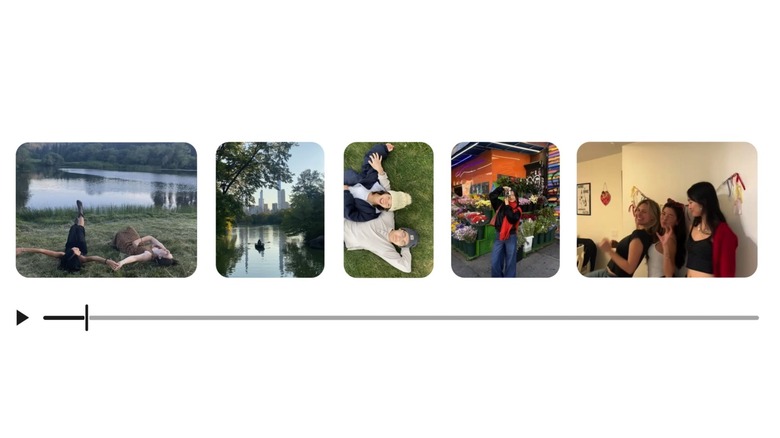
Google released the Google Photos Recap feature a few days ago, letting users recap their Photos activity for 2025 and take advantage of new features. Among them, Google included support for exporting Recap projects to CapCut to perform specific edits before sharing the clips on social media. But fast-forward to Tuesday, and Google released a new Google Photos video editing experience that turns the app into the built-in CapCut alternative Android needed. It's not quite a CapCut alternative, as ByteDance's video app offers more complex video editing options, including more built-in AI features. On that note, the new Google Photos video editing features aren't about adding more Gemini AI capabilities to the app. AI has been a top priority for Google's updates to Google Photos earlier this year.
That said, advanced social media users who share video content on Instagram and TikTok may prefer or be better served by the video-editing capabilities built into those apps. However, Google's redesign of the video-editing experience in Google Photos may satisfy the needs of casual users who don't necessarily want more professional video-editing tools. Put differently, Tuesday's update brings support for basic video editing tools that may reduce the need to fire up a different app.
You won't want to go to CapCut if Google Photos already helps you add music tracks and text overlays to your videos as soon as you record them. On that note, the new Google Photos video capabilities also exceed the capabilities of Apple's default Photos app on iPhone. Speaking of iPhone, the redesigned video editor in Google Photos will be available on both Android and iOS, featuring a universal timeline that supports multi-clip editing, music tracks, and a rich menu at the bottom featuring various editing tools.
The new video-editing tools in Google Photos
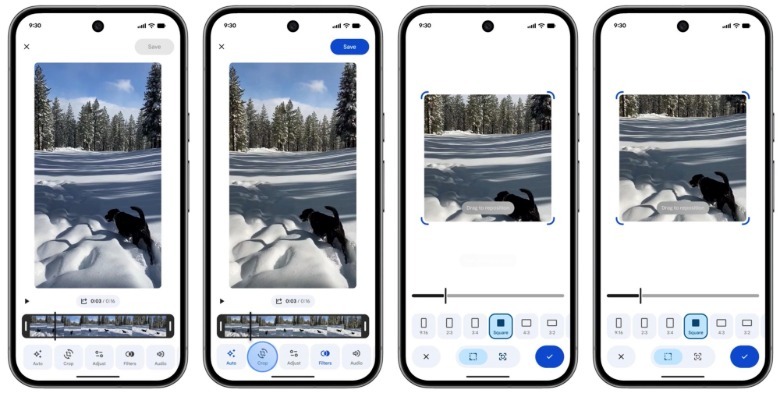
On Android, the new video editor becomes the default video-editing tool. Opening a video from the gallery and tapping the edit button will open the video editor where you'll be able to customize the clips before sharing them with friends, or on social media. One of the examples Google shared shows a person using the video editor to stabilize the video, apply a filter, and crop a single clip of a dog in the snow.
 Google
Android users also get support for templates that can speed up the video-editing process by offering presets that feature music, text, and cuts, all synced to a soundtrack. All you have to do is go to the Create tab, select "Highlight video," pick a template, and select the content you want added to it, including photos and videos. Google Photos will then create the highlight video for you, making it ready to share on social media. This is the kind of built-in feature that might reduce the need to use apps like CapCut for quick edits, or show less experienced users what's possible in photo apps when it comes to video editing.
 Google
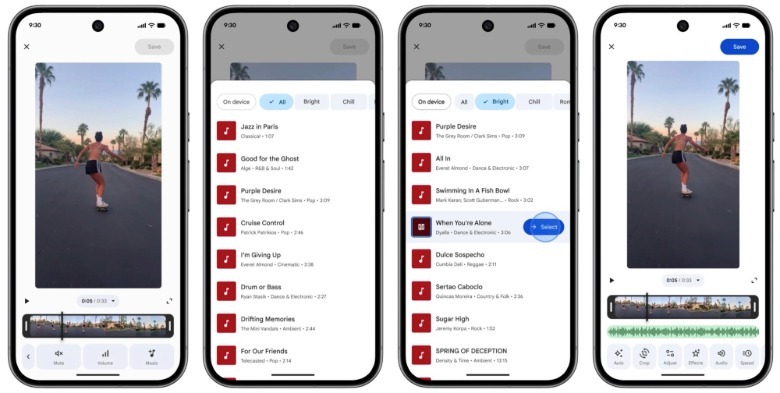
Android users who want to be involved in the creative process can manually add text and music. The features are one tap away. Text overlay supports multiple fonts, colors, and backgrounds. Adding music tracks is just as easy. The Google Photos music library might not be as rich as what's available in CapCut or Instagram's Edits, but it's still a good starting point.