

5 Of The Best Uses For Your Computer's Empty USB Ports
We may receive a commission on purchases made from links.
Chances are that you have one or more Universal Serial Bus (USB) ports on your computer or laptop that are sitting empty and unused. Instead of leaving those powerful ports looking lonely and doing nothing, why not use them to plug in some incredibly cool tech that is designed to make your home and work life a little bit more pleasant.
We are living in an era where it seems like anything and everything comes with a USB connection, even those things that probably shouldn't. Because of this, we can take advantage of the plethora of USB gadgets that exist to do some pretty cool things, many of which you may never have thought to do before with that empty USB port on your machine.
The following list includes some really fun and interesting gadgets that will help with security, expand the capabilities of your PC or laptop, allow you to take a step backward in time, and even gadgets that will make sitting at your desk a much comfier experience, especially as the winter season gets into full swing.
USB Security Key
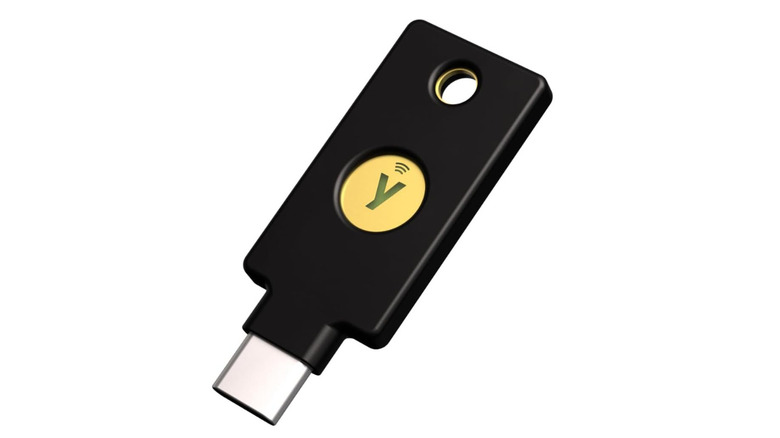
Security is more important today than ever before with some 16 billion logins being exposed recently, so it's best to take advantage of that spare USB port to make your life a little more secure. The YubiKey 5C NFC from Yubico is a physical key that slots into any USB port and allows for security authentication. This key supports a number of security protocols, including FIDO2/WebAuthn, FIDO U2F, Yubico OTP, OATH-TOTP/HOTP, Smart Card (PIV) and OpenPGP.
You can think of it like having a key to your digital home that only you have access to. Whenever you visit a website that requires you to enter a username and password, a security key will intercept the request and prompt you to plug your security key into your device's USB port. The key will then use one of the protocols listed above to verify your identity before allowing you to access an account.
This means no person will be able to access your accounts without a physical key to unlock access. This is a fantastic way to help protect your social media, email, Google Photos, iCloud, banking services, and more. And because the YubiKey 5C features NFC technology, you can use it on most modern smartphones.
WiFi & Bluetooth Combo Adapter
I like to tinker with things, even when I probably shouldn't. This is how I lost both Bluetooth and Wi-Fi on the laptop I use for gaming. Many people probably are aware that modern laptops use an M.2 port for storage, but what many don't know is that those same laptops almost certainly have two M.2 slots. Typically, a Wi-Fi card is plugged into the second M.2 port on a laptop, and you can remove this Wi-Fi card and replace it with an M.2 SSD.
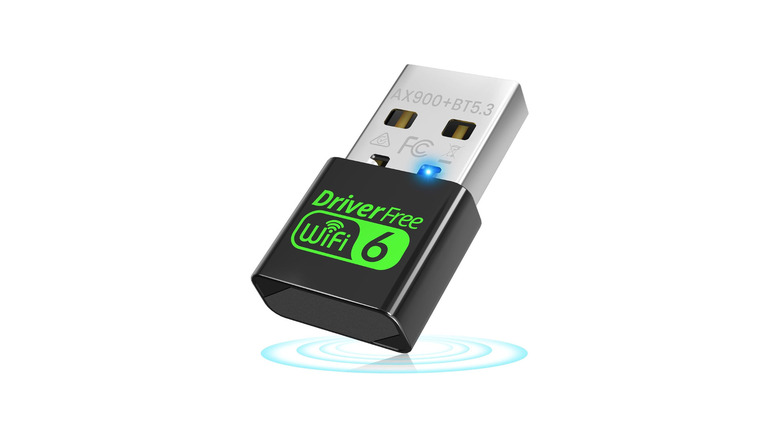
But doing this means you'll lose Wi-Fi and potentially Bluetooth as many cards host both protocols on a single card. In order to fix this issue, I picked up a USB WiFi 6 Adapter with Bluetooth 5.3 from Auscoumer. And this little device is no slouch, being able to handle seven Bluetooth connections at once, dual-band 2.4/5GHz Wi-Fi, and all with no driver needed.
This is a fantastic way to add Wi-Fi to a laptop or computer that is older, or one where Wi-Fi and Bluetooth have failed. It's always great to have a backup just in case something goes wrong, and keeping this little USB device around could end up saving you from a lot of headaches in the future.
Portable Monitor
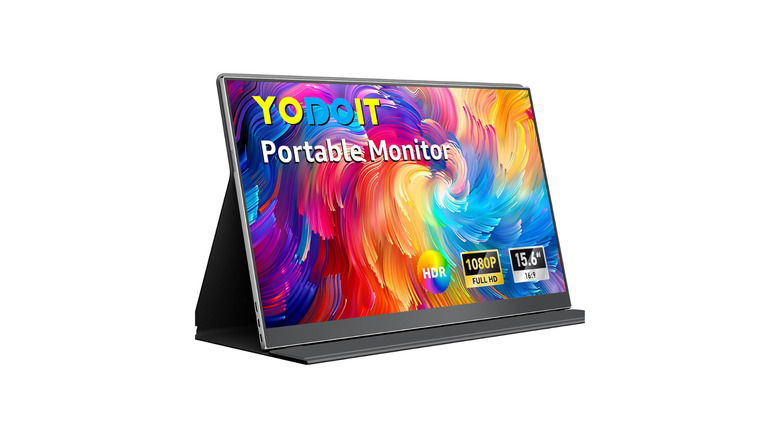
If you have a spare USB-C port on your computer, you might be able to change the way you get work done. Why not take advantage of adding a second monitor to your computer or laptop through that USB port? Modern portable monitors, like the Yodoit 15.6" Portable Monitor, only need a single USB-C cable to handle both power and video output.
This way you can easily add a second screen for coding, having YouTube playing, streaming music, or using Discord while streaming online. The monitor also features a mini-HDMI port for more traditional video output and a 3.5mm audio jack for output if you don't want to use the included speakers. It's also VESA compliant, meaning you'll be able to mount it if you are using it on a desktop.
I have this model of monitor mounted above my main screen on my desktop. I use it to have work chats open during the day and for YouTube videos while I'm gaming late at night. That's pretty impressive for under $50, especially considering it's portable. You can even connect your smartphone to the monitor if it supports USB 3.0 or the DP Alt Protocol. Pair the monitor alongside a wireless mouse and keyboard, and you have a pretty solid work machine on the go.
Heated Mouse Pad
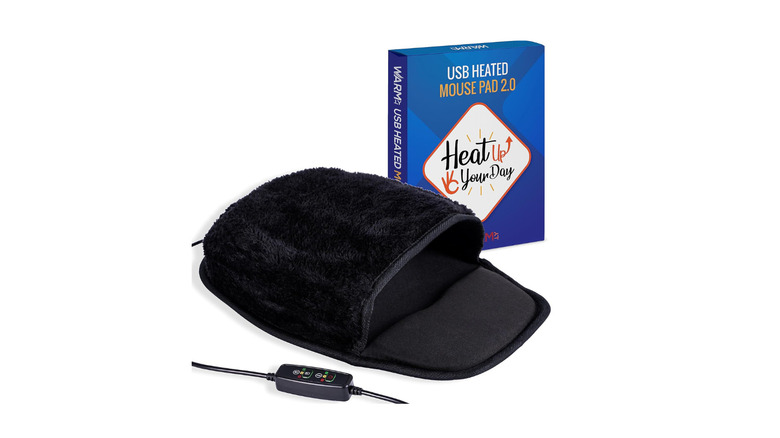
Nothing is worse than sitting down to work when the weather outside is frightful. During the winter, I find it harder to roll out of bed and head into my office because I know a cold room will be waiting for me. But if I had a spare USB port, I could stay warm with a USB Heated Mouse Pad Hand Warmer.
With this, you can snuggle up to work or play thanks to three adjustable heat settings that will keep your hands nice and toasty. While I no longer work in a traditional office, when I did, I knew several coworkers who would often complain about their hands going numb from the cold. This was probably due to the fact that a lot of offices, ours included, like to keep the AC blasting during the workday.
A heated mouse pad would have helped to alleviate their issues and make their work life more enjoyable, with Amazon reviews filled with people using this mouse pad in the office. If you have a spare USB port on your computer and constantly have cold hands, picking up a heated mouse pad might be the best thing you can do for yourself.
External DVD Drive
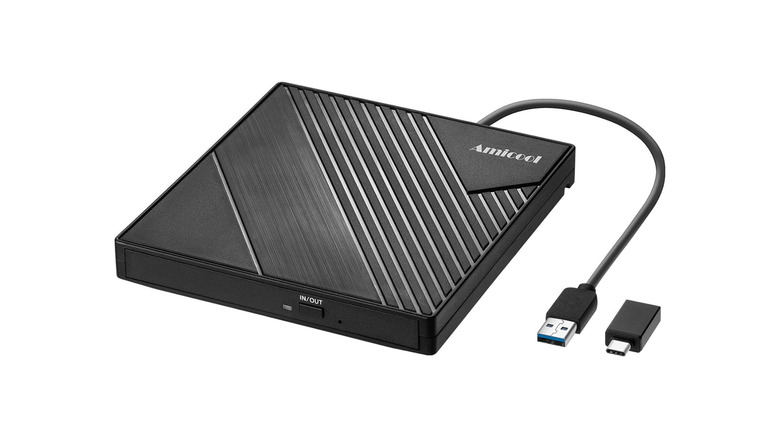
We've talked about ways to repurpose an old CD/DVD player in the past, but with streaming companies seemingly increasing costs based on their current moods, a lot of people have been turning back to physical media to watch and listen to content. That's all well and good, but what if you want to stream that content on your own private network. If you want to create your own personal cloud, you are going to need a way to rip your own media first.
That's where an External CD/DVD +/-RW Drive comes into play. Simply plug this into an available USB port and you're ready to go, no drivers needed. Grab some free audio ripping software and you can start building the perfect media library. And if you don't want to create your own media server, you can still use this player to simply watch and listen to content on your own terms.
Take back a little control over the media that you consume and stop dealing with online streaming platforms once and for all. And if you are a retro gamer like I am, having a CD drive is essential to install older games, many of which aren't always available to purchase on online stores.
How we selected these products
To curate this list, we have included products that go beyond the usual USB-based accessories. We also made sure the products on this list are all reviewed well by users. All the above products have scored a rating of 4.2 stars or above on Amazon.