

How To Connect Apple Music With ChatGPT (And Why You Should)

Following an announcement that ChatGPT would soon integrate with Apple Music, the partnership between OpenAI and Apple is now live. With that, ChatGPT now integrates with the two most popular music streaming platforms: Spotify and Apple Music. Still, the integration between these two services are fairly different.
While Spotify offers ChatGPT all of a user's data to assist the integration between the AI and the streaming service, Apple Music doesn't offer ChatGPT access to a user's library, playlist, Replay stats, recently played, or listening history. Therefore, ChatGPT can only understand the preferences of an Apple Music user based on what they tell it, meaning it might not be as accurate.
With this partnership now available, we're going to guide you through the process of connecting Apple Music with ChatGPT, explain what you can and can't do as a result of this integration, and an anecdote about our own experience of creating a combined playlist featuring Blossoms and The Vaccines, including how difficult it was to get the playlist to the finish line.
How to connect Apple Music and ChatGPT
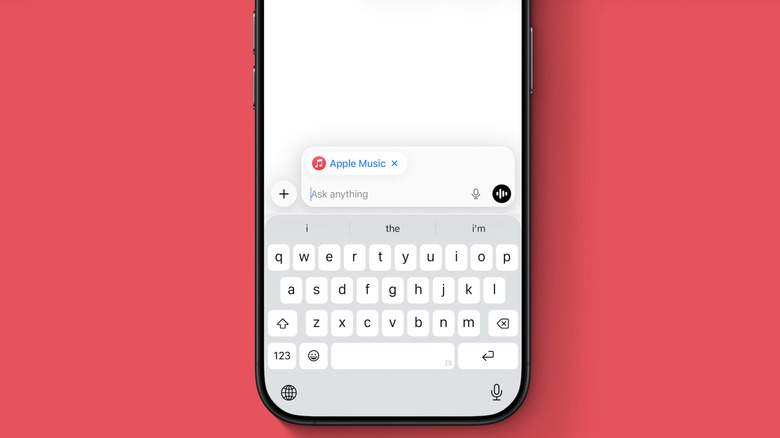
Connecting ChatGPT to Apple Music is a very straightforward process. Users can accomplish this from the web version of the chatbot, on iPhone, or on Mac. Here's what you need to do:
- With your ChatGPT app open, tap on your profile.
- Select Settings and scroll down until you find Apps.
- From there, you'll see a list of apps, including the recently-added Apple Music app.
- Before connecting to Apple Music, OpenAI will let you know that it respects your training data preferences, but users need to be aware that they're connecting to a third-party platform, and it also reveals what data is shared between the apps.
- Users can choose between continuing without an account or connecting with an Apple Music account.
- After that, you can start using the Apple Music app with ChatGPT.
It's important to note that since this integration is fairly new, you might need to remind ChatGPT that it can connect with Apple Music. Presumably, the kinks will continue to be worked out in the weeks and months ahead.
Why it's worth connecting the two apps
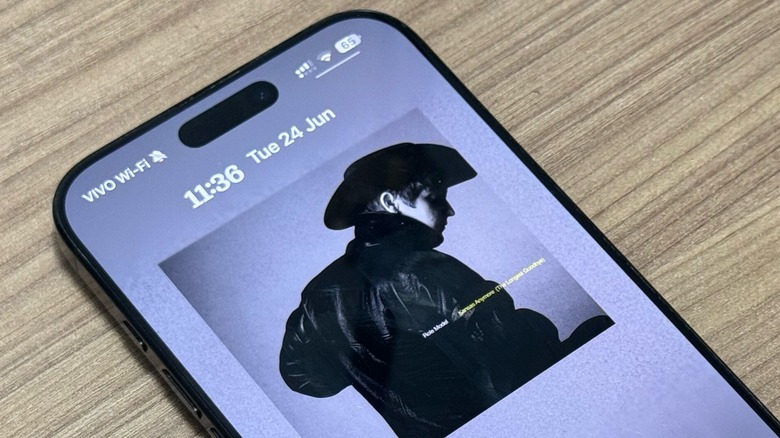
Unlike Spotify, which offers more access to a significant amount of user data, Apple Music limits what third-party developers can access. That said, ChatGPT can't see your listening history unless you specifically decide to share it with the platform. To do that, you literally need to share screenshots, such as from your Replay data and so on.
That said, ChatGPT can search the Apple Music catalog, including artists, albums, tracks, and playlists, as well as match your curated track list to official Apple Music entries. It will even attach the correct metadata, generate playable Apple Music links, and output a usable draft playlist.
However, it can't create a playlist inside your Apple Music library, add songs to your personal account, or modify your library or "Recently Played." Therefore, you can have a conversation with ChatGPT about your preferred songs and what would you like to listen to, but it won't know your favorite songs from 2015 unless you decide to share this information by conversing with it.
Creating an Apple Music playlist in ChatGPT
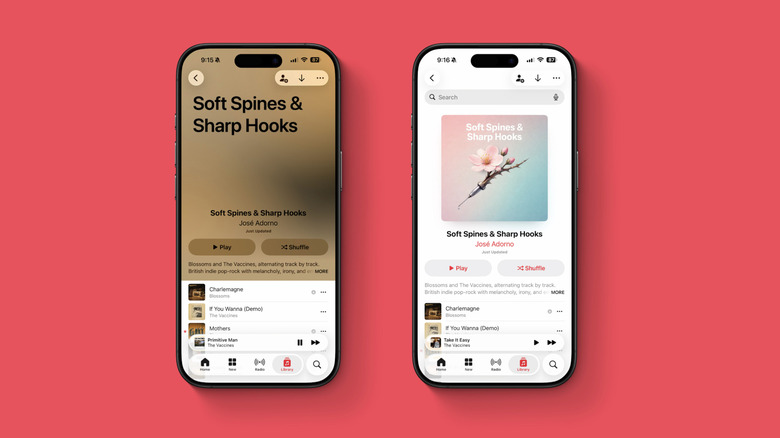
I asked ChatGPT to create a playlist featuring 24 songs by Blossoms and The Vaccines, combining their big hits with hidden gems. For it's first attempt, ChatGPT ignored the latest albums by the two bands. Even though the chatbot had an explanation for why it chose the songs, I wasn't satisfied. This is why I decided to give it more information about my listening experience by sharing a few screenshots of my most listened to songs, albums, and artists, including that I was one of the top listeners of both bands.
After that, it tweaked the playlist name and most of the songs, including an intentional flow alternating between hits and deep cuts. Overall, the second try was better because it offered more of the songs I liked the most, while still surprising me with a few hidden gems. Adding to the playlist was as easy as just pressing a button.
One thing I realized is that ChatGPT selected different versions of the albums I already have, and this is something I realized apps that transfer songs between platforms also do. My guess is that Apple Music has some issue with its integration that causes ChatGPT to choose the wrong albums. I also asked it to create a playlist cover, and even though the creation was very basic (a flower blooming with a syringe stem), I was satisfied with the overall experience, and you can find that playlist here.