

The 3 Cheap Alternatives That Replaced USB Drives
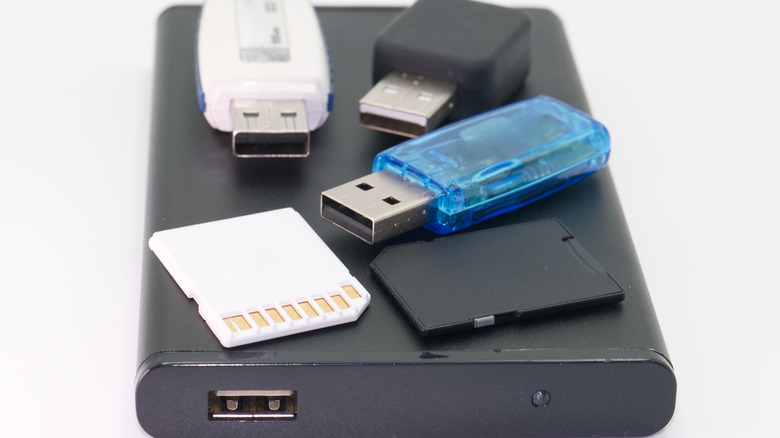
When they became popular in the early 2000s, the USB flash drives were nothing short of miraculous. These tiny "thumb drives" or "sticks" transformed how people exchanged digital information. We used them to transfer photos, music, documents, and work, and we finally got rid of the clunky CDs and DVDs that scratched so easily. The USB drives were, or rather are, compact, fast, and above all, affordable. Entire school projects, office workflows, and shared file swaps depended on them, so they had their dedicated spots in our backpacks, briefcases, and even keychains. But the cultural weight of the USB drives has recently shrunk.
Once everywhere, these devices are now mostly gathering dust in our drawers. We simply don't rely on them as we used to. Sure, they still have their use as bootable installers, offline backups, and quick file transfers. But compared to their heyday, they became a much smaller part of our digital lives. This can be seen in the fact that in some countries, figures in USB drive sales show a steady decline from year to year.
There are several very practical reasons behind that change. Traditional USB drives often cap at certain modest capacities, typically at 512GB. Of course, there are high-capacity options. For instance, the biggest USB drive you can buy is 4TB, but its price doesn't really reflect good value. Also, their transfer speeds and durability massively lag behind modern alternatives. And finally, the traditional USB-A connector is being replaced with the modern USB-C connector across devices. Also, people no longer need a physical item to share their files. With high-speed internet and cloud storage platforms, accessing, syncing, and sharing files became easier than ever. This digital convenience is hard to beat. Over time, USB drives are being replaced by cheaper alternatives.
Portable SSDs
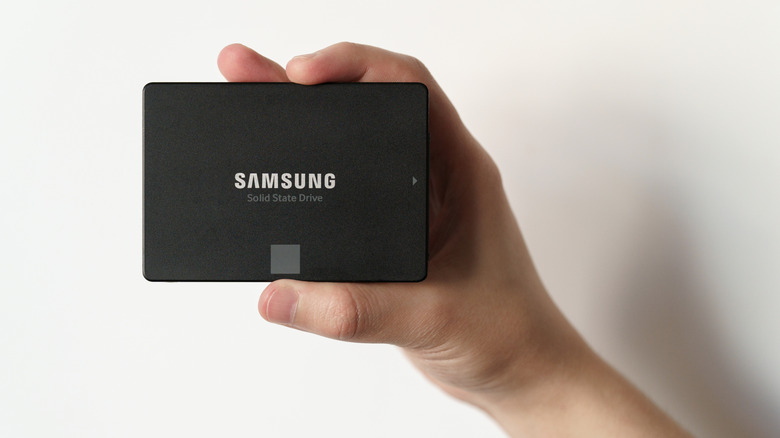
When USB drives started losing their shine, one of the clear winners in portable storage has been the solid-state drive (SSD). External SSDs are affordable storage devices that can fit in everyone's pocket and outclass traditional USB drives. Devices like the Crucial X9 1TB Portable SSD and the SanDisk Extreme Portable SSD V2 now deliver terabytes of storage at a reasonable price. The biggest SSDs you can buy are normally up to 8TB without jumping into the expensive business-grade category.
SSDs are superior to USB drives because they offer much faster read/write speeds, making it a breeze to transfer large files (4K videos, video editing programs, and frequent backups). A typical USB drive might peak in the low hundreds of MB/s, under the best conditions. External SSDs can easily triple those speeds via USB-C or USB 3.2 interfaces. They're also far more durable than USB sticks as they come with advanced controllers that balance wear and correct errors. However, they're typically placed in metal casings for durability, and they can overheat with prolonged use.
Most users praise the versatility of SSDs. They can efficiently serve as external backup drives, a scratch disk for heavy editing projects, or even portable game libraries. All these roles are unimaginable with limited USB sticks. This is why professionals, students, teachers, and creators prefer SSDs or even large HDDs over the humble thumb drive.
SD cards
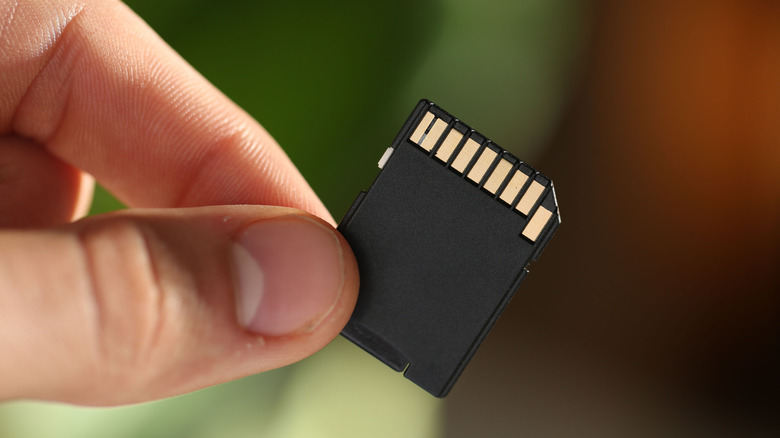
Believe it or not, SD cards have quietly become one of the cheapest and most practical storage alternatives to USB drives. These tiny memory cards offer surprising capacity and convenience. They're much smaller than the USB sticks, cheaper to produce, and cheaper to buy for the storage they offer. Options like Kingston Canvas Go Plus microSDXC-Card, or SanDisk microSD Express Card are cheaper per gigabyte than some USB models, yet they can deliver hundreds of gigabytes of storage. There are even 1TB SD cards you can buy from Lexar and other reputable brands. And they come in a form that's smaller than a postage stamp.
The appeal of the SD cards is their versatility. You can slot them directly into cameras, phones, drones, and laptops. They let you expand storage without bulky adapters or cables. This plug-in offers simplicity and broad compatibility with embedded card readers, making it especially handy for on-the-go workflows. That's why SD cards are especially convenient for photographers, videographers, or content creators. SD technology has improved enormously since its inception. The high-end cards have a high capacity range and speeds that are getting closer to SSDs.
Although very useful, the SD cards were not designed to replace internal drives or handle constant, intensive file access the way SSDs can. They're perfect for media storage and expanding the capacity of your portable devices. But using them for frequent file transfers leads to faster wear and tear and even data corruption. That said, if you need cheap, portable storage that works across multiple devices, SD cards are an excellent alternative to USB drives.
Cloud storage

Cloud storage is one of the biggest reasons why USB drives are slowly being forgotten. The cloud reshapes how we access, share, and protect files. The cloud lives online, which means you can access your files from anywhere in the world as long as you have an internet connection. You can also access them from any device. Your documents, photos, and creative projects stay synced and accessible whether you use your phone, tablet, or PC. This freedom from physical media is a major reason people ditch their USB sticks. That said, physical media isn't obsolete, as there are some things you should never keep in the cloud.
Another reason why Cloud is not just a simple storage system is the built-in collaboration tools. Multiple people can have access to the same files and work on them at the same time. The changes will be updated in real time for everyone to see. This is something traditional USB sticks can't even approach without manually copying multiple versions of the projects. That's why Cloud storage became essential for remote teams, students, and creators who frequently collaborate. That said, Cloud storage is not free. Although some free plans exist, they come with limited capacity. Subscription models are now the norm for access to unlimited online storage.
Security is another area where cloud overshadows the traditional flash drives. Modern cloud storage providers use encryption, multi-factor authentication, and redundant backups across global data centers to protect your data from loss, theft, or device failure. You also don't have to worry about leaving your storage device behind at a hotel or cafe, or about physically damaging it. All you have to do is make sure you have internet access. The ease of use, powerful collaboration tools, and built-in security outweigh the limited convenience of physical flash drives.