

Can You Use Apple CarPlay Without Cell Service?
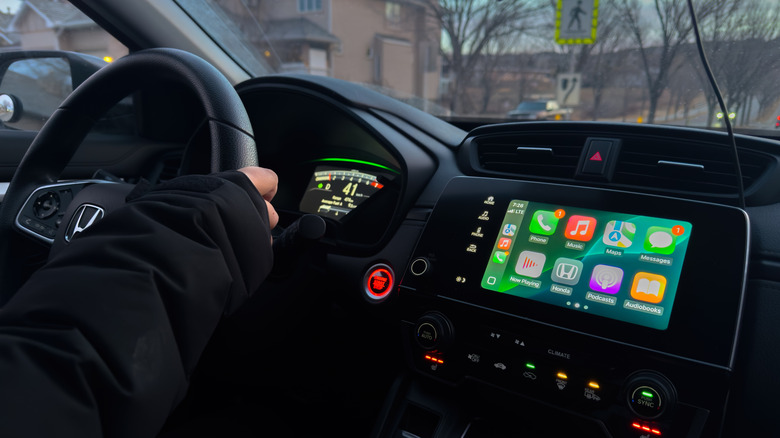
Anyone preparing to drive with Apple CarPlay in specific situations, like traveling to remote areas or roaming, may be wondering whether they can use the service without an active cell connection. The answer is yes: CarPlay works without cellular service in range or when cell service is turned off. However, CarPlay functionality will be more limited, and that's only if you prepare accordingly for riding without an active cell connection in the car.
The simplest way to understand Apple CarPlay is to think of it as a mirror display of your iPhone. Link the handset to your car via a Bluetooth connection or a USB cable, and the vehicle's infotainment system lights up, showing an iOS-like user interface where certain iPhone apps are available while on the go. That means CarPlay will turn on whenever you connect your iPhone to the car, regardless of the phone's cellular activity.
It's also important to understand that not all iPhone apps are designed to work with CarPlay. The feature won't let you stream video content or play games on the car's display. These are distractions that go against the purpose of CarPlay. Apple only makes essential iPhone apps available via CarPlay, apps a driver may want to use while behind the wheel with minimal interaction. The list includes communication apps for hands-free calls and messages, navigation apps (like Apple Maps), and audio entertainment apps that can play music and podcasts. Siri support is also available for controlling some of these apps, and Siri voice control may get even better once Apple releases the revamped Siri experience in iOS 26. However, most apps will require an internet connection, though some of them support offline mode, which means they'll work even when a cellular connection isn't readily available.
Which CarPlay apps work without a data connection?
Apps that offer hands-free calls and messages will need a cellular connection, so data can be transmitted between you and other people while you're driving with CarPlay enabled. When passing through remote areas, calls may drop, and messages may remain unsent, as Siri won't be able to act on your behalf to send that data. The same goes for any streaming apps you might use inside the car.
Apple Music, Spotify, Podcasts, Overcast, Audiobooks, Amazon Music, YouTube Music, and internet radio apps will not work if a cellular connection isn't available. Similarly, navigating with Apple Maps, Google Maps, Waze, TomTom, and other CarPlay-supported navigation apps will not work if a cellular connection isn't present. But if you prepare beforehand, two app categories from the list above will have limited functionality when cellular connectivity is spotty or limited.
All you have to do is download content in your streaming apps for local playback, and this will ensure CarPlay can play music and podcasts when your internet (cellular connection) drops. Similarly, some navigation apps like Apple Maps and Google Maps let you download data for offline use. If you know you're about to drive for several hours in an area with spotty signal, this is a feature worth exploring, so navigation still works while cellular coverage is absent. That said, there's no trick for making communication apps work without a cellular signal. At best, you may listen to any voice messages you might have stored on your handset, but that's essentially all you can do until you're within cellular reach again.
Other things to consider
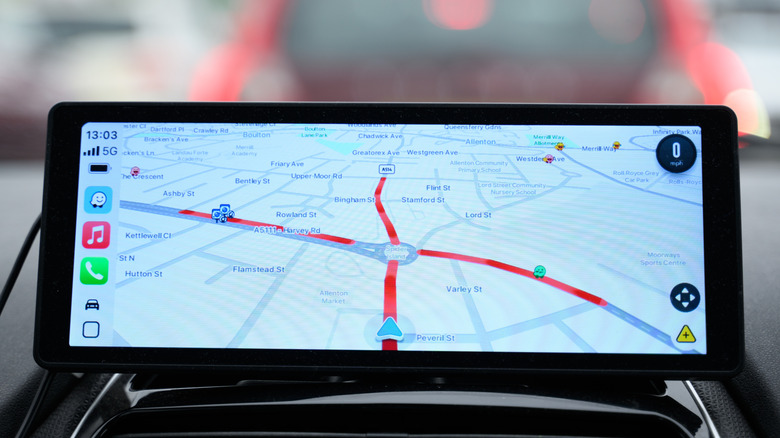
In addition to downloading local maps, songs, podcasts, and books, you can consider other fixes for scenarios where the iPhone may lack a cellular connection. If you're traveling abroad and worried about roaming fees, you can buy a local prepaid cellular SIM or eSIM card, which should handle your data needs for CarPlay. If you're experiencing cellular issues in an area where the signal shouldn't be a problem, and roaming charges aren't a worry, you can ask a different passenger in the car to share their phone's data connection. Their mobile hotspot should let your iPhone connect to the internet to enjoy full CarPlay support.
Finally, there's one more option you can try when out of cellular range. If your carrier supports it, you may want to connect CarPlay to the internet via satellite for specific features, like sending messages. For example, T-Mobile supports calls and messages via satellite. Also, the carrier supports data connection over satellite (T-Satellite with Starlink) for some apps, but your mileage may vary. It might be insufficient for using all CarPlay features, though some apps may still work, like WhatsApp and Google Maps. That said, you should download content for offline CarPlay use for any scenario involving satellite connectivity, to ensure you can still rely on key streaming and navigation apps.