

Do Unused USB Chargers Really Waste Electricity?
We may receive a commission on purchases made from links.
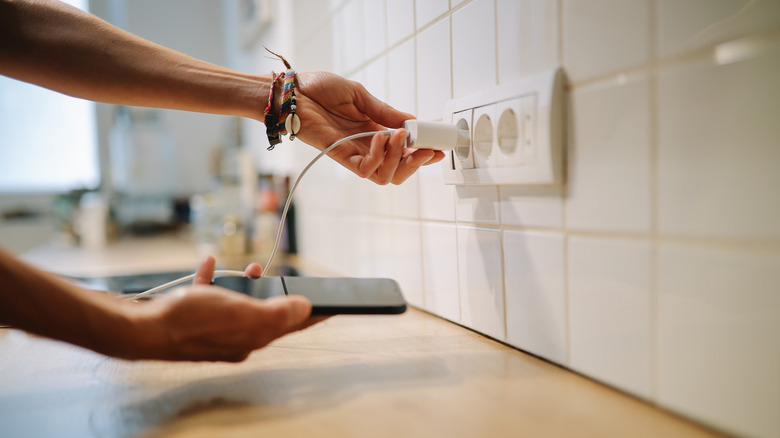
Rather than spending time chasing adapters around your home and seeking open outlets to plug into before charging your gadgets, it's much more convenient to leave the adapters themselves plugged in, even when you're not using them. The question, of course, is whether or not they waste electricity in standby, and if so, how much? While a single adapter may not require a ton of electricity, approximately 0.1 to 0.5 watts per day for your average charger, it creates a problem when you have many adapters plugged in.
Yes, they do use electricity, even when nothing else is charging, and that consumed energy has a specific name: phantom power. The U.S. Department of Energy estimates that 5 to 10 percent of residential energy use comes from phantom power and may cost the average homeowner as much as $100 per year. One or two USB chargers plugged in may not seem like they're using much, but collectively, in a household, the consumption may be higher. If you have kids, imagine their chargers or devices plugged in all the time, as well as your partners', yours, or anyone else visiting.
But it's also not just USB chargers that consume power. Many devices in standby use small amounts of electricity, including cable boxes, streaming players, game consoles, smart TVs, microwaves, appliances, sound systems, and much more. Now, imagine all of those devices plugged in, all the time, all day, every day. That's a lot of power potentially going to waste. You can mitigate this by swapping to newer, more energy-efficient options. In fact, a little-known fact about smart home devices is that they help conserve energy by cutting back on the constant power draw or by using what's available more efficiently.
How to check and minimize electricity usage in your home
The simple answer to reducing energy costs is to unplug USB chargers from wall outlets when they're not in use. That also applies to other electronics, within reason. There may be appliances or items you don't want to unplug or can't, whether because it's inconvenient or they need a power source all the time, like a fridge. But USB chargers and power adapters are an excellent place to start. One quick trick is to plug all powered devices into a power strip and turn that on or off as you need to use something. The power switch can reduce consumption, but it's also technically safer if used correctly, as long as it's of reasonable quality. Alternatively, you can use essential smart home gadgets, like the Amazon Smart Plug, to schedule charging times or remotely control access.
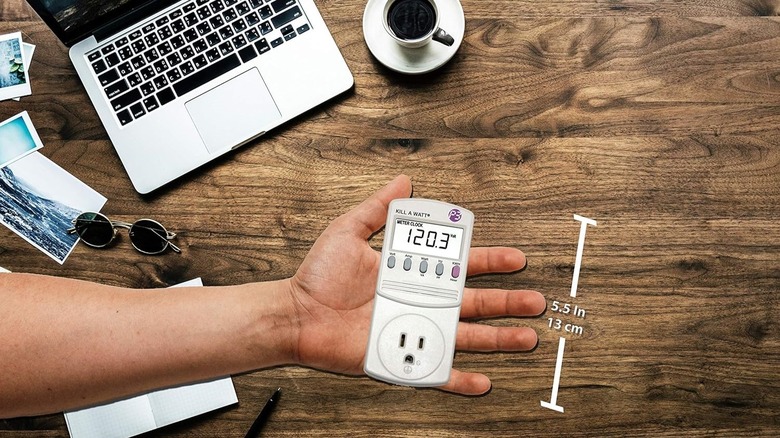
You can also use a digital meter to check the energy usage around your home. A perfect example is the P3 P4400 Kill A Watt monitor, available for a relatively inexpensive $34.49. That's about the cost you'll save per year if it helps you cut back on power bills. The P4400 monitor plugs directly into the outlet you want to check. It then accurately calculates expenses based on the day, week, month, or year.
Finally, the Department of Energy recommends using Energy Star-certified products, which are designed to be more energy efficient than your average appliance or gadget and use less standby power. Yes, there are Energy Star-certified power adapters. There are also a few extra smart home upgrades you can make to save money, helping you conserve power and water, reduce heating or cooling costs, and improve your family's overall safety and security.